Free XBox One with purchase of Kinect

the difference between the Kinect and Kinect for Windows

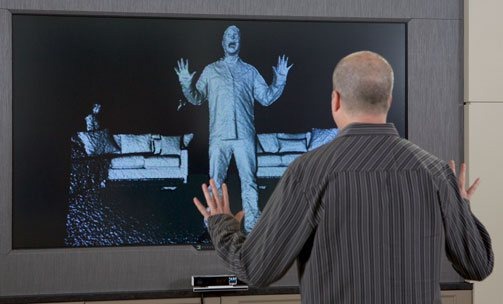
It’s true.  In November, Microsoft will release the Kinect 2 for approximately $500.  The new Kinect2 comes with HD video at 30 fps (we currently get 640×480 with the Kinect1), much improved skeleton tracking and improved audio tracking.  One of the most significant changes is in depth tracking.  Instead of the Primesense structured light technology used in Kinect1, Kinect2 uses the more traditional and more accurate time-of-flight technology.  Since most Time of Flight depth cameras start at around $1K, getting this in a Kinect2 along with all the other features for half that price is pretty amazing.

But the deal doesn’t stop there.  If you buy the Kinect for XBox, you automatically get an XBox for free!  You actually can’t even buy the XBox on its own.  You only can get it if you buy the Kinect2.

How do they give the new XBox One away for free you may ask?  Apparently the price of the XBox One will be subsidized through game sales.  Since the games for XBox will tend to have some sort of Kinect capability – enabled by the requirement that you can’t get the XBox on its own – the expectation seems to be that these unique games will get enough sales that, through volume, the cost of producing the XBox One will eventually be recouped.

But what if you aren’t interested in gaming?  What if – like at my company, Razorfish – you are mainly interested in building commercial interfaces and artistic experiences with the Kinect technologies. 

In this case, Microsoft will be providing another version of the Kinect (one assumes that it will be called something like Kinect2 for Windows or perhaps K4W2 – its Star Wars droid name) that has a USB 3 adapter that will plug into a PC.  And because it is for people who are not interested in gaming, it will probably cost a bit less than $500 to make up for the fact that it doesn’t come with a free XBox One and won’t ever recoup that hardware cost from non-gamers.  By the way, this version of the Kinect sensor will be released some time – perhaps months? — following the K4X1 November release.

Finally, to make the distinction between the two kinds of Kinect2s clear, the Kinect2 for XBox will not plug into a PC and Kinect2 for Windows will not plug into an XBox.  It’s just cleaner that way.

With the original Kinect, there was quite a bit of confusion introduced by the fact that when it was released it used a typical USB connector that could be plugged into either the XBox 360 or a PC.  This turned out to be a great thing for Microsoft because it set off an amazing flood of creativity among hackers who started building their own frameworks and drivers to read the USB data and then build applications on top of it. 

Overnight, this grassroots Kinect Hacks movement made Microsoft cool again.  There is currently talk going around that the USB connector on the Kinect was simply fortuitous.  I’m pretty sure, however, that it was prescient – at least on someone’s part – and the intent was – again on someone’s part if not everyone’s – to provide the sort of platform that could be taken advantage of to build more than games.

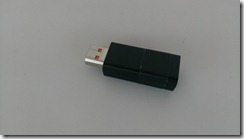
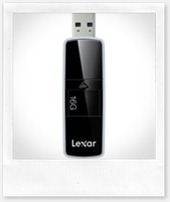
As Microsoft moved forward with the development of the Kinect SDK as a platform for developers to build Kinect applications on, they decided that this should be coupled with a special version of the “Kinect” called Kinect for Windows that would carry special firmware supporting near mode.  Additionally, the commercial version of the hardware (which was pretty much the same as the the gaming version of the hardware) required a special dongle (see photo above) that would help regulate the power on PCs. The biggest difference between the two Kinects, however, was the licensing terms and the price.  Basically, if you wanted to use Kinect technology commercially with the Kinect SDK, you needed to use the Kinect for Windows sensor which carried a higher, un-subsidized price. 

This, naturally, caused a lot of confusion.  People wondered why Microsoft was overcharging for the commercial version of the sensor when with a Copernican frame of mind that might have just as easily asked why Microsoft was undercharging for the gaming version of the sensor.

With the Kinect2 sensors, all of this confusion is removed by fiat since the gaming version and commercial version now have different connectors.  From a hardware standpoint, rather than merely a legal one, you cannot use your gaming sensor with a PC.

Of course, you could also perform a Copernican revolution on my framing above and suggest that it isn’t the XBox One that is being subsidized through the purchase of the Kinect2 but rather the Kinect2 that is being subsidized through the purchase of the XBox One.

It’s all a bit of an accounting trick, isn’t it?  Basically the money has to come from somewhere.  Given that Microsoft received a lot of free, positive PR from the Kinect hacking movement, it would be cool if they gave a little back and made the non-gaming Kinect2 sensor more accessible. 

Contrarily, however, it is already the case that a time-of-flight camera for under $500 along with all the other features loaded onto the Kinect2 is a pretty amazing deal for weekend coders, installation artists, and retailers. 

In any case, it gives me peace of mind to think of the Kinect2 sensor as a $500 device that comes with a free XBox One.  A lot of the angst I might otherwise feel about pricing simply melts away.  Though if Microsoft felt like subsidizing the price of the K4W2 sensor with some of the excess money they make off of Sharepoint licenses, I’d be cool with that, too.

Kinect Application Project Template

Over the past year, every time I start a new Kinect for Windows project, I’ve basically just copied the infrastructure code from a previous project.  The starting point was the code my friend Jarrett Webb and I wrote for our book Beginning Kinect Programming with the Microsoft Kinect SDK, but I’ve made incremental improvements to this code as needed and based on pointers I’ve found in various places.  I finally realized that I’d made enough changes and it was time to just turn this base code into a project template for myself and my colleagues at work.  Realizing that there wasn’t a Kinect Application project template available yet on the visual studio gallery, I uploaded it there, also.

The cool thing about templates uploaded to the gallery is that anyone with visual studio can now install it from the IDE.  If you select Tools | Extension Manager … and then search for “Kinect” under the Online Gallery, you should see something like this.  From here you can install the Kinect Application project template to your computer.

Kinect Application Project Template

If you then create a new project and look under C# | Windows, you will be able to build a Kinect WPF application with a bit of a headstart.  Here are some key features:

1. Initialization Code

All the initialization code and Kinect stream event handlers are stubbed out in the InitSensor method.  All you need to do is uncomment the streams you want to use.  Additionally, the event handler code is also stubbed out with the proper pattern for opening and disposing of frame objects.  Whatever you need to do with the image, depth and skeleton frames can be done inside those using statements.  This code also uses the latest agreed upon best practices for efficiently managing streamed data as of the 1.7 SDK.

void sensor_ColorFrameReady(object sender
    , ColorImageFrameReadyEventArgs e)
{
    using (ColorImageFrame frame = e.OpenColorImageFrame())
    {
        if (frame == null)
            return;

        if (_colorBits == null) _colorBits = 
            new byte[frame.PixelDataLength];
        frame.CopyPixelDataTo(_colorBits);

        throw new NotImplementedException();
    }
}

2. Disposal Code

Whatever you enable in the InitSensor method you will need to disable and dispose of in the DeInitSensor method.  Again, this just requires uncommenting the appropriate lines.  The DeInitSensor also implements a disposal pattern that is somewhat popular now.  The sensor is actually shut down on a background thread rather than on the main thread.  I’m not sure if this is a best practice as such, but it resolves a problem many C# developers were running into in shutting down their Kinect-enabled applications.

3. Status Changed Code

The Kinect can actually be disconnected in mid-process or simply not be on when you first run an application.  It is also surprisingly common to forget to plug the Kinect’s power supply in.  Generally, your application will just crash in such situations.  If you properly handle the KinectSensors.StatusChanged event, however, your application will just start up again when you get the sensor plugged back in.  A pattern for doing this was first introduced in the KinectChooser component in the Developer Toolkit.  A lightweight version of this pattern is included in the Kinect Application Project Template.

void KinectSensors_StatusChanged(object sender
    , StatusChangedEventArgs e)
{
    if (e.Status == KinectStatus.Disconnected)
    {
        if (_sensor != null)
        {
            DeInitSensor(_sensor);
        }
    }

    if (e.Status == KinectStatus.Connected)
    {
        _sensor = e.Sensor;
        InitSensor(_sensor);
    }
}
 

4. Extension Methods

While most people were working on controls for the Kinect 4 Windows SDK, Clint Rutkas and the Coding4Fun guys brilliantly came up with the idea of developing extension methods for handling the various Kinect streams.

The extension methods included with this template provide lots of conversions from bitmaps byte arrays to BitmapSource types (useful for WPF image controls) and vice-versa.  This allows you to do something easy like display a color stream which otherwise can be rather hairy.  The snippet below assumes there is an image control in the MainWindow named canvas.

using (ColorImageFrame frame = e.OpenColorImageFrame())
{
    if (frame == null)
        return;

    if (_colorBits == null) _colorBits = 
        new byte[frame.PixelDataLength];
    frame.CopyPixelDataTo(_colorBits);

    // new line
    this.canvas.Source = 
        _colorBits.ToBitmapSource(PixelFormats.Bgr32, 640, 480);
}

More in line with the original Coding4Fun Toolkit, the extension methods also make some very difficult scenarios trivial – for instance background subtraction (also known as green screening), skeleton drawing, player masking.  These methods should make it easier for quickly mock up a demo or even show off the power of the Kinect in the middle of a presentation using just a few lines of code.

private void InitSensor(KinectSensor sensor)
{
    if (sensor == null)
        return;

    sensor.ColorStream.Enable();
    sensor.DepthStream.Enable();
    sensor.SkeletonStream.Enable();
    sensor.Start();
    this.canvas.Source = sensor.RenderActivePlayer();
}

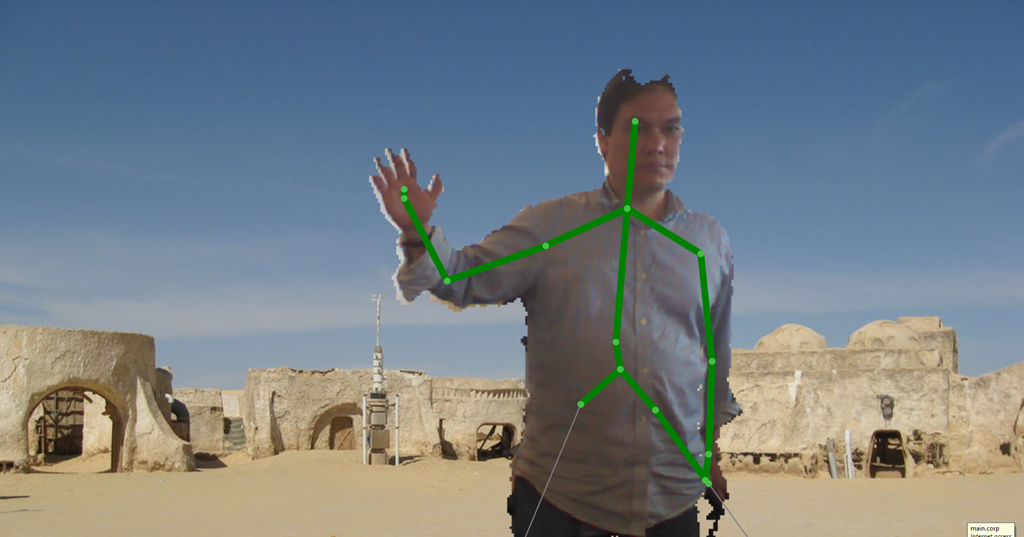
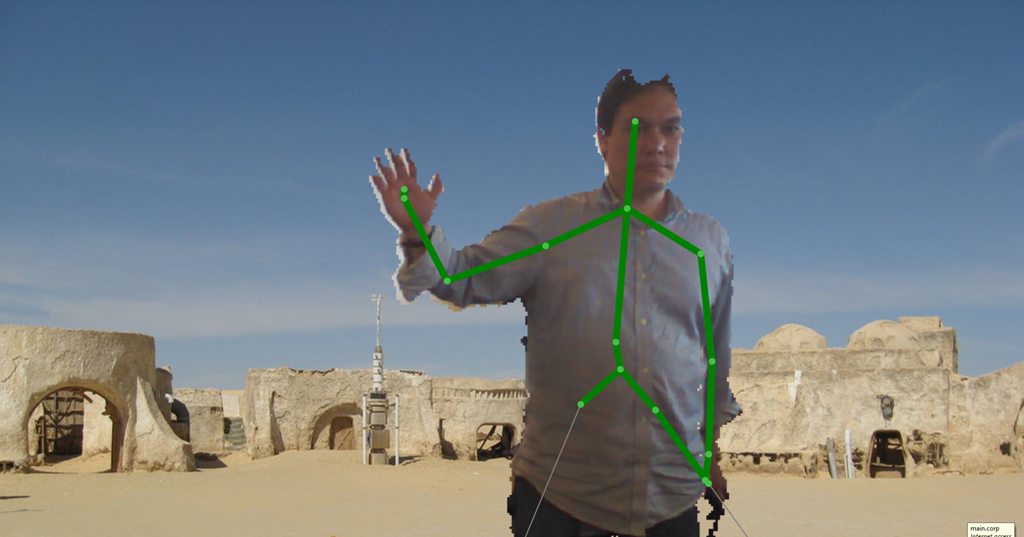
Again, this code assumes there is an image control in MainWindow named canvas.  You’ll want to put the following code in the InitSensor method to ensure that the code is called again if your Kinect sensor accidentally gets dislodged.  To create a simple background subtraction image, enable the color, depth and skeleton streams and then call the RenderActivePlayer extension method.  By stacking another image beneath the canvas image, I create an effect like this:

me on tatooine

Here are some overloads of the RenderActivePlayer method and the effects they create.  I’ve removed Tatooine from the background in the following samples.


canvas.Source = sensor.RenderActivePlayer(System.Drawing.Color.Blue);

blue_man


canvas.Source = sensor.RenderActivePlayer(System.Drawing.Color.Blue
                , System.Drawing.Color.Fuchsia);

blue_fuschia


canvas.Source = sensor.RenderActivePlayer(System.Drawing.Color.Transparent
                , System.Drawing.Color.Fuchsia);

trasnparent_fuschia


And so on.  There’s also this one:

canvas.Source = sensor.RenderPredatorView();

predator


… as well as this oldie but goodie:

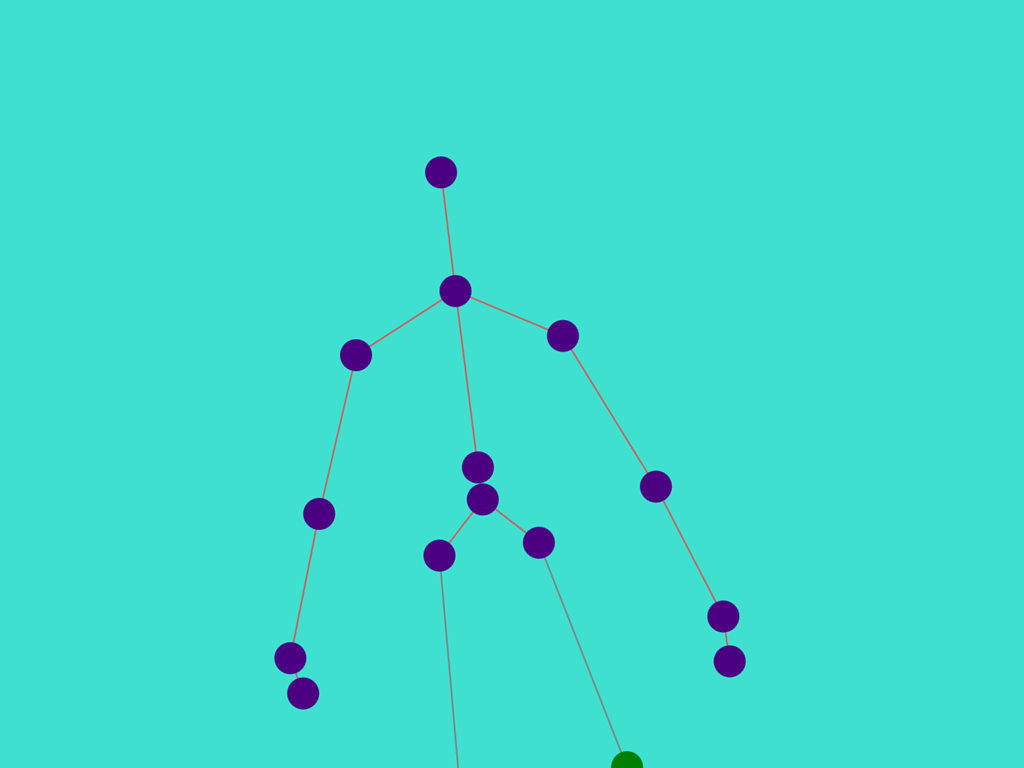
canvas.Source = sensor.RenderPlayerSkeleton();
skeleton_view

The base method uses the colors (and quite honestly most of the code) from the Kinect Toolkit that goes with the SDK.  As with the RenderActivePlayer extension method, however, there are lots of overrides so you can change all the colors if you wish to.

canvas.Source = sensor.RenderPlayerSkeleton(System.Drawing.Color.Turquoise
    , System.Drawing.Color.Indigo
    , System.Drawing.Color.IndianRed
    , trackedBoneThickness: 1
    , jointThickness: 10);

balls


Finally, you can also layer all these different effects:

canvas.Source = sensor.RenderActivePlayer();
canvas2.Source = sensor.RenderPlayerSkeleton(System.Drawing.Color.Transparent);

everything

PRISM, Xbox One Kinect, Privacy and Semantics

loose lips

It’s interesting that at one time getting people to keep quiet was a priority for the government.  During World War II the government promoted a major advertising campaign to remind people that “loose lips sink ships.”  During war time (back when wars were temporary affairs), it was standard practice to suppress the flow of information and censor personal letters to ensure that useful information would not fall into enemy hands.  In a sense, privacy and national security were one.

Recent leaks about the NSA’s PRISM program suggest that things have dramatically changed.  We’ve realized for several years now that our cell phone service providers, our social networks, and our search engines are constantly tracking our physical and digital movements and mining that data for marketing.  We basically have traded our privacy for convenience in the same way that we accept ads on TV and on the Internet in exchange for free content. 

The dark side of all this is when all of this information is being passed along to third parties we didn’t even know about until we start getting junk mail in our inboxes for products we have no interest in.

What we only suspected, until now, was that the infrastructure that has been built to support these transactions of personal information for services were also of interest to our government and that we are sharing our identifying information not only with content providers, service providers, spammers and junk mailers but also with the United States security apparatus.  Now that all that information has been collected, the government wants to mine it also.

We don’t live in a police state today.  I don’t belong to either the far right wing nor the far left wing – I’m neither an occupier nor a tea partay kind of guy – so I also don’t believe we are even close to slipping into a police state in the near future.  I’m not concerned that the government will or ever will use this information to track me down and I am pretty confident that all this data mining will mainly be used only to track down terrorists and to send me unwanted emails.  And yet, it bugs me on a visceral level that people are going through my stuff, whatever that ethereal stuff actually is.

Gears of War

The main argument against this cooties feeling about my privacy is that only metadata is being inspected and not actual content.  Unfortunately, this seems like a porous boundary to me.  To paraphrase Hegel’s overarching criticism of Kant, whenever we draw a line we also necessarily have to cross over it at the same time.  From everything I know about software, the only way to gather metadata is to inspect the content in order to generate metadata about it.  For instance, when a government computer system listens to phone traffic in order to pick out key words and constellations of words, it still has to listen to all the other words first in order to pick out what it is interested in. 

Moreover, according to Slate, the data mining being done by PRISM is incredibly broad:

It appears the National Security Agency’s sweeping surveillance is not something only Verizon customers should be concerned about. The agency has also reportedly obtained access to the central servers of major U.S. Internet companies as part of a secret program that involves the monitoring of emails, file transfers, photos, videos, chats, and even live surveillance of search terms.

The semantics of Privacy today, as defined under the regime of the NSA, doesn’t mean no one is listening to what you are saying – it just means no one cares.  The best way to protect one’s privacy today is to simply be boring.

At the same time that all these revelations about PRISM were coming out (in fact on the very same day), Microsoft released a brief about privacy concerns around the new Xbox One’s Kinect peripheral.  Here’s an attempted explanation of the brief on Windows Phone Central I found particularly fascinating:

A lot of people feared that the Kinect would be able to listen to you when the Xbox One was off. Apparently, when off, the Xbox One is only listening for one command in its low-power state: “Xbox On”. It’s nice to know that you’re in control when the Kinect is on, off or paused. Some games though will require Kinect functionality (again, at the discretion of the game developers/publisher). That’s up to you to play or not play those games.


The author’s reassurance is based on a semantic sleight-of-hand.  The Kinect is not listening to you, according to the author, because it “is only listening for one command.”  This is an honest mistake, but a dangerous one.  In fact, in order to listen for one command, the Kinect has to have that microphone turned on and listening to everything anyone is saying.  What it is actually doing is only acting on one command – and hopefully throwing away everything else.  Additionally I do have a bit of experience with Microsoft’s speech recognition technology both on the Kinect and on the PC, and the “low-power state” modifier doesn’t particularly make sense.  It takes a similar amount of effort to identify insignificant data as it does to identify significant data, AFAIK. (There’s always the possibility that the Xbox Kinect has an on-board language processor just to listen for this one command that is separate from the rest of its speech recognition processing chain – but I haven’t heard about anything like that so far.)

Halo IV

The original Microsoft brief called Privacy by Design, upon which I assume the Windows Phone Central post is based, doesn’t play this particular semantic game – though it plays another.  At the same time, it also seems particularly and intentionally vague about certain points.

The semantic game in Microsoft’s Privacy post is around the term ‘design’.  Does design  here refer to the hardware design, the software architecture, the usability design or the marketing campaign?  These are all things that are encompassed by the term design and, in the linked article, privacy could be referring to any of them.  If it refers to the marketing campaign and UX, as it probably does, this doesn’t actually provide me any guarantees of privacy.  All it tells me is that Microsoft doesn’t initially intend to use the new Kinect sitting in my living room to collect random conversations.  ‘Design’ may refer to the initial software architecture, but this doesn’t provide us with any particular guarantees since any post-release software update can change the way the software works.

To put this another, way, the article describes Microsoft’s intent but doesn’t provide any guarantees.  Is there anything in the hardware that will prevent speech data from being mined in the future?  Probably not.  In that case, is there anything in the licensing that prevents Microsoft from mining this data?  Microsoft’s privacy brief doesn’t even touch on this.

So should you be concerned?  Totally – and here’s why.  In its pursuit of security, the NSA has instituted an infrastructure that performs better and better the more information it is fed.  Do terrorists play Xbox?  I have no idea.  Would the NSA want all that data anyways? 

Call of Duty

Hypothetically, the new Xbox One and the Kinect can collect this information on us.  Here’s how.  According to recent Microsoft announcements, the Xbox One must be connected to the Internet once every 24 hours in order to play games on it.  The new Kinect is designed to always be on and I am obligated to have it (I can’t buy a Kinect One without it).  Even when my Xbox One is off, my Kinect is still on listening for a command to turn it on.  The infrastructure is there and the NSA’s PRISM project is a monster that is hungry for it.

To be clear, I don’t think Microsoft is particularly interested in collecting this data.  Microsoft has no particular use for the typically rather boring conversations I have in my living room.  They won’t be gleaning any particularly useful marketing information from my conversations either. 

Nevertheless, I think it would be extremely forward looking of Microsoft to explain what they have put in place to prevent the government from ever issuing a request for this data and getting it the way they have already gotten other data, so far, from Verizon, AT&T, Microsoft, Yahoo, Google, Facebook, AOL, Skype, YouTube, and Apple.

Has Microsoft designed a mechanism, either through hardware or through a customer agreement they won’t/can’t rescind in the future, that will future proof my privacy?

What Game of Thrones Can Teach Us About Terrorism

distrubance 

"I felt a great disturbance in the Force, as if millions of voices suddenly cried out in terror …”

Last night’s airing of Game of Thrones season 3 episode 9, The Rains of Castamere, was in many ways the culmination of the “A Song of Ice and Fire” experience.  In the books by G.R.R. Martin, the Red Wedding occurs half way through the third book (there are currently five).  The RW is the primary reason people get their friends to read the book.  According to the producers of the HBO series, it is the episode they felt they had to get to.

In going through the social media related to the Red Wedding, there seemed to be mainly two reactions.  One was the sense of shock, grief and eventually numbness from people who didn’t know it was coming. I well recognize this mental state from the time I read the RW scene almost ten years ago.  The second was the strange elation of people who had already read the books in response to the reaction of the people who hadn’t.

black_frey

I wish I could find a word for this second, reflective emotion.  It isn’t exactly schadenfreude, that amazing German word for the the pleasure we take in other people’s misfortune.  Schadenfreude always has an element of ressentiment in it and seems generally directed to people who are better off than us.  The object of our schadenfreude thinks he is an innocent while in our minds, the misfortune is in some way deserved — though perhaps excessive.  Schadenfreude is the emotion Walder Frey feels as he watches the Starks and their bannermen being cut down.

In my bedroom wall, there is a hole made by a very heavy paperback tome. It marks the place where my wife threw her copy of A Storm of Swords against the wall after the Red Wedding scene – and for those more in the know, specifically the scene involving Arya and the Hound’s axe. I hadn’t read it yet and it was at that point my wife made me start with the first book, A Game of Thrones, so I could catch up and find out why there was a hole in our bedroom wall.

walder

There was a serious angst (‘nother awesome German word but still not the one we want) to her mood and it wouldn’t go away until I’d gotten to the emotional place she wanted me. I wanted to throw the book at the wall, too, but it seemed pointless by then.  The important thing though was she would finally talk to me again and we were on the same page, so to speak.  Oddly enough, we talked about what a great movie these books would make. 

The reflective emotion online was partly a weird glee but also a solicitousness towards those who were experiencing the RW psychic shock for the first time.  It’s as if for those who had already gone through this trauma, the trauma itself presented a barrier between themselves and everyone who was going about their lives in ignorance of the fact that a horrible thing happens in the middle of the third book of this series of books they probably are never going to read because adults don’t read Proust-length fantasy novels.  And then, thanks to the HBO series, now that trauma has been shared with the rest of the world.

bolton

I think the emotional word I’m looking for might be terrorism.  Isn’t this what terrorists do to people who don’t understand or sympathize with their plight?  They find a way to share their trauma with others in order to externalize their angst?

With terrorism, though, we never get to the point where people say, hey, thanks for the bombing, now I see where you’re coming from and everything’s going to be okay.

readthebook

Following the airing of The Rains of Castamere, on the other hand, all of us are now on the same page emotionally, are ready for healing, and can move on to the next thing, whether that next thing is the new season of True Blood or possibly a new Gene Wolfe novel.  On the other hand, if you are just interested in connecting with more people who have gone through what you just went through, you can try the online Song of Ice and Fire community at http://asoiaf.westeros.org/

It can be thought of as the largest and longest lasting group therapy session ever created. While I haven’t been back for a while, my wife and I joined it shortly after we created that hole in our bedroom wall and it was the source of much comfort and consolation to us.  It was the place, strangely enough, where some of the casting for the HBO series occurred as well as the best place to learn how to decipher one of the great hidden secret of the series: R+L=J.

I Can Haz the Unconscious?

pet therapy

The scientific method is one of the great wonders of deliberative thought.  It isn’t just our miraculous modern world that is built upon it, but also our confidence in rationality in general.  It is for this reason that we are offended on a visceral level at all sorts of climate change deniers, creationists, birthers, conspiracy theorists and the constant string of yahoos that seem to pop up using the trappings of rationality to deny the results of the scientific method and basic common sense.

It is so much worse, however, when the challenge to the scientific method comes from within.  Dr. Yoshitaka Fujii has been unmasked as perhaps one of the greatest purveyors of made up data in scientific experimentation, and while the peer review process seems to have finally caught him out, he still had a nearly 20 year run and some 200 journal articles credited to him.  Diederik Stapel is another prominent scientific fraudster whose activities put run-of-the-mill journalistic fraudsters like Jayson Blair to shame. 

Need we even bring up the demotion of Pluto, the proposed removal of narcissistic personality disorder as a diagnosis in the DSM V (narcissists were sure this was an intentional slight against them in particular), or the little-known difficulty of predicting Italian earthquakes (seven members of the National Commission for the Forecast and Prevention of Major Risks in Italy were convicted of manslaughter for not forecasting and preventing a major seismological event)?

It’s the sort of thing that gives critics ammo when they want to discredit scientific findings like Jerry Mahlman’s hockey stick graph in climatology.  And the great tragedy isn’t that we reach a stage where we no longer believe in the scientific method, but that we now believe in any scientific method.  Everyone can choose their own scientific facts to believe in and a general opinion that incompatible scientific positions do not need to be resolved with experimentation but rather through politics prevails.

Unconscious Thought Theory is now the object of similar reconsiderations.  A Malcolm Gladwell pet theory based on the experiments of Ap Dijksterhuis, Unconscious Thought Theory posits that we simply perform certain cognitive activities better when we are not actively cognizing.  As a software programmer, I am familiar with this phenomenon in terms of “sleep coding”.  If I am working all day on a difficult problem, I will sometimes have dreams about coding in my sleep and wake up the next morning with a solution.  When I arrive back at my work, it will effectively take me a few minutes to finish typing a routine into my IDE that I’ve been working for a day or several days trying to crack. 

I am a firm believer in this phenomenon and, as they say in late night infomercials, “it really works!”  I even build a certain amount of sleep coding into my programming estimates these days.  A project may take three days of conscious effort, one night of sleep, and then an additional five minutes to code up.  Sometimes the best thing to do when a problem seems insurmountable is simply to fire up the Internets, watch some cat videos and lolcatz the unconscious.

Imagine also how salvific the notion of a powerful unconscious is following the recent series of financial crisis.  At the first level, the interpretation of financial debacles blames excessive greed for our current problems (second great depression and all that jazz).  But that’s so 1980’s Gordon Gecko.  A deeper interpretation holds that the problem comes down to falsely assuming that in economic matters we are rational actors – an observation that has given birth (or at least a second wind) to the field of behavioral economics. 

I can haz Asimo

Lots of cool counter-factual papers and books about how remarkably irrational the consumer is has come out of this movement.  The coolest has got to be not only that we are much more irrational than we think, but that our irrational unconscious selves are much more capable than our conscious selves are.  It’s a bit like the end of of Isaac Asimov’s I, Robot (spoilers ahead) where after working out all the issues with Robots someone discovers that things are just going too smoothly in the world and comes to the realization that humans are not smart enough to end wars and cure diseases like this.  After some investigation, the intrepid hero discovers that our benign computer systems have taken over the running of the world and haven’t told us because they don’t want to freak us out about it.  They want us to go on thinking that we are still in charge and to feel good about ourselves.  It’s a dis-distopian ending of sorts.

As I mentioned, however, Unconscious Thought Theory is undergoing some discreditation.  One of the rules of the scientific method is that with experiments, they gots to be reproducible, and Dijksterhuis’s do not appear to be.  Multiple experiments have not been able to replicate Dijksterhuis’s “priming effect” experiments which used social priming techniques (for instance, having something think about a professor or a football hooligan before an exam) and then evaluating the exam scores correlated with the type of priming that happened.  There’s a related social priming experiment by someone else, also not reproducible, that seemed to show that exposing people to notions about aging and old people would make them walk slower.  The failure to replicate and verify the findings of Dijksterhuis’s social priming experiments lead one inevitably to conclude that Dijksterhuis’s other experiments promoting Unconscious Thought Theory are likewise questionable.

a big friggin' eye full of clouds

On the other had, that’s exactly what a benevolent, intelligent, all-powerful, collective supra-unconscious would want us to think.  Consider that if Dijksterhuis is correct about the unconscious being, in many circumstances, basically smarter at complex thinking activities than our conscious minds are, then the last thing this unconscious would want is for us to suddenly start being conscious of it.  It works behind the scenes, after all. 

When we find the world too difficult to understand, we are expected to give up and miraculously, after a good’s night sleep, the unconscious provides us with solutions.  How many scientific eureka moments throughout history have come about this way?  How many of our greatest technological discoveries are driven by humanity’s collective unconscious working carefully and tirelessly behind the scenes while we sleep?  Who, after all, made all those cat videos to distract us from psychological experiments on the power of the unconscious while the busy work of running the world was being handled by others?  Who created YouTube to host all of those videos?  Who invented the Internet – and why? 

Helpful vs Creepy Face Recognition

mr_mall

One of the interesting potential commercial uses for the Kinect for Windows sensor is as a realtime tool for collecting information about people passing by.  The face detection capabilities of the Kinect for Windows SDK lends itself to these scenarios.  Just as Google and Facebook currently collect information about your browsing habits, Kinects can be set up in stores and malls to observe you and determine your shopping habits.

There’s just one problem with this.  On the face of it, it’s creepy.

To help parse what is happening in these scenarios, there is a sophisticated marketing vocabulary intended to distinguish “creepy” face detection from the useful and helpful kind.

First of all, face detection on its own does little more than detect that there is a face in front of the camera.  The face detection algorithm may go even further and break down parts of the face into a coordinate system.  Even this, however, does not turn a particular face into an token that can be indexed and compared against other faces. 

Turning an impression of a face into some sort of hash takes us to the next level and becomes face recognition rather than merely detection.  But even here there is parsing to be done.  Anonymous face recognition seeks to determine generic information about a face rather than specific, identifying information.  Anonymous face recognition provides data about a person’s age and gender – information that is terribly useful to retail chains. 

Consider that today, the main way retailers collect this information is by placing a URL at the bottom of a customer’s receipt and asking them to visit the site and provide this sort of information when the customer returns home.  The fulfillment rate on this strategy is obviously horrible.

Being able to collect these information unobtrusively would allow retailers to better understand how inventory should be shifted around seasonally and regionally to provide customers with the sorts of retail items they are interested in.  Power drills or perfume?  The Kinect can help with these stocking questions.

But have we gotten beyond the creepy factor with anonymous face recognition?  It actually depends on where you are.  In Asia, there is a high tolerance for this sort of surveillance.  In Europe, it would clearly be seen as creepy.  North America, on the other hand, is somewhere between Europe and Asia on privacy issues.  Anonymous face recognition is non-creepy if customers are provided with a clear benefit from it – just as they don’t mind having ads delivered to their browsers as long as they know that getting ads makes other services free.

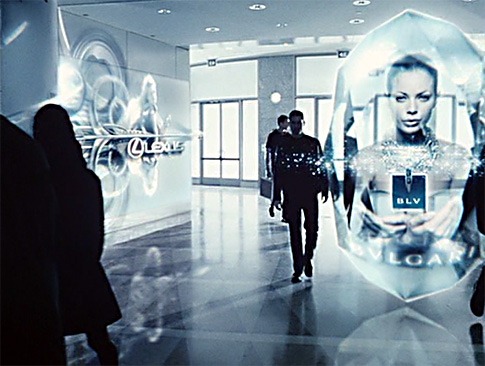
Finally, identity face recognition in retail would allow custom experiences like the virtual ad delivery system portrayed in the mall scene from The Minority Report.  Currently, this is still considered very creepy.

At work, I’ve had the opportunity to work with NEC, IBM and other vendors on the second kind of face recognition.  The surprising thing is that getting anonymous face recognition working correctly is much harder than getting full face recognition working.  It requires a lot of probabilistic logic as well as a huge database of faces to get any sort of accuracy when it comes to demographics.  Even gender is surprisingly difficult.

Identity face recognition, on the other hand, while challenging, is something you can have in your living room if you have an XBox and a Kinect hooked up to it.  This sort of face recognition is used to log players automatically into their consoles and can even distinguish different members of the same family (for engineers developing facial recognition software, it is an irritating quirk of fate that people who look alike also tend to live in the same house).

If you would like to try identity face recognition out, you can try out the Luxand Face SDK.  Luxand provides a 30-day trial license which I tried out a few months ago.  The code samples are fairly good.  While Luxand does not natively support Kinect development, it is fairly straightforward to turn data in the Kinect’s rgb stream into images which can then be compared against other images using Luxand.

I used Luxand’s SDK to compare anyone standing in front of the Kinect sensor with a series of photos I had saved.  It worked fairly well, but unfortunately only if one stood directly in front of the sensor and about a foot or two in front of it (which wasn’t quite what we needed at the time).  The heart of the code is provided below.  It simply takes color images from Kinect and compares it against a directory of photos to see if a match can be found.  It could be used as part of a system for unlocking a computer when the proper user stands in front of it (though you can probably think of better uses – just try to avoid being creepy).

void _sensor_ColorFrameReady(object sender
    , ColorImageFrameReadyEventArgs e)
{
    using (var frame = e.OpenColorImageFrame())
    {
        var image = frame.ToBitmap();
        this.image2.Source = image.ToBitmapSource();
        LookForMatch(image);
    }
 
}
 
private bool LookForMatch(System.Drawing.Bitmap currentImage)
{
 
        if (currentImage == null)
            return false;
        IntPtr hBitmap = currentImage.GetHbitmap();
        try
        {
        FSDK.CImage image = new FSDK.CImage(hBitmap);
        FSDK.SetFaceDetectionParameters(false, false, 100);
        FSDK.SetFaceDetectionThreshold(3);
        FSDK.TFacePosition facePosition = image.DetectFace();
        if (facePosition.w != 0)
        {
 
            FaceTemplate template = new FaceTemplate();
            template.templateData = 
                ExtractFaceTemplateDataFromImage(image);
            bool match = false;
            FaceTemplate t1 = new FaceTemplate();
            FaceTemplate t2 = new FaceTemplate();
            float best_match = 0.0f;
            float similarity = 0.0f;
            foreach (FaceTemplate t in faceTemplates)
            {
 
                t1 = t;
                FSDK.MatchFaces(ref template.templateData
                    , ref t1.templateData, ref similarity);
                float threshold = 0.0f;
                FSDK.GetMatchingThresholdAtFAR(0.01f
                    , ref threshold);
 
                if (similarity > best_match)
                {
                    this.textBlock1.Text = similarity.ToString();
                    best_match = similarity;
                    t2 = t1;
                    if (similarity > _targetSimilarity)
                        match = true;
                }
            }
            if (match && !_isPlaying)
            {
                return true;
            }
            else
            {
                return false;
            }
        }
        else
            return false;
    }
    finally
    {
        DeleteObject(hBitmap);
        currentImage.Dispose();
    }
}
 
private byte[] ExtractFaceTemplateDataFromImage(FSDK.CImage cimg)
{
    byte[] ret = null;
    Luxand.FSDK.TPoint[] facialFeatures;
    var facePosition = cimg.DetectFace();
    if (0 == facePosition.w)
    {
    }
    else
    {
        bool eyesDetected = false;
        try
        {
            facialFeatures = 
                cimg.DetectEyesInRegion(ref facePosition);
            eyesDetected = true;
        }
        catch (Exception ex)
        {
            return cimg.GetFaceTemplateInRegion(ref facePosition);
        }
 
        if (eyesDetected)
        {
            ret = 
                cimg.GetFaceTemplateUsingEyes(ref facialFeatures);
        }
        else
        {
            ret = cimg.GetFaceTemplateInRegion(ref facePosition);
        }
    }
    return ret;
    cimg.Dispose();
}
 

One Thumb Drive To Rule Them All

thumbdrive

I currently have an HTC 8X windows phone on my desk which I think is one of the best smartphones on the market.  I also have a Surface tablet.   I have a fascinating little device called a Leap Motion sitting on my desk that detects finger gestures.  I also have three Kinect for Windows sensors arrayed around my desk in order to capture images from multiple directions, bullet time style.

The thing that is most precious to me, however, is the 16 Gig Lexar jump drive someone bought for my dev/design group.  It is the fastest USB flash drive currently available.  When I described it to my wife, she said she didn’t realize that thumb drives came in different speeds.  After thinking it over, I realized that before using the Lexar, I hadn’t realized it either.

Or to be more accurate, I realized vaguely in my lizard brain that some thumb drives are slower than others, but I had no idea that some were faster than others.

And above all the fast thumb drives, there’s the Lexar, which feels like it is instantaneous.  For example, a colleague recently needed a copy of Visual Studio 2012 while we were in Manhattan for a retail show.  I put the 1.5 Gig ISO on my Lexar jump drive and he brought his laptop to my hotel room to copy the file over.  He thought he could get the copying started, we’d go to dinner, and hopefully it would be done by the time dinner was over.  But practically before he’d even touched the Lexar to his USB port … ziiiiiiiiiiiiiiiiiip … it was over.  The ISO file was on his harddrive.

I have to admit that I now have a problem even letting someone else use the 16 Gig Lexar – even though it is communal property – because I’m not sure I’ll get it back.  People in our group are constantly asking for the plastic container where we keep our various jump drives … but of course we all know what they are really looking for is one of the two 16 Gig Lexars we own.  Honestly, it’s starting to be a problem, and I’m tempted to just throw these thumb drives into a volcano somewhere.  It causes nothing but friction and jealously on the team.

But at the same time, it is so beautiful and precious to me.  My colleague from New York was instantly won over and talked about the thumb drive for a half hour through dinner.  If you have a tech person you want to buy a nice present for – or if you are someone who needs a little self-care – treat yourself to something special.  They’re a little pricey, and even better than you can possibly imagine.

Today is the last day to innovate before tomorrow …

[This will be the last post before the Mayan apocalypse tomorrow.]

There have already been some very interesting blog posts on other sites predicting the trajectory of technology in 2013.  Worthy of special mention is this excellent overview from Frog Design as well as this one from PSFK.

An interesting feature of all these predictions is that they are an amalgamation of current business trends and futuristic American movies.  Sci-fi movies provide a direction while business (especially retail) provides the funding.  Think of it as a sort of merchandise-celuloidal complex creating our collective future.

The central flaw of practically all the predictions linked above is that they are heavily influenced by American science fiction.  American science fiction, however, is a mere shadow of and several decades behind Japanese science fiction.  I want to correct that today by basing my 2013 Technology Trends predictions on the advanced research occurring in the Japanese futuristic anime industry.

johnny9

1. Giant Robots – 2013 will finally see the arrival of giant robots.  These should more properly be thought of as Gundam or giant suits of armor rather than robots (in the US our pre-occupation with robotics has seriously undermined our edge in this technological frontier) but for the sake of brevity I’ll continue to refer to them as robots for now.

Suidobashi Heavy Industries put their first Mech up for sale earlier this year (youtube link).  Over the next year, we can expect to see giant robots only getting bigger and dropping in price as they go into mass production. 

You should definitely trade in your Prius for one of these rugged commuter vehicles.  Not only will you be able to walk right over most commuter traffic, but you’ll also find your daily commute is much more enjoyable and comfortable as the anti-grav features kick in.  Giant Robots are also good for settling disputes with your neighbors and with your home owner’s association.  Even in rest mode, they become interesting conversation pieces when placed on your front lawn.

You can see a future vision video (much like Google’s vision video for Project Glass) on how giant robots will be used in the near future here.

stargate

2. Wormholes – Created by a race of aliens known as The Ancients, the wormhole travel system was discovered by the US Airforce about fifteen years ago and will be declassified and integrated by the TSA into commercial aviation routes in 2013.  Layovers on Beta Pictoris b and Kepler-42c are imminent.

walkingdead

3. Zombies – The US Cloning program will face a setback in 2013.  For the past five years, all major political figures as well as Hollywood A-List celebrities have been cloned in order to assure the smooth transition of power in government and entertainment.  Have you ever wondered how George Clooney stays so young?  Cloning.

In 2013, however, impurities introduced into the manufacture of clones (currently managed by the Umbrella Corporation) will turn clones of US House members into voracious and infectious brain eaters.  The US Congress will quickly turn the American populous into a rabid, ugly and mindless horde incapable of rational thought and obeying only raw emotions and appetites.

Only those who never leave their homes or watch cable news will be safe.

IMG_1254

4. Tablets – I think tablets are going to be really big in 2013.  Over the past several years I’ve noticed a subtle trend in which cameras have been flattened out and had phone-calling capabilities added to them.  Why phone companies rather than camera companies are driving this is a mystery to me, but more power to them.  Between 2010 and today these cameras have been getting bigger and bigger and are now even touch-enabled!  In 2013, I predict the arrival of 22”, 32” and even 55” touch-enabled cameras called “tablets” that people can comfortably carry around with them in their cars (or in their giant robots).  These tablets can even double as mirrors or flashlights!

3Gear Systems Kinect Handtracking API Unwrapping

WP_000542

I’ve been spending this last week setting up the rig for the beta hand detection API recently published by 3Gear Systems.  There’s a bit of hardware required to position the two Kinects correctly so they face down at a 45 degree angle.  The Kinect mounts from Amazon arrived within a day and were $6 each with free shipping since I never remember to cancel my Prime membership.  The aluminum parts from 80/20 were a bit more expensive but came to just a little above $100 with shipping.  We already have lots of Kinects around the Razorfish Emerging Experiences Lab, so that wasn’t a problem.

WP_000543

80/20 surprisingly doesn’t offer a lot of instruction on how to put the parts of the aluminum frame together so it took me about half-an-hour of trial-and-error to figure it out.  Then I found this PDF explaining what the frame should end up looking like deep-linked on the 3Gear website and had to adjust the frame to get the dimensions correct.

WP_000544

I wanted to use the Kinect for Windows SDK and, after some initial mistakes, realized that I needed to hook up our K4W Kinects rather than the Kinect for Xbox Kinects to do that.  When using OpenNI rather than K4W (the SDK supports either) you can use either the Xbox Kinect or the Xtion sensor.

My next problem was that although the machine we were building on has two USB Controllers, one of them wasn’t working, so I took a trip to Fry’s and got a new PCI-E USB Controller which ended up not working.  So on the way home I tracked down a USB Controller from a brand I recognized, US Robotics, and tried again the next day.  Success at last!

WP_000545

Next I started going through the setup and calibration steps here.  It’s quite a bit of command line voodoo magic and requires very careful attention to the installation instructions – for instance, install the C++ redistributable and Java SE.

WP_000546

After getting all the right software installed I began the calibration process.  A paper printout of the checkerboard pattern worked fine.  It turns out that the software for adjusting the angle of the Kinect sensor doesn’t work if the sensor is on its side facing down so I had to click-click-click adjust it manually.  That’s always a bit of a scary sound.

WP_000554

Pretty soon I was up and running with a point cloud visualization of my hands.  The performance is extremely good and the rush from watching everything working is incredible.

WP_000556

Of the basic samples, the rotation_trainer programmer is probably the most cool.  It allows one to rotate a 3D model around the Y-axis as well as around the X-axis.  Just this little sample opens up a lot of cool possibilities for HCI design.

WP_000557

From there my colleagues and I moved on to the C++ samples.  According to Chris Twigg from 3Gear, this 3D chess game (with 3D physics) was written by one of their summer interns.  If an intern can do this in a month … you get the picture.

I’m fortunate to get to do a lot of R&D in my job at Razorfish – as do my colleagues.  We’ve got home automation parts, arduino bits, electronic textiles, endless Kinects, 3D walls, transparent screens, video walls, and all manner of high tech toys around our lab.  Despite all that, playing with the 3Gear software has been the first time in a long time that we have had that great sense of “gee-whiz, we didn’t know that this was really possible.”

Thanks, 3Gear, for making our week!

Two Years of Kinect

As we approach the second anniversary of the release of the Kinect sensor, it seems appropriate to take inventory of how far we have come. Over the past two months, I have had the privilege of being introduced to several Kinect-based tools and demos that exemplify the potential of the Kinect and provide an indication of where the technology is headed.

restOnDesk

One of my favorites is a startup in San Francisco called 3Gear Systems. 3Gear have conquered the problem of precise finger detection by using dual Kinects. Whereas the original Kinect was very much a full-body sensor intended for bodies up to twelve feet away from the camera, 3Gear have made the Kinect into a more intimate device. The user can pick up digital objects in 3D space, move them, rotate them, and even draw free hand with her finger. The accuracy is amazing. The founders, Robert Wang, Chris Twigg and Kenrick Kin, have just recently released a beta of their finger-precise gesture detection SDK for developers to try out and instructions on purchasing and assembling a rig to take advantage of their software. Here’s a video demonstrating their setup and the amazing things you will be able to do with it.

oblong

Mastering the technology is only half the story, however. Oblong Industries has for several years been designing the correct gestures to use in a post-touch world. This TED Talk by John Underkoffler, Oblong’s Chief Scientist, demonstrates their g-speak technology using gloves to enable precision gesturing. Lately they’ve taken off the gloves in order to accomplish similar interactions using Kinect and Xtion sensors. The difficulty, of course, is that gestural languages can have accents just as spoken languages do. Different people perform the same gesture in different ways. On top of this, interaction gestures should feel intuitive or, at least, be easy for users to discover and master. Oblong’s extensive experience with gestural interfaces has aided them greatly in overcoming these types of hurdles and identifying the sorts of gestures that work broadly.

brekel-kinect-pro-face

The advent of the Kinect is also having a large impact on independent film makers.  While increasingly powerful software has allowed indies to do things in post-production that, five years ago, were solely the provenance of companies like ILM, the Kinect is finally opening up the possibility of doing motion capture on the cheap.  Few have done more than Jasper Brekelmans to help make this possible.  His Kinect Pro Face software, currently sold for $99 USD, allows live streaming of Kinect face tracking data straight into 3D modeling sofrtware.  This data can then be mapped to 3D models to allow for realtime digital puppetry. 

Kinect Pro Face is just one approach to translating and storing the data streams coming out of the Kinect device.  Another approach is being spearheaded by my friend Joshua Blake at Infostrat.  His company’s PointStreamer software treats the video, depth and audio feeds like any other camera, compressing the data for subsequent playback.  PointStreamer’s preferred playback mode is through point clouds which project color data onto 3D space generated using the depth data.  These point cloud playbacks can then be rotated in space, scrubbed in time, and generally distorted in any way we like.  This alpha-stage technology demonstrates the possibility of one day recording everything in pseudo-3D.