

The Timelessness of Emerging Technology
In the previous post I wrote about “experience.” Here I’d like to talk about the “emerging.”

There are two quotations everyone who loves technology or suffers under the burden of technology should be familiar with. The first is Arthur C. Clarke’s quote about technology and magic. The other is William Gibson’s quote about the dissemination of technology. It is the latter quote I am initially concerned with here.
The future has arrived – it’s just not evenly distributed yet.
The statement may be intended to describe the sort of life I live. I try to keep on top of new technologies and figure out what will be hitting markets in a year, in two years, in five years. I do this out of the sheer joy of it but also – perhaps to justify this occupation – in order to adjust my career and my skills to get ready for these shifts. As I write this, I have about fifteen depth sensors of different makes, including five versions of the Kinect, sitting in boxes under a table to my left. I have three webcams pointing at me and an IR reader fifteen inches from my face attached to an Oculus Rift. I’m also surrounded by mysterious wires, soldering equipment and various IoT gadgets that constantly get misplaced because they are so small. Finally, I have about five moleskine notebooks and an indefinite number of sticky pads on which I jot down ideas and appointments. As emerging technology is disseminated from wherever it is this stuff comes from – probably somewhere in Shenzhen, China – I make a point of getting it a little before other people do.

But the Gibson quote could just as easily describe the way technology first catches on in certain communities – hipsters in New York and San Francisco – then goes mainstream in the first world and then finally hits the after markets globally. Emerging markets are often the last to receive emerging technologies, interestingly. When they do, however, they are transformative and spread rapidly.
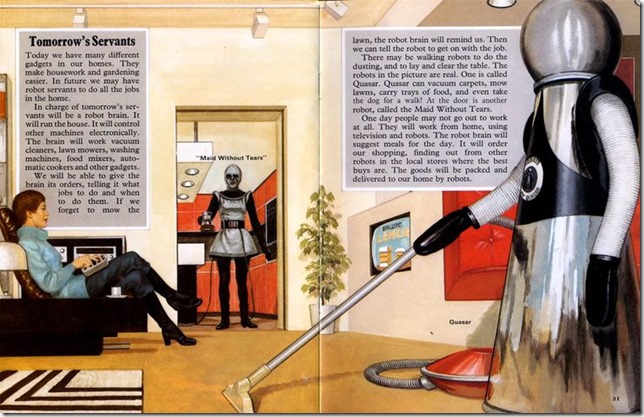
Or it could simply describe the anxiety gadget lovers face when they think someone else has gotten the newest device before they have, the fear that the future has arrived for others but not for them. In this way, social media has become a boon to the distressed broadcast industry by providing a reason to see a new TV episode live before it is ruined by your Facebook friends. It is about making the future a personal experience, rather than a communal one, for a moment so that your opinions and observations and humorous quips about it — for that oh-so-brief period of time — are truly yours and original. No one likes to discover that they are the fifth person responding to a Facebook post, the tenth on instagram, or the 100th on twitter to make the same droll comment.

The quote captures the fact that the future is unevenly distributed in space. What it leaves out is that the future is also unevenly distributed in time. The future I see from 2016 is different from the one I imagined in 2001, and different from the horizon my parents saw in 1960, which in turn is different from the one H. G. Wells gazed at in 1933. Our experience of the future is always tuned to our expectations at any point in time.

This is a trope in science fiction and the original Star Trek pretty much perfected it. The future was less about futurism in that show than about projecting the issues of the 60’s into the future in order to instruct a 60’s audience about diversity, equality, and the anti-war movement. In that show the future horizon was a mirror that tried to show us what we really looked like through exaggerations, inversions and a bit of paint makeup.

I’m grateful to Josh Rothman for introducing me to the term retrofuturism in The New Yorker, which perfectly describes this phenomenon. Retrofuturism – whose exemplars include Star Trek as well as the steampunk movement – is the quasi-historical examination of the future through the past.

The exploration of retrofuturism highlights the observation that the future is always relative to the present — not just in the sense that the tortoise will always eventually catch up to the hare, but in the sense that the future is always shaped by our present experiences, aspirations and desires. There are many predictions about how the world will be in ten or twenty years that do not fit into the experience of “the future.” Global warming and scarce resources, for instance, aren’t a part of this sense. They are simply things that will happen. Incrementally faster computers and cheaper electronics, also, are not what we think of as the future. They are just change.

What counts as the future must involve a big and unexpected change (though the fact that we have a discipline called futurism and make a sport of future predictions crimps this unexpectedness) rather than a gradual advancement and it must improve our lives (or at least appear to; dystopic perspectives and knee-jerk neo-Ludditism crimps this somewhat, too).

Most of all, though, the future must include a sense that we are escaping the present. Hannah Arendt captured this escapist element in her 1958 book The Human Condition in which she remarks on a common perspective regarding the Sputnik space launch a year previous as the first “step toward escape from men’s imprisonment to the earth.” The human condition is to be earth-bound and time-bound. Our aspiration is to be liberated from this and we pin our hopes on technology. Arendt goes on to say:
… science has realized and affirmed what men anticipated in dreams that were neither wild nor idle … buried in the highly non-respectable literature of science fiction (to which, unfortunately, nobody yet has paid the attention it deserves as a vehicle of mass sentiments and mass desires).
As a desire to escape from the present, our experience of the future is the natural correlate to a certain form of nostalgia that idealizes the past. This conservative nostalgia is not simply a love of tradition but a totemic belief that the customs of the past, followed ritualistically, will help us to escape the things that frighten us or make us feel trapped in the present. A time machine once entered, after all, goes in both directions.

This sense of the future, then, is relative to the present not just in time and space but also emotionally. It is tied to a desire for freedom and in this way even has a political dimension – if only as a tonic to despair and cynicism concerning direct political action. Our love-hate relationship to modern consumerism means we feel enslaved to consumerism yet also are waiting for it to save us with gadgets and toys in what the philosopher Peter Sloterdijk calls a state of “enlightened false consciousness”.
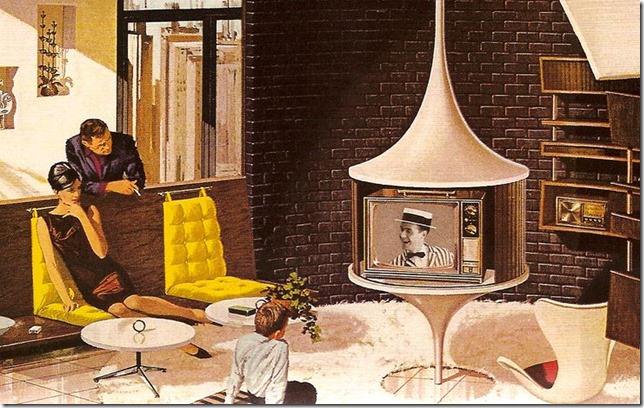
And so we arrive at the second most important quote for people coping with emerging technologies, also known as Clarke’s third law:
Any sufficiently advanced technology is indistinguishable from magic.
What counts as emerging changes over time. It changes based on your location. It changes based on our hopes and our fears. We always recognize it, though, because it feels like magic. It has the power to change our perspective and see a bigger world where we are not trapped in the way things are but instead feel like anything can happen and everything will work out.

Everything will work out not in the end, which is too far away, but just a little bit more in the future, just around the corner. I prepare for it by surrounding myself with gadgets and screens and diodes and notebooks, like a survivalist waiting for civilization not to crumble, but to emerge.
Kinect developer preview for Windows 10
With Kind permission from the Product Group, I am reprinting this from an email that went out the Kinect developers mailing list.
Please also check out Mike Taulty’s blog for a walkthrough of what’s provided. The short version, though, is now you can access the perception API’s to work with Kinect v2 in a UWP app as well as use your Kinect v2 for face recognition as a replacement for your password. Please bear in mind that this is the public preview rather than a final release.
Snip >>
We are happy to announce our public preview of Kinect support for Windows 10.
This preview adds support for using Kinect with the built-in Windows.Devices.Perception APIs, and it also provides beta support for using Kinect with Windows Hello.
Getting started is easy. First, make sure you already have a working Kinect for Windows V2 attached to your Windows 10 PC. The Kinect Configuration Verifier can make sure everything is functioning okay. Also, make sure your Kinect has a good view of your face – we recommend centering it as close to the top or bottom of your monitor as possible, and at least 0.5 meters from your face.
Then follow these steps to install the Kinect developer preview for Windows 10:
1. The first step is to opt-in to driver flighting. You can follow the instructions here to set up your registry by hand, or you can use the following text to create a .reg file to right-click and import the settings:
Windows Registry Editor Version 5.00
[HKEY_LOCAL_MACHINE\SOFTWARE\Microsoft\DriverFlighting\Partner]
“TargetRing”=”Drivers”
2. Next, you can use Device Manager to update to the preview version of the Kinect driver and runtime:
1. Open Device Manager (Windows key + x, then m).
2. Expand “Kinect sensor devices”.
3. Right-click on “WDF KinectSensor Interface 0”.
4. Click “Update Driver Software…”
5. Click “Search automatically for updated driver software”.
6. Allow it to download and install the new driver.
7. Reboot.
Once you have the preview version of the Kinect for Windows V2 driver (version 2.1.1511.11000 or higher), you can start developing sensor apps for Windows 10 using Visual Studio 2015 with Windows developer tools. You can also set up Windows Hello to log in using your Kinect.
1. Go to “Settings->Accounts->Sign-in options”.
2. Add a PIN if you haven’t already.
3. In the Windows Hello section, click “Set up” and follow the instructions to enable Windows Hello!
That’s it! You can send us your feedback at k4w@microsoft.com.
Hitchhiking the Backroads to Augmented Reality
To date, Microsoft has been resistant to sharing information about the HoloLens technology. Instead, they have relied on shock and awe demos to impress people with the overall experience rather than getting mired down in the nitty-gritty of the software and hardware engineering. Even something as simple as the field-of-view is never described in mundane numbers but rather in circumlocutions about tv screens X distance from the viewer. It definitely builds up mystery around the product.
Given the lack of concrete information, lots of people have attempted to fill in the gaps with varying degrees of success which, in their own way, make it difficult to navigate the technological true true. In an effort to simplify the research one typically has to do on one’s own in order to understand HoloLens and AR, I’ve made a sort of map for those interested in making their way. Here are some of the best resources I’ve found.
1. You should start with the Oculus blog, which is obviously about the Oculus and not about HoloLens. Nevertheless, the core technology the makes the Oculus Rift work is also in the HoloLens in some form. Moreover, the Oculus blog is a wonderful example of sharing and successfully explaining complicated concepts to the layman. Master these posts about how the Rift works and you are half way to understanding how HoloLens works:
- Latency https://www.oculus.com/en-us/blog/building-a-sensor-for-low-latency-vr/
- Sensor Fusion https://developer.oculus.com/blog/sensor-fusion-keeping-it-simple/
2. Next, you should really read Oliver Kreylos’s (Doc OK) brilliant posts about the HoloLens field of view and waveguide display technology. Many disagreements around HoloLens would evaporate if people would simply invest half an hour into reading OK’s insights :
- HoloLens and Field of View http://doc-ok.org/?p=1274
- HoloLens and Holograms http://doc-ok.org/?p=1329
3. If you’ve gone through these, then you are ready for Dr. Michael J. Gourlay’s youtube discussion of surface reconstruction, occlusion, tracking and mapping. Sadly the audio drops out at key moments and the video drops out for the entire Q & A, but there’s lots of gold for everyone in this mine. Also check out his audio interview at Georgia Tech:
- HoloLens for Gaming: https://www.youtube.com/watch?v=0DlSpk5CfOk
- Interview with Dr. Gourlay: http://gvu.gatech.edu/michael-gourlay-audio-interview
4. There have been lots of first-impression blog posts concerning the HoloLens, but Jasper Brekelmans provides far-and-away the best of these by following a clear just-the-facts-ma’am approach:
- just the facts, ma’am: http://brekel.com/my-hololens-experience-and-technical-insights/
5. HoloLens isn’t only about learning new technology but also discovering a new design language. Mike Alger’s video provides a great introduction into the problems as well as some solutions for AR/VR interface and usability design:
- Mike Alger: https://vimeo.com/141330081
6. Oculus, Leap Motion and others who have been designing VR experiences provide additional useful tips about what they have discovered along the way in articles like the now famous “Swayze Effect” (yes, that Swayze):
- The Swayze Effect https://storystudio.oculus.com/en-us/blog/the-swayze-effect/
- Lessons Learned https://storystudio.oculus.com/en-us/blog/5-lessons-learned-while-making-lost/
- VR Design Tips https://medium.com/google-design/from-product-design-to-virtual-reality-be46fa793e9b#.i5hpuu54q
- How Fictional Designs Affect RL Motion Controls http://blog.leapmotion.com/fictional-uis-influence-todays-motion-controls/
- VR Best Practices (PDF) https://developer.leapmotion.com/assets/Leap%20Motion%20VR%20Best%20Practices%20Guidelines.pdf
- Sci Fi’s Influence on Gestural Interfaces https://www.smashingmagazine.com/2013/03/sci-fi-interaction-designers-gestural-interfaces/
7. Finally, here are some video parodies and inspirational videos of VR and AR from the tv show Community and others:
- Community (season 6 episode 2) https://www.yahoo.com/tv/video/lawnmower-maintenance-postnatal-care-070001912.html
- Glen Keane (tiltbrush demo) https://vimeo.com/138790270
- hyper reality (concept) https://vimeo.com/8569187
- Sight (short film) https://vimeo.com/46304267
I know I’ve left a lot of good material out, but these have been some of the highlights for me over the past year while hitchhiking on the backroads leading to Augmented Reality. Drop them in your mental knapsack, stick out your thumb and wait for the future to pick you up.
App vs Experience
In a recent talk (captured on Youtube) a Microsoft employee explained the difference between an “app” and an “experience” in this way: “We have divas in our development group and they want to make special names for things.” He expressed an opinion many developers in the Microsoft stack probably share but do not normally say out loud. These appear to be two terms for the same thing, to wit, a unit of executable code, yet some people use one and some people use the other. In fact, the choice of terms tends to reveal more about the people who are talking about the “unit of code” than about the code itself. To deepen the linguistic twists, we haven’t even always called apps “apps.” We used to call them “applications” and switched over to the abbreviated form, it appears, following the success of Apple’s “App Store” which contained “apps” rather than “applications.” There is even an obvious marketing connection between “Apple” and “app” which goes back at least as far as the mid-80’s.
I am currently a Microsoft MVP in a sub-discipline of the Window Development group called “Emerging Experiences.” As an Emerging Experiences MVP for Microsoft, the distinction between “app” and “experience” is particularly poignant for me. The “emerging” aspect of our group’s name is fairly evident. EE MVPs specialize in technologies like the Kinect, Surface Hub and large screen devices, Augmented Reality devices, face recognition, Ink, wearables, and other More Personal Computing related capabilities. “Experiences” is problematic, however, because in using that term to describe our group, we basically raise a question about what the group is about. “Experiences” is a term that is not native to the Microsoft developer ecosystem but instead is transplanted from the agency and design world, much like the phrase “creative technologist” which is more or less interchangeable with “developer” but also describes a set of presuppositions, assumptions, and a background in agency life – in other words, it assumes a specific set of prior experiences.
As a Microsoft Emerging Experiences MVP, I have an inherent responsibility to explain what an “experience” is to the wider Microsoft ecosystem. If I am successful in this, you will start to see the appeal of this term also and will be able to use it in the appropriate situations. Rather than try to go at it head-on, though, I am going to do something the philosopher Daniel Dennett calls “nudging our intuitions.” I will take you through a series of examples and metaphors that will provide the necessary background for understanding how the term “experience” came about and why it is useful.

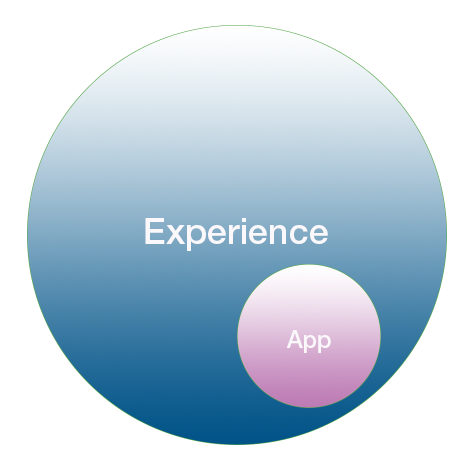
The obvious thing to do at this point is to show how these two terms overlap and diverge with a convenient Venn diagram. As you can see from the diagram above, however, all apps are automatically experiences, which is why “experience” can always be substituted for “app.” The converse, however, does not hold. Not all experiences are apps.

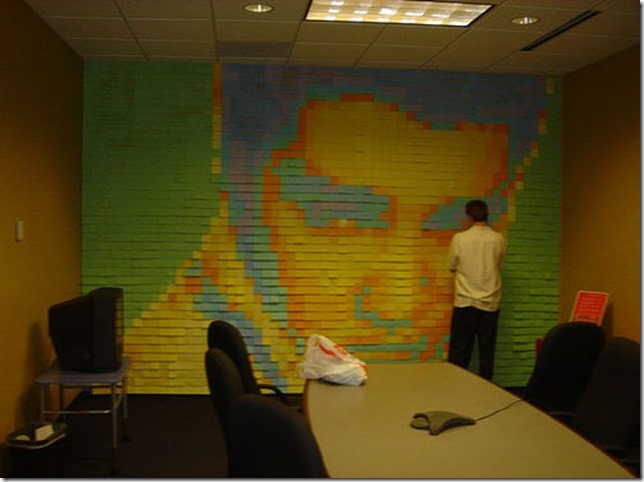
Consider the twitter wall created for a conference a few years ago that was distinctively non-digital. Although this wall did use the twitter API, it involved many volunteers hand-writing tweets that included hashtags about the conference onto post-it notes and then sticking them along one of the conference hallways. Conceptually this is a “thing” that takes advantage of a social networking phenomenon that is less than a decade old. While the twitter API sits at the heart of it, the interface with the API is completely manual. Volunteers are required to evaluate and cull the twitter data stream for relevant information. The display technology is also manual and relies on weak adhesive and paper, an invention from the mid-70’s. Commonly we would write an app to perform this process of filtering and displaying tweets, but that’s not what the artists involved did. Since there was no coding involved, it does not make sense to call the whole thing an app. It is a quintessential “experience.” The postit twitter wall provides us with a provisional understanding of the difference between an app and an experience. An app involves code, while an experience can involve elements beyond code writing.

Why do we go to movie theaters when we can often stay at home and enjoy the same movie? This has become a major problem for the film industry and movie theaters in general. Theater marketing over the past decade or so have responded by talking about the movie-going experience. What is this? At a technology level, the movie-going experience involves larger screens and high-end audio equipment. At an emotional level, however, it also includes sticky floors, fighting with a neighbor for the arm-rest, buying candy and an oversized soda, watching previews and smelling buttered popcorn. All of these things, especially the smell of popcorn which has a peculiar ability to evoke memories, remind us of past enjoyable experience that in many cases we shared with friends and family members.
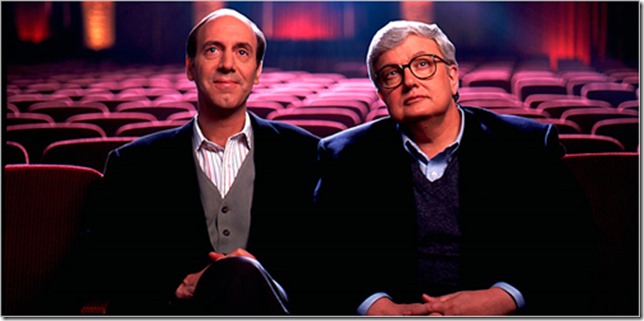
If you go to the movies these days, you will have noticed a campaign against men in hoodies video-taping movies. This, in fact, isn’t an ad meant to discourage you from pulling out your smart phone and recording the movie you are about to watch. That would be rather silly. Instead, it’s an attempt to surface all those good, communal feelings you have about going to the movies and subtly distinguishing them – sub rasa, in your mind — from bad feelings about downloading movies from the Internet over peer-to-peer networks, which the ad associates with unsociable and creepy behavior. The former is a cluster of good experiences while the latter is presented as a cluster of bad experiences while cleverly never accusing you, personally, of improper behavior. In the best marketing form, it goes after the pusher rather than the user.

Returning to those happy experiences, it’s clear that an experience goes well beyond what we see in the foreground – in this case, the movie itself. A movie-going experience is mostly about other things than the movie. It’s about all the background activities we associate with movie-going as well as memories and memories of memories that are evoked when we think about going to the movies.
We can think about the relationship between an app and an experience in a similar way. When we speak about an app, we typically think of two things: the purpose of the app and the code used to implement it. When we talk about an experience, we include these but also forecasts and expectations about how a user will feel about the app, the ease with which they’ll use it, what other apps they will associate with this app and so on. In this sense, an experience is always a user experience because it concerns the app’s relationship to a user. Stripped down, however, there is also a pure app which involves the app’s code, its performance, its maintainability, and its extensibility. The inner app is isolated, for the most part, from concerns about how the intended user will use it.
At this point we are about at the place in this dialectic where we can differentiate experiences as something designers do and apps as something that developers make. While this is another good provisional explanation, it misses a bigger underlying truth: all apps are also experiences, whether you plan them to be or not. Just because you don’t have a designer on your project doesn’t mean users won’t be involved in judging it at some point. Even by not investing in any sort of overall design, you have sent out a message about what you are focused on and what you are not. The great exemplary of this, an actual exception that proves the rule, is the Google homepage. A lot of designer thinking has gone into making the Google homepage as simple and artless as possible in order to create a humble user experience. It is intentionally unpresumptuous.

What this tells us is that a pure app will always be an abstraction of sorts. You can ignore the overall impression that your app leaves the user with, but you can’t actually remove the user’s experience of your app. The experience of the app, at this provisional stage of explanation, is the real thing, while the notion of an app is an abstraction we perform in order to concentrate on the task of coding the experience. In turn, all the code that makes the app possible is something that will never be seen or recognized by the user. The user only knows about the experience. They will only ever be aware of the app itself when something breaks or fails to work.
What then do we sell in an app store?

We don’t sell apps in an App Store any more than we sell windows in the Windows Store. We sell experiences that rely heavily on first impressions in order to grab people’s attentions. This means the iconography, description and ultimately the reviews are the most important thing that go into making experiences in an app store successful. Given that users have limited time to devote to learning your experience, making the purpose of the app self-evident and making it easy to use and master are two additional concerns. If you are fortunate, you will have a UX person on hand to help you with making the application easy to use as well as a visual designer to make it attractive and a product designer or creative director to make the overall experience attractive.
Which gets us to a penultimate, if still provisional, understanding of the difference between an “app” and an “experience.” These are two ways of looking at the same thing and delineate two different roles in the creation of an application, one technical and one creative. The coder on an application development team will need to primarily be concerned with making [a thing] work while the creative lead will be primarily concerned with determining what [it] needs to do.

There’s one final problem with this explanation, however. It requires a full team where the coding role and the various design roles (creative lead, user experience designer, interactive designer, audio designer, etc.) are clearly delineated. Unless you are already working in an agency setting or at least a mid-sized gaming company, the roles are likely going to be much more blurred. In which case, thinking about “apps” is an artificial luxury while thinking about “experiences” becomes everyone’s responsibility. If you are working on a very small team of one to four people, then the problem is exacerbated. On a small team, no one has the time to worry about “apps.” Everyone has to worry about the bigger picture.
Everyone except the user, of course. The user should only be concerned with things they can buy in an app store with a touch of the thumb. The user shouldn’t know anything about experiences. The user should never wonder about who designed the Google homepage. The user shouldn’t be tasked with any of these concerns because the developers of a good experience have already thought this all out ahead of time.

So here’s the final, no longer provisional explanation of the difference between an app and an experience. An app is for users; an experience is something makers make for users.
This has a natural corollary: if as a maker you think in terms of apps rather than experiences, then you are thinking too narrowly. You can call it whatever you want, though.
I wrote earlier in this article that the term emerging experiences constantly requires explanation and clarification. The truth, however, is that “experience” isn’t really the thing that requires explanation – though it’s fun to do so. “Emerging” is actually the difficult concept in that dyad. What counts as emerging is constantly changing – today it is virtual reality head-mounted displays. A few years ago, smart phones were considered emerging but today they are simply the places where we keep our apps. TVs were once considered emerging, and before that radios. If we go back far enough, even books were once considered an emerging technology.
“Emerging” is a descriptor for a certain feeling of butterflies in the stomach about technology and a contagious giddy excitement about new things. It’s like the new car smell that captures a sense of pure potential, just before what is emerging becomes disappointing, then re-evaluated, then old hat and boring. The sense of the emerging is that thrill holding back fear which children experience when their fathers toss them into the air; for a single moment, they are suspended between rising and falling, and with eyes wide open they have the opportunity to take in the world around them.
I love the emerging experience.
The Knowledge Bubble
Coding is hard and learning to code is perhaps even harder.
The current software community is in a quandary these days about how to learn … much less why we must learn. It is now acknowledged that a software developer must constantly retool himself (as an actor must constantly rebrand herself) in order to remain relevant. There is a lingering threat of sorts as we look around and realize that developers are continually getting younger and younger while the gray hairs are ne’er to be seen.
Let me raise a few problems with why we must constantly learn and relearn how to code before addressing the best way to relearn to code. Let me be “that guy” for a moment. First, the old way of coding (from six months ago) was probably perfectly fine. Nothing is gained for the product by finding a new framework or new platform or, God forbid, new paradigm for your product. Worse, bad code is introduced while trying to implement code that is only half-understood and time is lost as developers spend their time learning it. Even worse worse, the platform you are switching to probably isn’t mature (oh, you’re going to break angularjs in the next major release because you found a better way to do things?) and you’ll be spending the next two years trying to fix those problems.
Second, you’re creating a maintenance nightmare because there are no best practices for the latest and greatest code you are implementing (code examples you find on the Internet written by marketing teams to show how easy their code is don’t count) and, worse and worser, no one wants to get stuck doing maintenance while you are off doing the next latest and greatest thing six months from now. Everybody wants to be doing the latest and greatest, it turns out.
Third, management is being left behind. The people in software management who are supposed to be monitoring the code and guiding the development practices are hanging on for dear life trying to give the impression that they understand what is going on but they do not. And the reason they do not is because they’ve been managers for the past six cycles while best practices and coding standards have been flipped on their heads multiple times. You, the developers, are able to steamroll right over them with shibboleths like “decoupling” and “agility”. Awesome, right? Wrong. Managers actually have experience and you don’t – but in the constantly changing world of software development, we are able to get away with “new models” for making software that no one has heard of, that sound like bs, and that everyone will subscribe to just because it is the latest thing.
Fourth, when everyone is a neophyte there are no longer any checks and balances. Everyone is constantly self-promoting and suffering from imposter syndrome. They become paranoid that they will get caught out – which has a destructive impact on the culture – and the only way out of it is to double down on even newer technologies, frameworks and practices that no one has ever heard of so they can’t contradict you when you start spouting it.
Fifth, this state of affairs is not sustainable. It is the equivalent of the housing and credit bubble of 2008 except instead of money or real estate it concerns knowledge. Let’s call it a knowledge bubble. The signs of a knowledge bubble are 1) the knowledge people possess is severely over-valued 2) there are no regulatory systems in place (independent experts who aren’t consultants or marketing shills) to distinguish properly valued knowledge from BS 3) the people with experience in these matters, having lived through past situations that are similar, are de-valued, depreciated and not listened to. This is why they always seem to hate everyone.
Sixth, the problem that the knowledge industry in coding is trying to solve has not changed for twenty plus years. We are still trying to gather data, entered using a keyboard, and storing it in a database. Most efficiencies that have been introduced over the past twenty years have come primarily from improved hardware speeds, improved storage and lower prices for these. The supposed improvements to moving data A to location B and storing it in database C over the past twenty years due to frameworks and languages has been minimal – in other words, these supposed improvements have simply inflated the knowledge bubble. Unless we as individuals are doing truly innovative work with machine learning or augmented reality or NUI input, we are probably just moving data from point A to point B and wasting everyone’s time searching for more difficult and obscure ways to do it.
So why do we do it? A lot of this is due to the race for higher salaries. In olden days – which we laugh at – coders were rewarded and admired for writing lines of code. The more you wrote, the more kung fu you obviously knew. Over time, it because apparent that this was foolish, but the problem of determining who had the best kung fu was still extant, so we came up with code mastery. Unfortunately, there’s only so much code you can master – unless we constantly create new code to master! Which is what we all collectively did. We blame the problems of the last project on faulty frameworks and faulty processes and go hunting for new ones and embrace the first ones we find uncritically because, well, it’s something new to master. This, in turn, provides us with more ammunition to come back to our gray haired and two years behind bosses (who are no longer coders but also not trained managers) with and ask for more titles and more money. (Viceroy of software developer sounds really good, doesn’t it? Whatever it means, it’s going to look great on my business card.)
On the other hand, constantly learning also keeps us fresh. All work and no play makes Jack a dull boy, after all. There have been studies that demonstrate that an active mental life will keep us younger, put off the symptoms of Alzheimer’s and dementia, and generally allow us to live longer, happier lives. Bubbles aren’t all bad.

So on to the other problem. What is the best way to learn? I personally prefer books. Online books, like safari books online, are alright but I really like the kind I can hold in my hands. I’m certainly a fan of videos like the ones Pluralsight provides but they don’t totally do it for me.
I actually did an audition video for Pluralsight a while back about virtual reality which didn’t quite get me the job. That’s alright since Giani Rosa Gallini ended up doing a much better job of it than I could have. What I noticed when I finished the audition video was that my voice didn’t sound the way I thought it did. It was much higher and more nasally than I expected. I’m not sure I would have enjoyed listening to me for three hours. I’ve actually noticed the same thing with most of the Pluralsight courses – people who know the material are not necessarily the best people to present the material. After all, in movies and theater we don’t require that actors write their own lines. We have a different role, called the writer, that performs that duty.
Not that the voice acting on Pluralsight videos are bad. I’m actually very fond of listening to Iris Classon’s voice – she has a lilting non-specific European accent that is extremely cool – as well as Andras Velvart’s charming Hungarian drawl. In general, though, meh to the Pluralsight voice actors. I think part of the problem is that the general roundness of American vowels gets further exaggerated when software engineers attempt to talk folksy in order to create a connection with the audience. It’s a strange false Americanism I find jarring. On the other hand, the common-man approach can work amazingly well when it is authentic, as Jamie King does in his Youtube videos on C++ pointers and references – it sounds like Seth Rogan is teaching you pointer arithmetic.
Wouldn’t it be fun, though, to introduce some heavy weight voice acting as a premium Pluralsight experience? The current videos wouldn’t have to change at all. Just leave them be. Instead, we would have someone write up a typescript of the course and then hand it over to a voice actor to dub over the audio track. Voila! Instantly improved learning experience.
Wouldn’t you like to learn AngularJS Unit Testing in-depth, Using ngMock with Sir Ian McKellan? Or how about C# Fundamentals with Patrick Stewart? MongoDB Administration with Hellen Mirren. Finally, what about Ethical Hacking voiced by Angelina Jolie?
It doesn’t even have to be big movie actors, either. You can learn from Application Building Patterns with Backbone.js narrated by Steve Downes, the voice behind Master Chief, or Scrum Master Skills narrated by H. Jon Benjamin, the voice of Archer.
Finally, the voice actors could even do their work in character for an additional platinum experience for diamond members – would you prefer being taught AngularJS Unit Testing by Sir Ian McKellan or by Magneto?
For a small additional charge, you could even be taught by Gandalf the Grey.
Think of the sweet promotion you’d get with that on your resume.
Virtual Reality Device Showdown at CES 2016
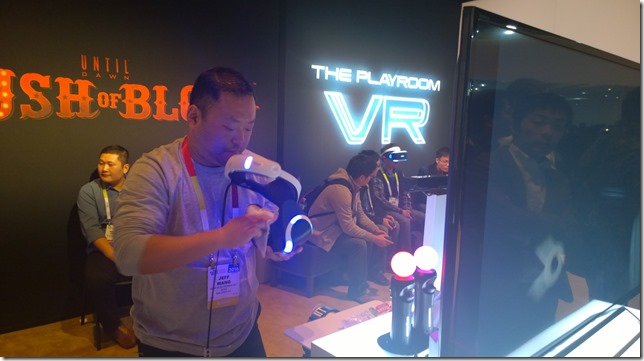
Virtual Reality had its own section at CES this year in the Las Vegas Convention Center South Hall. Oculus had a booth downstairs near my company’s booth while the OSVR (Open Source Virtual Reality) device was being demonstrated upstairs in the Razer booth. The Project Morpheus (now Playstation VR) was being demoed in the large Sony section of North Hall. The HTC Vive Pre didn’t have a booth but instead opted for an outdoor tent up the street from North Hall as well as a private ballroom in the Wynn Hotel to show off their device.
It would be convenient to be able to tell you which VR head mounted display is best, but the truth is that they all have their strengths. I’ll try to summarize these pros and cons first and then go into details about the demo experiences further down.
- HTC Vive Pre and Oculus Rift have nearly identical specs
- Pro: Vive currently has the best peripherals (Steam controllers + Lighthouse position tracking), though this can always change
- Pro: Oculus is first out of the gate with price and availability of the three major players
- Con: Oculus and Vive require expensive latest gen gaming computers to run in addition to the headsets ($900 US +)
- Pro: PlayStation VR works with a reasonably priced PlayStation
- Pro: PlayStation Move controllers work really well
- Pro: PlayStation has excellent relationships with major gaming companies
- Con: PlayStation VR has lower specs than Oculus Rift or HTC Vive Pre
- Con: PlayStation VR has an Indeterminate release date (maybe summer?)
- Pro: OSVR is available now
- Pro: OSVR costs only $299 US, making it the least expensive VR device
- Con: OSVR has the lowest specs and is a bit DIY
- Pro: OSVR is a bit DIY
You’ll also probably want to look at the numbers:
| Oculus Rift | HTC Vive Pre | PlayStation VR | OSVR | Oculus DK2 | |
| Resolution | 2160 x 1200 | 2160 x 1200 | 1920 x 1080 | 1920 x 1080 | 1920 x 1080 |
| Res per eye | 1080 x 1200 | 1080 x 1200 | 960 x 1080 | 960 x 1080 | 960 x 1080 |
| FPS | 90 Hz | 90 Hz | 120 Hz | 60 Hz | 60 / 75 Hz |
| Horizontal FOV | 110 degrees | 110 degrees | 100 degrees | 100 degrees | 100 degrees |
| Headline Game | Eve: Valkyrie | Elite: Dangerous | The London Heist | – | Titans of Space |
| Price | $600 | ? | ? | $299 | $350/sold out |
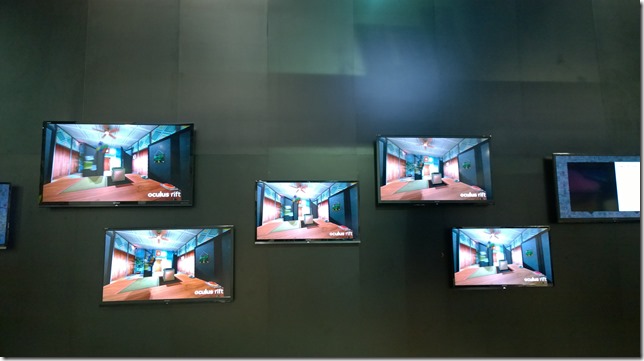
Let’s talk about Oculus first because they started the current VR movement and really deserve to be first. Everything follows from that amazing initial Kickstarter campaign. The Oculus installation was an imposing black fortress in the middle of the hall with lines winding around it full of people anxious to get a seven minute demo of the final Oculus Rift. This was the demo everyone at CES was trying to get into. I managed to get into line half an hour early one morning because I was working another booth. Like at most shows, all the Oculus helpers were exhausted and frazzled but very nice. After some hectic moments of being handed off from person to person, I was finally led into a comfortable room on the second floor of Fortress Oculus and got a chance to see the latest device. I’ve had the DK2 for months and was pleased to see all the improvements that have been made to the gear. It was comfortable on my head and easy to configure, especially compared to the developer kit model that I need a coin in order to adjust. I was placed into a fixed-back chair and an Xbox controller was put into my hand (which I think means Oculus Rift is exclusively a PC device until the Oculus Touch is released in the future) and I was given the choice of eight or so games including a hockey game in which I could block the puck and some pretty strange looking games. I was told to choose carefully as the game I chose would be the only game I would be allowed to play. I chose the space game, Eve Valkyrie, and until my ship exploded I flew 360 degrees through the void fighting off an alien armada while trying to protect the carriers in my space fleet.
What can one say? It was amazing. I felt fully immersed in the game and completely forgot about the rest of the world, the marketing people around me, the black fortress, the need to get back to my own booth, etc. If you are willing to pay $700 – $800 for your phone, then paying $600 for the Oculus Rift shouldn’t be such a big deal. And then you need to spend another $900 or more for a PC that will run the rift for you, but then at least you’ll have an awesome gaming machine.
Or you could also just wait for the HTC Vive Pre which has identical specs and feels just as nice and even has its own space game at launch called Elite: Dangerous. While the Oculus booth was targeted at fans, in large part, the Vive was shown in two different places to different audiences. A traveling HTC Vive bus pulled out tents and set up on the corner opposite Convention Hall North. This was for fans to try out the system and involved an hour wait for outdoor demos while demos inside the bus required signing up. I went down the street the the Wynn Hotel where press demos run by the marketing team were being organized in one of the hotel ballrooms. No engineers to talk to, sadly.
Whereas Oculus’s major announcement was about pricing and availability as well as opening up pre-orders, HTC’s announcement was about a technology breakthrough that didn’t really seem like much of a breakthrough. A color camera was placed on the front of HMD that outlines real-world objects around the player in order, among other things, to help the player avoid bumping into things when using the Vive Pre with the Lighthouse peripherals in order to walk around a VR experience.
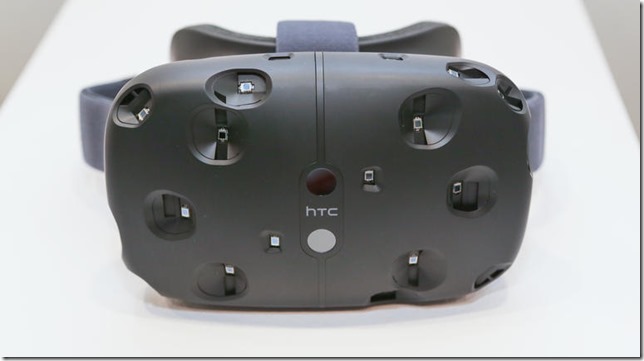
The Lighthouse experience is cool but the experience I most enjoyed was playing Elite: Dangerous with two mounted joysticks. This is a game I’ve played on the DK2 until it stopped working with the DK2 following my upgrade to Windows 10 (which as a Microsoft MVP I’m pretty much required to do) so I was pretty surprised to see the game in the HTC press room and even more surprised when I spent an hour chatting away happily to one of ED’s marketing people.
So this is a big tangent but here’s what I think happened and why the ED Oculus support became rocky a few months ago. Oculus appears to have started courting Eve: Valkyrie a while back, even though Elite: Dangerous was the more mature game. Someone must have decided that you don’t need two space games for one device launch, and so ED drifted over to the HTC Vive camp. And suddenly, support for the DK2 went on the backburner at ED while Oculus made breaking changes in their SDK release and many people who had gotten ED to play with the Rift or gotten the Rift to play with ED were sorely disappointed. At this point, you can make Elite: Horizons (the upgrade from ED) work in VR with Oculus but it is tricky and not documented. You have to download SteamVR, even if you didn’t buy Elite: Horizons from Stream, and jury rig your monitor settings to get everything running well in the Oculus direct mode. Needless to say, it’s clear that Elite’s games are going to run much more nicely if you buy Steam’s Vive and run it through Steam.
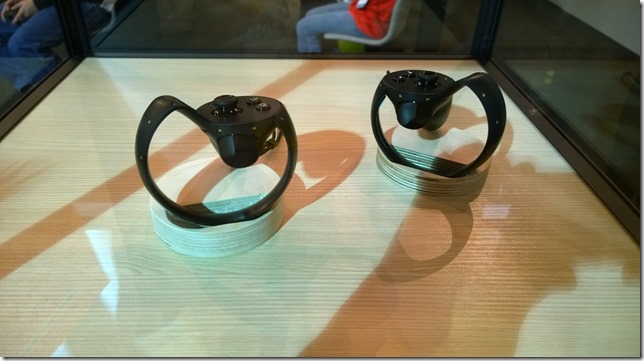
As for comparing Oculus Rift and HTC Vive Pre, it’s hard to say. They have the same specs. They both will need powerful computers to play on, so the cost of ownership goes beyond simply buying the HMD. Oculus has the touch controllers, but we don’t really know when they will be ready. HTC Vive has the Lighthouse peripherals that allow you to walk around and the specialized Steam controllers, but we don’t know how much they will cost.
For the moment, then, the best way to choose between the two VR devices comes down to which space flying game you think you would like more. Elite: Dangerous is mainly a community exploration game with combat elements. Eve: Valkyrie is a space combat game with exploration elements. Beyond that, Palmer Luckey did get the ball rolling on this whole VR thing, so all other things being equal, mutatis mutandis, you should probably reward him with your gold. Personally, though, I really love Elite: Horizons and being able to walk around in VR.
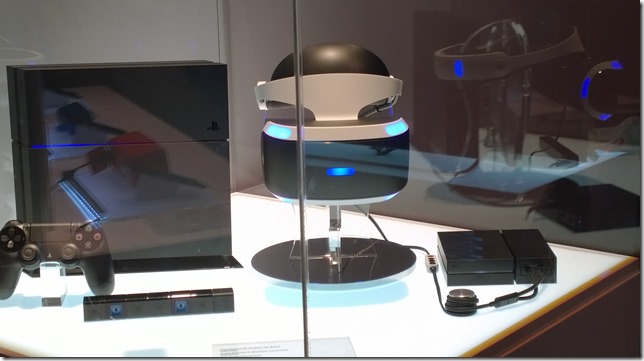
But then again, one could always wait for PlayStation VR (the head-mounted display formerly known as Project Morpheus). The PlayStation VR demo was hidden in the back of the PlayStation demos, which in turn was at the back of the Sony booth which was at the far corner of the Las Vegas Convention Center North Hall. In other words, it was hard to find and a hike to get to. Once you go to it, though, it became clear that this was, in the scheme of things, a small play for the extremely diversified Sony. There wasn’t really enough room for the four demos Sony was showing and the lines were extremely compressed.
Which is odd because, for me at least, the PlayStation VR was the only thing I wanted to see. It’s by far the prettiest of the four big VR systems. While the resolution is slightly lower than that of the Oculus Rift or HTC Vive Pre, the frame rate is higher. Additionally, you don’t need to purchase a $900 computer to play it. You just need a PlayStation 4. The PlayStation Move controllers, as a bonus, finally make sense as VR controllers.
Best of all, there’s a good chance that PlayStation will end up having the best VR games (including Eve: Valkyrie) because those relationships already exist. Oculus and HTC Vive will likely clean up on the indie-game market since their dev and deployment story is likely going to be much simpler than Sony’s.
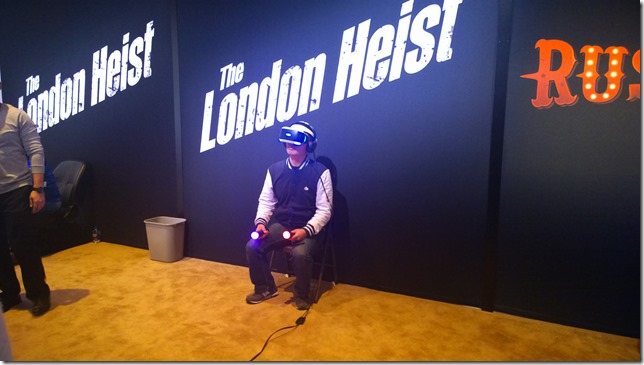
I waited forty minutes to play the newest The London Heist demo. In it, I rode shotgun in a truck next to a London thug as motorcycles and vans with machine gun wielding riders passed by and shot at me. I shot back, but strangely the most fascinating part for me was opening the glove compartment with the Move controllers and fiddling with the radio controls.
Prepare for another digression or just skip ahead if you like. While I was using Playstion Move controllers (those two lit up things in the picture above that look like neon ice-cream cones) in the Sony booth to change the radio station in my virtual van, BMW had a tent outside the convention center where they demoed a radio tuner in one of their cars that responded to hand gestures. One spun ones finger clockwise to scan through the radio channels. Two fingers pressed forward would pause a track. Wave would dismiss. Having worked with Kinect gestures for the past five years, I was extremely impressed with how good and intuitive these gestures were. They can even be re-programmed, by the way, to perform other functions. One night, I watched my boss close his eyes and perform these gestures from memory in order to lock them into his motor memory. They were that good, so if you have a lot of money, go buy all four VR sets as well as a BMW Series 7 so you can try out the radio.
But I digress. The London Heist is a fantastic game and the Playstation VR is pretty great. I only wish I had a better idea of when it is being released an how much it will cost.
Another great thing about the Sony PlayStation VR area was that it was out in the open unlike the VR demos from other companies. You could watch (for about 40 minutes, actually) as other people went through their moves. Eventually, we’ll start seeing a lot of these shots contrasting what people think they are doing in VR with what they are really doing. It starts off comically, but over time becomes very interesting as you realize the extent to which we are all constantly living out experiences in our imaginations and having imaginary conversations that no one around us is aware of – the rich interior life that a VR system is particularly suited to reveal to us.
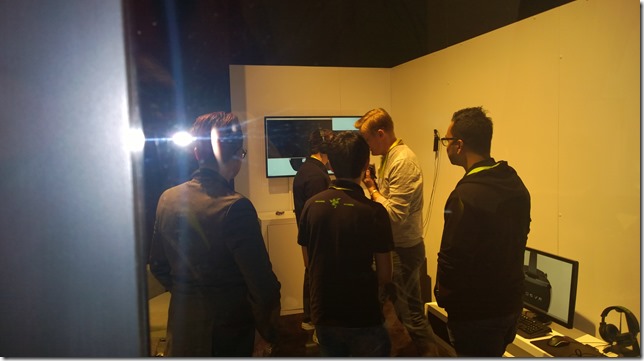
I found the OSVR demo almost by accident while walking around the outside of the Razer booth. There was a single small room with a glass window in the side where I could spy a demo going on. I had to wait for Tom’s Hardware to go though first, and also someone from Gizmodo, but after a while they finally invited me in and I got to talk to honest to goodness engineers instead of marketing people! OSVR demoed a 3D cut scene rather than an actual game and there was a little choppiness which may have been due to IR contamination from the overhead lights. I don’t really know. But for $299 it was pretty good and, if you aren’t already the proud owner of an Oculus DK2, which has the same specs, it may be the way to go. It also has upgradeable parts which is pretty interesting. If you are a hobbyist who wants to get a better understanding of how VR devices work – or if you simply want a relatively inexpensive way to get into VR – then this might be a great solution.
You could also go even cheaper, down to $99, and get a Samsung Gear VR (or one of a dozen or so similar devices) if you already have a $700 phone to fit into it. Definitely demo a full VR head-mounted display first, though, to make sure the more limited Gear VR-style experience is what you really want.
I also wanted to make quick mention of AntVR, which is an indie VR solution and Kickstarter that uses fiducial markers instead of IR emitters/receivers for position tracking. It’s a full walking VR system that looked pretty cool.
If walking around with VR goggles seems a bit risky to you, you could also try a harness rig like Omni’s. Ignoring the fact that it looks like a baby’s jumporee, the Omni now comes with custom shoes so running inside it is easier. With practice, it looks like you can go pretty fast in one of these things and maybe even burn some serious calories. There were lots of discussions about where you would put something like this. It should work with any sort of VR setup: the demo systems were using Oculus DK2. While watching the demo I kept wanting to eat baby carrots for some reason.

According to various forecasters, virtual reality is going to be as important a cultural touchstone for children growing up today as the Atari 2600 was for my generation.
To quickly summarize (or at least generalize) the benefits of each of the four main VR systems coming to market this year:
1. Oculus Rift – first developed and first to release a full package
2. HTC Vive Pre – best controllers and position tracking
3. PlayStation VR – best games
4. OSVR – best value
Website Update 01-13-16
I have updated this WordPress blog to version 4.4.1.
I also moved my database from cleardb, which typically hosts MySQL for Microsoft Azure, to a MySQL Docker Container running in Azure.
After wasting a lot of time trying to figure out how to do this, I found a brilliant post by Morten Lerudjordet that took me by the hand and led me through all the obscure but necessary steps.
You might be a HoloLens developer if

You currently can sign up to be selected to receive a HoloLens dev kit sometime in the 1st quarter of 2016. The advertised price is $3000 and there’s been lots of kerfuffle over this online, both pro and con. On the one hand, a high price tag for the dev kit ensures that only those who are really serious about this amazing technology will be jumping in. On the other hand, there’s the justifiable concern that only well heeled consulting companies will be able to get their hands on the hardware with this entry price, keeping it out of the hands of indie developers who may (or may not) be able to do the most innovative and exciting things with it.
I feel that both perspectives have an element of truth behind it. Even with the release of the Kinect a few years ago (which had a much much lower barrier to entry) there were similar conversations concerning price and accessibility. All this comes down to a question of who will do the most with the HoloLens and have the most to offer. In the long run, after all, it isn’t the hardware that will be expensive but instead the amount of time garage hackers as well as industry engineers are going to invest into organizing, designing and building experiences. At the end of the day (again from my experience with the Kinect) 80 per cent of these would be bleeding edge technologists will end up throwing up their hands while the truly devoted, it will turn out, never even blinked at the initial price tag.
Concerning the price tag, however, I feel like we are underestimating. For anyone currently planning out AR experiences, is only one HoloLens really going to be enough? I can currently start building HoloLens apps using Unity 3D and have a pretty good idea of how it will work out when (if) I eventually get a device in my hands. There will be tweaking, obviously, and lots of experiential, UX, and performance revelations to take into account, but I can pretty much start now. What I can’t do right now — or even easily imagine – is how to collaborate and share experiences between two HoloLenses. And for me, this social aspect is the most fascinating and largely unexplored aspect of augmented reality.
Virtual reality will have its own forms of sociality that largely revolve around using avatars for interrelations. In essence, virtual reality is always a private experience that we shim social interactions into.
Augmented reality, on the other hand, is essentially a social technology that, for now, we are treating as a private one. Perhaps this is because we currently take VR experiences as the template for our AR experiences. But this is misguided. An inherently and essentially social technology like HoloLens should have social awareness as a key aspect of every application written for it.
Can you build a social experience with just one HoloLens? Which leaves me wondering if the price tag for the HoloLens Development Edition is just $3000 as advertised? Or is it really $6000?
Finally, what does it take to be the sort of person who doesn’t blink at coughing up 3K – 6K for an early HoloLens?
You might be a HoloLens developer if:
- Your most prized possession is a notebook in which you are constantly jotting down your ideas for AR experiences.
- You are spending all your free time trying to become better with Unity, Unreal and C++.
- You are online until 3 in the morning comparing Microsoft and Magic Leap patents.
- You’ve narrowed all your career choices down to what gives you skills useful for HoloLens and what takes away from that.
- You’ve subscribed to Clemente Giorio’s HoloLens Developers group and Gian Paolo Santapaolo’s HoloLens Developers Worldwide group on Facebook.
- You know the nuanced distinctions between various waveguide displays.
- You don’t get “structured light” technology and “light field” technology confused.
- You practice imaginary gestures with your hands to see what “feels right”.
- You watch the Total Recall remake to laugh at what they get wrong about AR.
- You are still watching the TV version of Minority Report to try to see what they are getting right about AR.
Please add your own “You might be a HoloLens developer if” suggestions in the comments. 🙂
How HoloLens Sensors Work
[hardware specs were released this week. This post is now updated to reflect the final specs.]
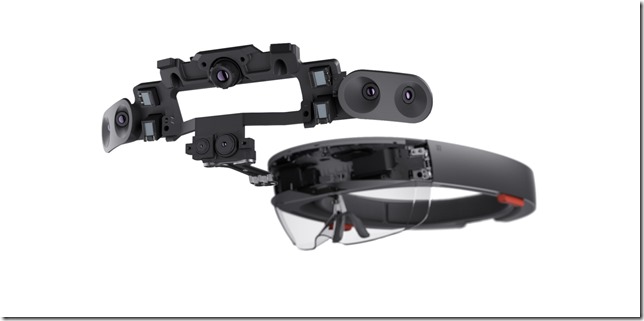
In addition to a sophisticated AR display, the Micosoft HoloLens contains a wide array of sensors that constantly collect data about the user’s external and internal environments. These sensors are used to synchronize the augmented reality world with the real world as well as respond to commands. The HoloLens’s sensor technology can be thought of as a combination of two streams of research: one from the evolution of the Microsoft Kinect and the other from developments in virtual reality positioning technology. While what follows is almost entirely just well-informed guesswork, we can have a fair degree of confidence in these guesses based on what is already known publicly about the tech behind the Kinect and well documented VR gear like the Oculus Rift.
While this article will provide a broad survey of the HoloLens sensor hardware, the reader can go deeper into this topic on her own through resources like the book Beginning Kinect Programming by James Ashley and Jarrett Webb, Oliver Kreylos’s brilliant Doc-OK blog, and the perpetually enlightening Oculus blog.
Let’s begin with a list of the sensors believed to be housed in the HoloLens HMD:
- Gyroscope
- Magnetometer
- Accelerometer
Internal facing eye tracking cameras (?)-
Ambient Light Detector
(?) - Microphone Array (4 (?) mics)
Depth sensorsGrayscale Cameras (4)- RGB cameras (1)
- Depth sensor (1)
The first three make up an Inertial Measurement Unit often found in head-mounted displays for AR as well as VR. The eye tracker is technology that became commercialized by 3rd parties like Eye Tribe following the release of the Kinect but not previously used in Microsoft hardware – though it isn’t completely clear that there is any sort of eye tracking being used. There is a small sensor at the front that some people assume is an ambient light detector. The last three are similar to technology found in the Kinect.

copyright Adobe Stock
I want to highlight the microphone array first because it was always the least understood and most overlooked feature of Kinect. The microphone array is extremely useful for speech recognition because it can distinguish between vocal commands from the user and ambient noise. Ideally, it should also be able to amplify speech from the user so commands can be heard even over a noisy room. Speech commands will likely be lit up by integrating the mic array with Microsoft’s cloud-based Cortana speech rec technology rather than something like the Microsoft Speech SDK. Depending on how the array is oriented, it may also be able to identify the direction of external sounds. In future iterations of HoloLens, we may be able to marry the microphone array’s directional capabilities with the RGB cameras and face recognition to amplify speech from our friends through the biaural audio speakers built into HoloLens.
copyright Microsoft
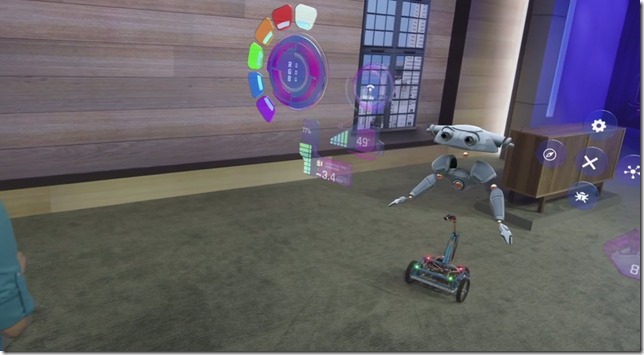
Eye tracking cameras are part of a complex mechanism allowing the human gaze to be used in order to manipulate augmented reality menus. When presented with an AR menu, the user can gaze at buttons in the menu in order to highlight them. Selection then occurs either by maintaining the gaze or by introducing an alternative selection mechanism like a hand press – which would in turn use the depth camera combined with hand tracking algorithms. Besides being extremely cool, eye tracking is a NUI solution to a problem many of us have like encountered with the Kinect on devices like Xbox. As responsive as hand tracking can be using a depth camera, it still has lag and jitteriness that makes manipulation of graphical user interface menus tricky. There’s certainly an underlying problem in trying to transpose one interaction paradigm, menu manipulation, into another paradigm based on gestures. Similar issues occur when we try to put interaction paradigms like a keyboard on a touch screen — it can be made to work, but isn’t easy. Eye tracking is a way to remove friction when using menus in augmented reality. It’s fascinating, however, to imagine what else we could use it for in future HoloLens iterations. It can be used to store images and environmental data whenever our gaze dwells for a threshold amount of time on external objects. When we want to recall something we saw during the day, the HoloLens can bring it back to us: that book in the book store, that outfit the guy in the coffee shop was wearing, the name of the street we passed on the way to lunch. As we sleep each night, perhaps these images can be analyzed in the cloud to discover patterns in our daily lives of which we were previously unaware.
Kinect has a feature called coordinate mapping which allows you to compare pixels from the depth camera and pixels from the color camera. Because the depth camera stream contained information about pixels belonging to human beings and those that did not, the coordinate mapper could be used to identify people in the RGB image. The RGB image in turn could be manipulated to do interesting things with the human-only pixels such as background subtraction and selective application of shaders such that these effects would appear to follow the player around. HoloLens must do something similar but on a vastly grander scale. The HoloLens must map virtual content onto 3D coordinates in the world and make them persist in those locations even as the user twists and turns his head, jumps up and down, and moves freely around the virtual objects that have been placed in the world. Not only must these objects persist, but in order to maintain the illusion of persistence there can be no perceivable lag between user movements and redrawing the virtual objects on the HoloLens’s two stereoscopic displays – perhaps no more than 20 ms of delay.
This is a major problem for both augmented and virtual reality systems. The problem can be broken up into two related issues: orientation tracking and position tracking. Orientation tracking determines where we are looking when wearing a HMD. Position tracking determines where we are located with respect to the external world.

copyright Adobe Stock: Sergey Niven
Orientation tracking is accomplished through a device known as an Inertial Measurement Unit which is made up of a gyroscope, magnetometer and accelerometer. The inertial unit of measure for an Inertial Measurement Unit (see what I did there?) is radians per second (rad/s), which provides the angular velocity of any head movements. Steve LaValle provides an excellent primer on how the data from these sensors are fused together on the Oculus blog. I’ll just provide a digest here as a way to explain how HoloLens is doing roughly the same thing.
The gyroscope is the core head orientation tracking device. It measures angular velocity. Once we have the values for the head at rest, we can repeatedly check the gyroscope to see whether our head has moved and in which direction it has moved. By comparing the velocity of that movement as well as the direction and comparing this to the amount of time that has passed, we can determine how the head is currently oriented compared to its previous orientation. In fact the Oculus does this one thousand times per second and we can assume that HoloLens is collecting data at a similarly furious rate.
Over time, unfortunately, the gyroscope’s data loses precision – this is known as “drift.” The two remaining orientation trackers are used to correct for this drift. The accelerometer performs an unexpected function here by determining the acceleration due to the force of gravity. The accelerometer provides the true direction of “up” (gravity pulls down so the acceleration we feel is actually upward, as in a rocket ship flying directly up) which can be used to correct the gyroscope’s misconstrued impression of the real direction of up. “Up,” unfortunately, doesn’t provide all the correction we need. If you turn your head right and left to make the gesture for “no,” you’ll notice immediately that knowing up in this case tells us nothing about the direction in which your head is facing. In this case, knowing the direction of magnetic north would provide the additional data needed to correct for yaw error – which is why a magnetometer is also a necessary sensor in HoloLens.

copyright Adobe Stock
Even though the IMU, made up of a gyroscope, magnetometer and accelerometer, is great for determining the deltas in head orientation from moment to moment, it doesn’t work so well for determining diffs in head position. For a beautiful demonstration of why this is the case, you can view Oliver Kreylos’s video Pure IMU-Based Positional Tracking is a No-Go. For a very detailed explanation, you should read Head Tracking for the Oculus Rift by Steven LaValle and his colleagues at Oculus.
The Oculus Rift DK2 introduced a secondary camera for positional tracking that sits a few feet from the VR user and detects IR markers on the Oculus HMD. This is known as outside-in positional tracking being the external camera determines the location of the goggles and passes it back to Oculus software. This works well for the Oculus mainly because the Rift is a tethered device. The user sits or stands in a place near to the computer that runs the experience and cannot stray far from there.
There are some alternative approaches to positional tracking which allow for greater freedom of movement. The HTC Vive virtual reality system, for instance, uses two stationary devices in a setup called Lighthouse. Instead of stationary cameras like the Oculus Rift uses, these Lighthouse boxes are stationary emitters of infrared light that the Vive uses to determine it’s position in a room with respect to them. This is sometimes called an inside-out positional tracking solution because the HMD is determining it’s location relative to known external fixed positions.
Google’s Project Tango is another example of inside-out positional tracking that uses the sensors built into handheld devices (smart phones and tablets) in order to add AR and VR functionality to applications. Because these devices aren’t packed into IMUs, they can be laggy. To compensate, Project Tango uses data from onboard device cameras to determine the orientation of the room around the device. These reconstructions are constantly compared against previous reconstructions in order to determine both the device’s position as well as its orientation with respect to the room surfaces around it.
It is widely assumed that HoloLens uses a similar technique to correct for positional drift from the Inertial Measurement Unit. After all, HoloLens has four depth IR grayscale (?) cameras built into it. The IMU, in this supposition, would provide fast but drifty positional data while the combination of data from the four depth grayscale cameras and an RGB cameras provide possibly slower (we’re talking in milliseconds, after all) but much more accurate positional data. Together, this configuration provides inside-out positional tracking that is truly tether-less. This is, in all honestly, a simply amazing feat and almost entirely overlooked in most overviews of the HoloLens.
The secret sauce that integrates camera data into an accurate and fast reconstruction of the world to be used, among other things, for position tracking is called the Holographic Processing Unit – a chip the Microsoft HoloLens team is designing itself. I’ve heard from reliable sources that fragments from Stonehenge are embedded in each chip to make this magic work.
On top of this, the depth sensors, IR cameras, and RGB cameras will likely be accessible as independent data streams that can be used for the same sorts of functionality for which they have been used in Kinect applications over the past four years: art, research, diagnostic, medical, architecture, and gaming. Though not discussed previously, I would hope that complex functionality we have become familiar with from Kinect development like skeleton tracking and raw hand tracking will also be made available to HoloLens developers.
Such a continuity of capabilities and APIs between Kinect and HoloLens, if present, would make it easy to port the thousands of Kinect experiences the creative and software communities have developed over the years leading up to HoloLens. This sort of continuity was, after all, responsible for the explosion of online hacking videos that originally made the Kinect such an object of fascination. The Kinect hardware used a standard USB connector that developers were able to quickly hack and then pass on to –- for the most part –- pre-existing creative applications that used less well known, less available and non-standard depth and RGB cameras. The Kinect connected all these different worlds of enthusiasts by using common parts and common paradigms.
It is my hope and expectation that HoloLens is set on a similar path.
[This post has been updated 11/07/15 following opportunities to make a closer inspection of the hardware while in Redmond, WA. for the MVP Global Summit. Big thanks to the MPC and HoloLens groups as well as the Emerging Experiences MVP program for making this possible.]
[This post has been updated again 3/3/15 following release of final specs.]