
Why ReMIX?

Logo-72dpi-Color

On August 6th, the Atlanta developer community will be hosting ReMIX South, a conference for designers and developers.  This is the second year the conference has been held in Atlanta.  Early Bird tickets can be purchased at http://remixsouth.eventbrite.com .  The official website is at www.remixsouth.com .  Tickets are only $30 through June 28th.

There are lots of great conferences throughout the year such as MIX, An Event Apart and TechEd.  These all tend to be extremely expensive, however.  At the other end of the spectrum are community events such as MadExpo, CodeStock, the various code camps and DevLink.  These are great, inexpensive grassroots level events.  Anyone can speak and the agendas tend to be more or less random.

ReMIX is an attempt to create something in between these two extremes.  We created an event that has the level of speakers you would typically see at all the former two to three thousand dollar events but at the price of a community event.

We do this by spending much of our time throughout the year at all of these other conferences trying to recruit speakers for ReMIX South.  We spend half the year discussing who is a top speaker, who is a rising speaker, and what topics have become important in 2011.  In other words, we spend the majority of our effort simply planning out our speakers the way a painter mixes colors or a chef blends flavors.

We do this in order to provide what is, to our minds, a unique and satisfying experience for our attendees.  Of all the speakers we reached out to, only two of our must haves couldn’t make it: Bill Buxton and Robby Ingebretsen – both had prior engagements.

We keep prices low through very generous sponsorship as well as being very frugal with your money – though controversial, we don’t provide lunch or t-shirts.  While these are standard for most conferences, we found that we can cut the price in half simply by leaving them out.  We also keep your bottom line low by choosing a central location, The Marriott at Perimeter Center, which has free parking.

(As an aside, when I was at An Event Apart, I paid the same amount for my parking as the price of one early bird ticket to ReMIX: $30.)

The other thing we try to do at ReMIX is to provide a designer event that is friendly toward developers, as well as a developer event that is friendly toward designers.

It is also an event that we try to make welcoming for both Microsoft stack as well as non-Microsoft stack developers.  We understand that, depending on where you come from, our agenda will always seem to lean too much in one direction or the other.  To our thinking, this is a good thing.  We want to bring the different communities together. 

Non-Microsoft developers will get a bit of exposure to a world they tend to stay away from, while Microsoft stack developers will have their minds expanded to a world they are not familiar with.  At the end of the day, we all leave knowing a little more about our craft than we did when we came and have a broader understanding of what our craft entails.  Everyone moves out of their comfort zone and becomes stronger for it.

And if you don’t want to have your mind expanded, that’s cool, too.  We have enough sessions to keep anyone inside their comfort zone, if that’s what they want.

Here is what we are offering this year:

The Keynote

Albert Shum is one of the most fascinating people currently working at Microsoft.  He is part of the revolution within Microsoft that transformed their mobile strategy and placed, for once, design at the center of a new technology offering.  Albert led the design team that created the much discussed “Metro” language used originally on Windows Phone and now, according to well-placed rumors, on the Surface 2 and Windows 8.  If you are still confused about what “Metro” actually is, this is your best opportunity to find out – he’ll be at the conference all day and is very approachable.

The Web Track

This is the track we are perhaps proudest of.  If you are a Microsoft stack developer, then you might think of HTML5 as a zombie-like infestation that is taking over and displacing all the technologies you are used to working with.

On the other hand, if you aren’t part of the Microsoft world, you probably are perplexed when people make a big deal about HTML5 and wonder if they are talking about CSS3 + JQuery. 

So what we are offering in the Web track at ReMIX is a bunch of non-Microsoft stack web developers explaining HTML5 to both Microsoft and non-Microsoft developers.  Brilliant, right?

J. Cornelius of CoffeeCup Software will start by presenting “HTML5: Yes Really.”  The title is a joke and if you don’t get it, then you really need to attend.   He will provide the opening overview of HTML5. 

John Agan, who builds amazing web experiences for Epic Labs, will teach us about JQuery. 

Josh Netherton of MailChimp will school us on CSS3 in “More Than Just Rounded Corners.” 

Finally, we’ve invited August de los Reyes of Artefact to speak.  If you aren’t familiar with August, he happens to have given the most impressive talk at MIX11 this year – and it was only ten minutes long!You can find a video of his MIX presentation here .  At ReMIX South, August will be presenting an expanded version of his talk 21st Century Design.

Mobile \ Tablet Track

The past year has been spent pursuing the code-once dream for mobile development using tools like Mono, PhoneGap, the Adaptive Web and, most recently, HTML5.  If you’ve been following the trends in iPhone, Android and Windows Phone, you’ll know that this has been a rocky and occasionally treacherous path.  Not only do the different tools not always work … ahem … perfectly, but the rise of tablets is also making it clear that designing and developing for non-desktop computers is a lot more complex than just working with different form-factors.  We’ve invited several Microsoft as well as non-Microsoft stack people to walk us through the variegated world of mobile and tablet development.

Douglas Knudson, Technical Architect for Universal Mind and organizer of the Atlanta Flex User Group, will show us how to use Adobe Air to target multiple mobile and tablet platforms.

Luke Hamilton, Creative Director at Razorfish, will speak on “The Interface Revolution” and cover how to work with all the new devices we are being confronted with as technology keeps progressing.

Shawn Wildermuth, a well known trainer and expert in Windows Phone development, will walk us through the new features being introduced in Windows Phone Mango.

Jeremy Likness will talk about his experience working with Silverlight for tablets.  He will also discuss what we currently know about Windows 8, which is being promoted as a tablet platform that uses both HTML5 as well as a XAML-based language for development.

Rob Cameron, who was also with us last year, is a Microsoft Architect Evangelist.  He will talk, among other things, about developing games for Windows Phone using XNA.

Windows Phone Garage

No pretense of non-Microsoft material here.  Starting in mid- to late-August, the Windows Phone Marketplace will start accepting Mango apps.  This full day dev garage will get you ready for that.  Just bring a laptop and we’ll take care of the rest – by the end of the day you will have an application ready to start making you money. 

mixheadshot_reasonably_small

Unlike other phone garages, this one will be surrounded by top talent in development and design as well as several Windows Phone development MVPs.  If you would like their help, we’ll setup a sign-up sheet so you can arrange to get one-on-one advice about your app.

UX Track

The UX Track has always made the ReMIX conference stand apart from other conference.  This is really the place where we invite speakers to talk broadly about a variety of topics which we place, loosely, under the UX rubric.

Let me point out, first of all, that all of our speakers are amazing.  These are our rock stars. Rick Barraza has become an institution helping developers understand UX and design as well as trying to help devs and designers to work together.  He spoke at MIX this year.  Jenn Downs is simply cool and MailChimp, her company, is widely lauded for breaking new ground in connecting with customers by being hip, playful, cheeky and, of course, extremely useful.  MailChimp has pretty much been invited to speak at every major conference this year.  Zach Pousman and James Chittenden were both extremely popular speakers at last year’s ReMIX.  Zach is an expert in both academic and practical UX, while James is a UX Architect for Microsoft Consulting – you probably didn’t even know there was such a thing.  We are very lucky to have them back.  Designers think Matthias Shapiro is a designer while developers assume he is a developer since he has been so effective in bridging both worlds.  His talk on Motion is a must see.

If you have spent your careers as developers and have never been exposed to the world of UX and design, then the best favor I can do for you is to recommend that you spend your whole Saturday in this track.  You’ll thank me for it.  Really, you will.

Kinect Track

This is very exciting for us.  The Kinect Track is our opportunity to take a new technology, bring together some of the leading experts on developing for the Kinect and hold the first conference event about the Kinect.  Other conferences are beginning to have one or two Kinect talks a piece, if they have any.  At ReMIX, we provide a full day of Kinect content.

All of our Kinect speakers come for the most part from the pages of the KinectHacks website. 

Jarrett Webb is the creator of KinectShop, an application that has given us the best picture so far of how the Kinect and related technologies will one day be used in retail.  He is generously providing the introductory talk on developing for the Kinect.

Zahoor Zafrulla is a Phd candidate at Georgia Tech.  He is making breakthroughs in using the Kinect sensor for education.  His particular interest is in using the Kinect to teach American Sign Language.

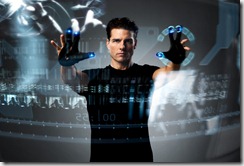
Steve Dawson and Alex Nichols wrote the DaVinci Kinect application in November of 2010 – shortly after drivers for building Kinect applications for the PC became available.  It was one of the first apps recognized for successfully pulling off  ‘The Minority Report’ effect and Microsoft later asked them to present it at the E3 conference to demonstrate what Kinect hacking is all about.

Josh Blake is the best known figure in the Kinect world.  Besides being widely recognized as an authority on Natural User Interface concepts, he is also the founder of the OpenKinect community.  There are few people who know more about the growth and future potential of the Kinect technology than Josh.

The final Kinect session of the day will be a panel discussion moderated by Josh Blake with panelists Albert Shum, Rick Barraza, Luke Hamilton and Zahoor Zafrulla.  They will be discussing the influence of TV shows and movies on how we envision the future of technology as well as what the future of technology will actually look like.

Nerd Psychology

Charles_Garnier_architect

At the beginning of this month I was invited to give a keynote at the MadExpo conference opposite Jeff Prosise, who gave an amazing Thursday keynote address.  This was heady stuff and more due to the subject matter I proposed, “What Recent Breakthroughs in Nerd Psychology Can Teach Us About Software Development”, than my abilities as a public speaker.

The keynote attempted to address several intractable problems in software development using current psychological and neurological research:

    1. Why hasn’t the proliferation of software frameworks and tools made software development go any faster?
    2. Why does the obsolete technology we abandoned five years ago always eventually reappear as something new and trendy?
    3. Why do developers find it impossible to predict how long a task will take until it is completed?
    4. How much should a developer be paid for a mythical-man-month of work?
    5. What is this fear of “coupling” that all software architects seem to exhibit?

In the process, I also tried to solve another set of interesting problems:

    • Whether the brain can be hacked
    • The secret of the Mona Lisa’s smile
    • Why multi-tasking is a myth
    • Why nerds like puns
    • Why the Turing Test is a red herring

The crux of the talk revolved around what is coming to be known as the Autistic Spectrum of Disorders, which includes: Autism, Asperger Syndrome and PDD-NOS (a catch all for disorders that do not meet the requirements for Asperger but approaches it).

Various research has connected these disorders with what is commonly known as “the nerd”.  The two papers I cited in the talk were Ioan James’s Autism and Mathematical Talent and Nicholas Putnam’s  Revenge or tragedy: Do nerds suffer from a mild pervasive developmental disorder? which was published in Adolescent psychiatry: Developmental and clinical studies, Vol. 17.

Asperger Syndrome and PDD-NOS are interesting here for the qualities these disorders share with what we would think of as a high functioning software developer.  Though a bit laudatory, here is a quote from the pediatrician Hans Asperger on the disorder that bears his name:

It seems that for success in science or art a dash of autism is essential. For success the necessary ingredient may be an ability to turn away from the everyday world, from the simple practical, an ability to rethink a subject with originality so as to create in new untrodden ways …

Research on a neurological structure called mirror neurons, which were discovered in the late 80’s, are now believed to be associated with language acquisition and social aptitude.  Some researchers identify a flaw in the functioning of mirror neurons with disorders like autism.  If this is true, then it provides the clue as to why some people will turn away from social interactions and, in turn, have a large reservoir of concentration and obsessiveness which are turned to other, more mechanical, pursuits.

Pulling this talk together was deeply fascinating and I am indebted to my wife Tamara, a therapist as well as a highly accomplished hypno-therapist, for her help.

I also drew on several popular books for additional material.  They are all very readable and fascinating:

The Tell-Tale Brain – V. S. Ramachandran

Sleights of Mind: What the Neuroscience of Magic Reveals About Our Everyday Perceptions — Stephen L. Macknik, Susana Martinez-Conde, Sandra Blakeslee

NurtureShock: New Thinking about Children – Po Bronson, Ashley Merryman

The Invisible Gorilla — Christopher Chabris, Daniel Simons

How We Decide – Johah Lehrer

The Language Instinct – Steven Pinker

… and while not directly used in this talk, a clear inspiration for myself and the other authors in this brief bibliography is the book which inaugurated the “everything you know is wrong” genre of non-fiction books:

Freakonomics – Steven D. Levitt, Stephen J. Dubner

The slides for this talk (which includes the Nerd-Geek-Dork Venn Diagram by Matthew Mason) can be found on my skydrive.

[For reference: a quick indicator of whether you are a nerd or a geek is this: if you can pull of horn-rimmed glasses, you are a geek.  if you cannot pull off sunglasses, you are a nerd.  I personally have trouble with sunglasses but, for some reason, keep trying.]

Windows 8 and the Two Worlds of HTML

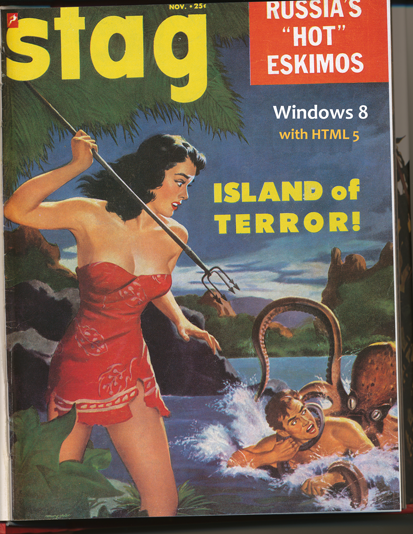
IslandOf

It’s a commonplace in literature that different people see the world in remarkably different ways.  North Koreans and South Koreans, big-enders and little-enders, Morlocks and Eloi.

What often gets in the way of realizing this basic characteristic of the world is another — possibly modern and very democratic — tendency to believe that we can understand where anyone is coming from if we just try hard enough.  There’s a brotherhood of man and all that, so if we simply sit down and discuss our differences, we should be able to all get along.  Why can’t we all just get along?

One of the hardest things for Microsoft developers to understand is why everyone not-Microsoft hates Windows and the other MS products.  We naturally assume these members of the web and design community are being irrational and remarkably biased.  If they would just sit down at a Microsoft conference / sales pitch and get themselves educated, then everything would be better and we’d be one step closer to world peace.

This past week I had the opportunity – mostly by accident — to attend An Event Apart when it came through Atlanta – a conference for web designers and developers.  What fascinated me was that all the issues and debates that I thought were important were not important at this conference.

First, I thought the most important thing going on with the web was HTML5.  While HTML5 got some play at An Event Apart, it was basically treated as merely a tool.  The real issue everyone was grappling with was the mobile web – whether it requires forking off of regular websites, or if it can be incorporated into the overall design and development process.  Should there be one web for two windows, or a fractured web to support all the different devices coming to market.

Second, no one asked if Silverlight was dead.  For all the angst expressed over the rise and decline of Silverlight in the Microsoft world, it was clear that, for the people at this conference, Silverlight had never made any inroads.  And why should it – Silverlight was able to deliver content to Macs but never actually had design or development tools that could run on the Mac.  The Silverlight story basically ignored all the designers and developers who had made Flash dominant for so long on the web. 

So what did people want to know about?  Whether Flash was dead.  The answer, apparently, is no.  Flash and HTML5 complement each other and … blah blah vampire emergency blah … you can fill in the blanks from all the things people typically say about Silverlight not being dead or Newt Gingrich’s presidential run not being dead. 

Is IE the best HTML5 compliant browser?  At An Event Apart I saw slide after slide claiming that cool web technique XYZ will not work on IE 7, 8 or 9.  CSS animations, responsive web design, etc. all work great on Chrome, FF5 and Safari.  Just not on IE.  I had my laptop open for most of the conference and after a little time I found myself repeatedly using Firefox or Safari rather than IE to do my browsing – I just didn’t want anyone to know that IE 9 was my default browser.

And Windows 8?  It never came up.  People outside of the Microsoft worldview don’t understand the Win 8 story at all.  For that matter, people inside of the Microsoft worldview also don’t understand it.  All we do know is that HTML5 and Javascript will apparently be the preferred development platform for it.

Here’s the rub.  Where are all these HTML5 and Javascript developers going to come from?  Just as importantly, where are all the HTML5 designers going to come from – assuming that we want Win 8 apps to actually look good?

The HTML5 + jquery goodness story seems to be based on the notion that there is a huge reservoir of web developers out in the world that Microsoft can win over to becoming developers for their new operating system.  Developers, developers, developers, right?

How is Steve Sinofsky and his PR team going to accomplish this?  I’ve been through the looking glass; I’ve seen the other side and, quite frankly, those developers Microsoft wants to woo don’t want to have anything to do with Microsoft.  While there’s an element of irrational contempt in all of this, it is also the result of many years of Microsoft not understanding the concerns of the other web community and even outright ignoring them.

Microsoft is possibly playing the longest game of hard-to-get anyone has ever seen.  If that strategy doesn’t work, though, how is MS going to sex up Windows 8 for the other, non-Microsoft, web community?

Because without that other world of HTML, Windows 8 is going to fail.

Daydreaming about Kinect Fun Labs

cruise-minority-report

While at the CodeStock conference in Knoxville, I had the pleasure of talking with several indie XNA developers about the potential of the Kinect.  They were discouraged, though, at the lack of opportunities for indie developers to create games for the Kinect.  All I knew how to do was create XNA games and put them on a PC with a Kinect hooked up to it – which wasn’t quite what they were looking for.

Then last week at E3 Microsoft announced Kinect Fun Labs.  Currently Fun Labs is a free download for the XBOX with what are basically a few concept apps.  It includes Kinect Me, which scans the player and turns her image into a 3D model (though not, as has been reported, an XBOX avatar that can be used in the rest of the system).  The Kinect then tracks the player and manipulates the model to follow the player’s movements.

Kinect Googly Eyes does basically the same thing with any rectangular object.

And then there are a few additional one-offs that can be downloaded from within the Kinect Fun Labs app.

What is interesting in all this are hints on the official website that we can upload our own apps at some point.  This may be rumor only, of course, and it probably won’t fully satisfy indie developers who would like to make some money off of their games, but once we get past all the ifs and buts …

It would be very cool to have a way to share our Kinect apps – watching demos on Youtube only get us so far.  If the XBOX also supports Silverlight at some point, we will have additionally have a development platform on which to quickly develop Kinect apps.  It’s the stuff dreams are made of.

Telerik ToDoLists reference application

todolists

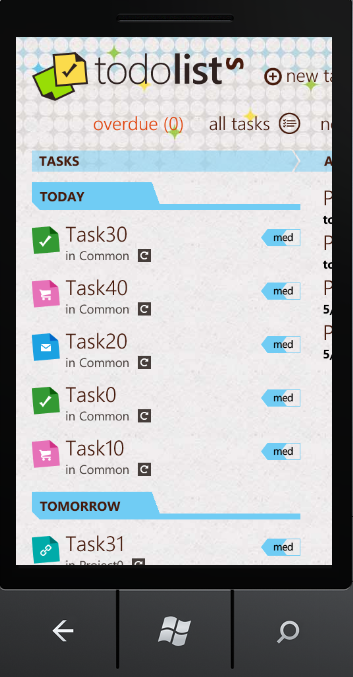
Telerik has published a ToDoLists reference application on their site to demonstrate how to use their Windows Phone Rad controls as well as to walk developers through their process for designing a WP7 application.  Telerik asked me to write a few words about it.

If you have already been through Microsoft’s default templates, this reference app is a good next stop.  You can read about it and download the sample code here: http://www.telerik.com/products/windows-phone/getting-started/todolists.aspx

For all we learn from blog posts and books, there’s nothing quite like walking through a sample app to learn how to do something.  There are several non-standard but – I think – extremely interesting things about this app that developers will find useful.

1. Telerik discusses their design process and includes a wireframe document for download.  Many of us have no idea about how to go about designing a Windows Phone application.  This little bit of guidance on the design process (definitely UI design first) is probably one of the most valuable things available to WP7 developers currently on the internet.

2.  The ToDoLists app does not try to inherit the user defined accent colors or background theme.  There is one look and it is the one the designer came up with.  This may seem unorthodox at best and heretical at worst.  To me, however, it seems like a brilliant move.  The whole point of the limited customization of themes is to give the end-user a sense of control and personal connection with their apps.  The cost of trying to incorporate the user selected theme, however, is a compromise of the design vision.  If the design is good, I think it is worthwhile to simply ignore the user theme and maintain the integrity of the design as is done in this reference app. 

3. The ToDoLists app also demonstrates how to organize the design vision in code and how to organize resources.  This is a topic that usually gets short-shrift.

4. The ToDoLists app uses my friend Jeremy Likness’s Sterling NoSql database.  This is extremely handy code to be able to walk through.  The app even provides an example of generating initial data for Sterling.

5. It doesn’t use any of the standard MVVM frameworks.  Instead, it’s a roll-your-own implementation of MVVM.  This is a nice reminder that MVVM doesn’t have to be complex.  We’ve almost reached the point when we no longer have to explain why MVVM should be used in XAML-based applications.  It’s simply what we do, right?

6. This is an attractive design.  It is recognizably Metro without slavishly following what most developers interpret as the Metro guidelines – that is, black, white and blocky.

So is this a paid ad for Telerik?  Sort of – except to turn things on their heads, you get paid instead of me.  If you are one of the first ten commenters on this post, and include a valid email, and are not a bot (so many conditions), Telerik will send you a free license to their RadControls for Windows Phone. 

Just be one of the first ten commenters to say something like “I’d like a free license” in the comments by EOD next Monday (the 16th) and Telerik will hook you up.

The WPF Renaissance

mask

The ‘Mysterious Stranger’ is a stock device in literature.  Poe’s main character in The Masque of the Red Death is one instance of the theme.  Mark Twain left us an unfinished novel built around another.  An unexpected guest is central to one of the earliest works in English literature, Sir Gawain and the Green Knight.  In Plato’s late dialogues, Socrates is replaced by the more enigmatic Xenon or Stranger. The old testament is populated by mysterious guests who turn out to be angels.  The Venetian Carnival always potentially allowed commoners to mix with royalty since everyone was in disguise.  Middle Eastern literature is filled with Tufaylîs or ‘unexpected guests’ who would provide additional entertainment to any party should they be allowed over the threshold.  Medieval troubadours appear to have filled the same function in the West.

At the recent MIX 2011 keynotes in Las Vegas, amidst announcements about HTML5, IE9, ASP.NET MVC 3.x, Silverlight 5, Windows Phone Mango and the Kinect SDK, WPF made such an appearance.  It was never called out, as such, but as each Kinect demo was presented on stage, WPF aficionados were beaming because they recognized their old friend behind the Kinect mask.

Why WPF?  Because WPF is the natural workhorse for NUI development.  From Kinect hacks to multi-touch displays to Surface technology, it is again and again the technology of choice providing both native integration with low level touch messages on the host OS as well as a powerful programming idiom.  For many of us, it was the technology we learned to do MVVM on.  We get to use the full resources of the .NET Framework with it as well as the ease of development provided by Visual Studio and Blend.

And if we are at the beginning of a NUI renaissance, as my friend Corey Schuman suggests in his MIX presentation, it follows that we are also in the midst of a WPF Renaissance as, for now, NUI and WPF are closely bound together.

To add sauce to the goose, over the weekend Rob Relyea from the WPF team tweeted the following elliptical comment:

“Yesterday wpf team had champagne/sparkling cider at our all hands meeting. Reached significant milestone.”

As pleased as I was with the Kinect demos at MIX, this piece of messaging took me completely by surprise.  There are still WPF milestones?  The Microsoft Tufaylîs are indeed gifted at entertaining and delighting.

Delight

When the Windows Phone 7 ad campaign started airing, I unfortunately  misunderstood the message.  I thought the point of the campaign was that Microsoft was coming out with a new device that would captivate consumers so thoroughly they would abandon their quotidian activities to use it.  I was also moved by Microsoft’s apparently willingness to make fun of themselves about how good their product would be – a product so wonderful it would stop traffic and so sexy it would pull men away from their lovers.

The final voice over, however, thoroughly confused me.  “A phone to save us from our phones.” 

It actually took me a few weeks before I realized that Microsoft was making a completely different kind of play.  They were claiming to understand smartphones while their competitors, Google and Apple, did not.  Smartphones, it turns out, aren’t supposed to enchant, bind and compel.  They are, according to Microsoft marketing, primarily functional devices intended as content delivery systems.  They are, in effect, the hardware equivalent of Sharepoint.

For me this is a problem with Microsoft messaging and not with Windows Phone itself.  These are delightful commercials that spread an insidious and misguided philosophy emphasizing functionality over experience. 

But isn’t that the Microsoft philosophy that was supposed to have died when Windows Mobile was replaced with Windows Phone? Windows Mobile was an expensive tool.  Windows Phone is an expensive toy.  And the most successful smartphone toy is the one that a room full of children want to pick up and play with because it enchants them, it binds them, it delights them.

I don’t claim to fully understand the experience of delight but I have a strong instinct that Microsoft marketing does not appreciate it despite the lengths to which they go to talk about it. 

Delight, for me, is not about utility but rather concerns itself with superfluity.  And while there is a current trend against “distraction” in the UX world, something delightful should at least make us tarry.  Even better it should make us wonder.  It should have a minimum of functionality but a vast degree of intricacy.  It should emphasize this with depth rather than magnitude – that is, it should be small and rich rather than provide a long feature list of things it can do.

Most of all, something delightful shouldn’t have to be explained.  This is, nevertheless, what I will attempt to do in this post – to explain what delight is. 

I will do this, however inadequately, by culling examples from various arts: food, film, poetry, and tactile art.  I won’t try to tie any of this directly to the design of smartphone devices or the development of smartphone apps, but all the same expect that these analogies will be apparent to the reader.

My main thesis is that there are four important elements to delight: superfluity, delicateness, enchantment and intricacy.  These are all, moreover, elements completely within the grasp of the Windows Phone developer and which the Windows Phone Metro style will support, if used correctly.

It might be more straightforward to say, however, that these are some of the things that delight me and I’d like to share them with you.


Superfluity

Something which delights is received as a gift.  It is given freely and nothing is expected in return for it.  It also has no purpose other than itself.  The scent of a flower does not delight because the smell is useful to us or because it enables us to smell.  The delightful thing does not enable anything.  It is purposeless. 

Even Aristotle, as practical as any philosopher can be, said of the origins of the useless arts,

“… as more arts were invented, and some were directed to the necessities of life, others to recreation, the inventors of the latter were naturally always regarded as wiser than the inventors of the former, because their branches of knowledge did not aim at utility.”

Useful things always serve another purpose.  Useless things are an end in themselves and are just for us.  This sense of our own specialness is essential to the experience of delight.


Delicacy

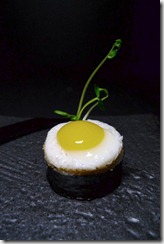
In finer restaurants around the world, there is a course known as the amuse bouche.  It is typically a one-mouthful dish selected by the chef and delivered to his guests.  It also will typically not ever appear on the bill.  It is a gift intended simply to “delight-the-mouth” as well as the mind.

amusebouche1

Presentation is always impeccable.  The game for the chef is to pack as much visual and flavorful complexity as he can into a small package.

Salmon-Amuse-Bouche_6

One of the finest I’ve ever had was a fresh oyster in a half-shell with a tiny square of green, absinthe jello placed on top.

amuse2

The miniature size is essential to the effect not only because it establishes a rule within which the chef must operate (only a single mouthful of food) but also because of the inherent delight we experience when we encounter the small.  Large meals make us full.  Large pieces of art evoke a sense of the sublime.  Large works of poetry stay with us and cannot be shaken.  The amuse bouche, on the other hand, simply leaves behind a sense of happiness and gratitude.


Enchantment

Enchantment has become an overused word, as have all the synonyms we might use in its place: magic, uncanny-ness, wonderment.  The purpose of enchantment is to lift us out of our own sense of being.  For just a moment time stops, goals are put aside, and we are allowed to simply be.  The delightful object puts the real world aside and provides a space for us to rest from it.

This notion of enchantment was at the heart of the 19th century Romantic movement in poetry.  In his preface to the Lyrical Ballads, Wordsworth wrote of the new poetry he and Coleridge were devising,

“The principal object, then, proposed in these Poems was to choose incidents and situations from common life, and to relate or describe them, throughout, as far as was possible in a selection of language really used by men, and, at the same time, to throw over them a certain colouring of imagination, whereby ordinary things should be presented to the mind in an unusual aspect.”

One of my favorite film-makers, Jean Cocteau, was himself a poet and novelist who – almost uniquely – brought this unique sensibility to his movies.  The techniques of visual poetry he improvised have over time become part of the common idiom of filmmaking.  No one, however, has ever quite been able to replicate the sense of the uncanny he created in films such as La belle et la bête or Orphée.

Watch, for instance, the arrival of Belle to the Beast’s castle. 

The techniques are simple – people with their arms poked through a wall, slow motion filming, and a rolling palette upon which Josette Day is pulled forward.  By pulling all these effects together, however, Cocteau was able to create something light and otherworldly.

Here is another effect Cocteau originally attempted in his film from the 30’s Le Sang d’un Poete but didn’t get right until Orphée.  It is an adult play on Lewis Carroll’s Through the Looking Glass.  My favorite line: “It is not about understanding.  It’s about believing.”


Intricacy

A key notion in UX is discoverability.  Something should always be left to the end-user to discover on their own.  Discovery is a way for users of an experience to make the experience their own.  They form an emotional connection with devices and experiences that are discoverable and achieve a sense that the object of delight is for them because they are the ones who figured it out.

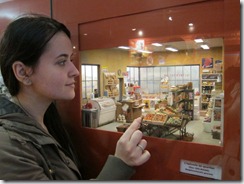
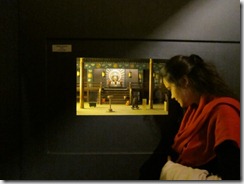
Dan Ohlmann is an artist whose works are exhibited at the Musée des miniatures et des décors de cinéma in Lyons. 

IMG_32321

His talent is not just in mastering the art of the small, but in perfecting the attention to detail needed to enchant his audience and keep them riveted to one spot.

lyon-miniatures-library

1242746618

I feel like I could step into one of these dioramas at any time and will find a full world in miniature simply by stepping through the door at the back of the piece.

Post_0138_07

Dan Ohlmann’s art always hints at there being more just around the corner – a whole new world yet to be discovered.

IMG_3397

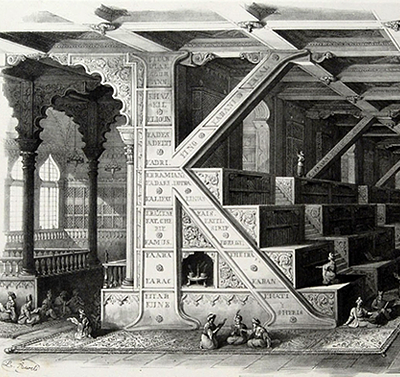
“K” is for Hacking

K

At the Atlanta .NET User Group presentation on hacking the Kinect last night, I promised to provide instructions on installing the necessary components for hacking the Kinect with the OpenNI stack.  I already feel some trepidation about doing this as figuring out these minimal first steps has always been a bit of an initiation rite for the various members of the OpenNI forums.  Strangely enough, there are few straight-forward walkthroughs on installing basic components.

The few that can be found on the web typically leave out key steps or provide the steps out of order — almost as if there is a general conspiracy to keep the details of these essential steps secret.

You are going to install three pieces: 1. SensorKinect which is the drivers that allow communication between the Kinect device and your PC 2. OpenNI which is an API that sits on top of the drivers and 3. NITE which is a higher level API that sits on top of OpenNI.  4. Additionally, you are going to copy some necessary config files onto your machine.

1. First, download the OpenNI component.  It can be found here.  You can choose to download from either the stable or the unstable branch.  The latter will provide more functionality while the former will be … well … more stable.

It may seem strange that you will be installing the higher level API before you install the drivers they sit on, but that’s the way it has to be done.  To do this in any other order risks opening a rift in space-time and ending the world as we know it.

Install OPENNI-Win32-1.0.0.25.exe (or whatever version happens to be current at the time of this reading).

2. Next you want SensorKinect.  You will need to create a github account to download it from here. 

Install SensorKinect-Win32-5.0.0.exe (or whatever version happens to be current at the time of this reading).

3. Download the NITE middleware which, like OpenNI, comes in both stable and unstable flavors. 

Install NITE-Bin-Win32-v1.3.0.18.exe (or whatever version happens to be current at the time of this reading).  Use the following key: 0KOIk2JeIBYClPWVnMoRKn5cdY4= when prompted.

4. Download and extract the KinectXMLs.zip file: http://box5921.temp.domains/~imagipi2/codesamples/kinectxmls.zip

Copy KinectXMLs\OpenNI\SamplesConfig.xml to C:\Program Files (x86)\OpenNI\Data\

Copy NITE\Sample-Scene.xml, NITE\Sample-Tracking.xml and NITE\Sample-User.xml to C:\Program Files (x86)\Prime Sense\NITE\Data\

These instructions were passed on to me by my colleague Alex Nichols who keeps them in a safe deposit box.  He, in turn, copied these instructions by candlelight from Steven Dawson, a shadowy and rarely seen uber-developer known for writing kinect hacks like this: http://www.engadget.com/2010/12/05/razorfish-ports-davinci-interface-to-kinect-makes-physics-cool/

You know you have installed everything correctly if a portal to another dimension does not open up above your Kinect.  Just to make sure, though, browse to C:\Program Files (x86)\OpenNI\Samples\Bin\Release (“Program Files” if you are on a 32-bit OS).  Plug your Kinect into a USB port and run NiViewer.exe.  If you can see yourself in the screen that pops up, then the OpenNI layer is working correctly.

Next, browse to C:\Program Files (x86)\Prime Sense\NITE\Samples\Bin\Release.  Try running Sample-PointViewer.exe.  You should quickly know if your NITE middleware is installed correctly.

In my experience, depending on which code branch you install, various samples may not work.  That’s okay.  As long as some of them work everything is fine.

Now you’ll want to try programming something.  Kinect hacker Vangos Pterneas provides several excellent examples you can peruse:

http://www.studentguru.gr/blogs/vangos/archive/2011/01/28/kinect-and-wpf-getting-the-raw-and-depth-image-using-openni.aspx

http://www.studentguru.gr/blogs/vangos/archive/2011/02/12/kinect-and-wpf-painting-with-kinect-using-openni.aspx

http://www.studentguru.gr/blogs/vangos/archive/2011/03/15/kinect-and-wpf-complete-body-tracking.aspx

Again, sometimes these work and sometimes they don’t.  If they aren’t working for you don’t worry too much about it.  Just move on.

Next, you’ll want to play with this Visual Studio 2010 C++ project on github: https://github.com/OpenNI/SampleAppSinbad  It is a 3D model of a piratical ogre that will track your movements.  You have to do some configuration if you want to run it from VS2010.  You can, however, just run the executable in the bin directory.  Reach behind your head with both hands to play with the swords.

I also showed several videos last night providing a visual history of gestural interfaces from laboratories, to the movies, to the mass-market, and finally to the hacking community.  If you are a fan of fantasy-UX, then all of these should already be familiar to you:

Star Trek Voyage Home (1986): http://www.youtube.com/watch?v=v9kTVZiJ3Uc&feature=related

Put That There (1979): http://www.youtube.com/watch?v=RyBEUyEtxQo

DreamSpace (1998): http://www.research.ibm.com/natural/dreamspace/#example

Minority Report (2002): http://www.youtube.com/watch?v=NwVBzx0LMNQ

Iron Man (2008): http://www.youtube.com/watch?v=PYjlMflhysc

Project Natal: http://www.youtube.com/watch?v=Mf44bWQr3jc

12 Best Kinect Hacks: http://www.youtube.com/watch?v=ho8KVOe_y08

Again, to everyone who came out for last night’s presentation — you were extremely patient and I can’t thank you enough for your time and your enthusiasm.

Windows Phone 7 at a Crossroads

dragons

This week sees the Windows Phone Marketplace hitting a new milestone: 11,000 apps published.  While this is an important moment for developers of Windows Phone apps, it is also perhaps a good time to ask a question that affects the future roadmap of the marketplace and, in turn, its prospects for driving revenue for independent developers over the next few years: what sort of WP7 apps are being written?

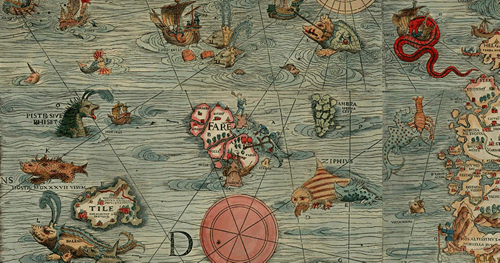
The picture above is a section of the 16th century Lenox Globe, famous among other things for the lexical note hic sunt drancones, “here there be dragons.”  Windows Phone, being neither fish nor fowl, has the potential to be either a device for high-end apps with, ultimately, limited reach like the iPhone, or alternatively a wild-west platform loaded with free but ultimately ungainly apps, like the Droid platform.

Moreover, the quality of the current applications in the WP marketplace will affect which way WP7 goes.  The direction WP7 heads in, in turn, will affect whether the user-base for WP7 grows, attracting more developers to the WP7 platform, growing the user-base, etc. … and bringing in more revenue for the early adopters of WP7 as a development platform.

Ideally, we would all like Windows Phone to have the reach of the Droid platform but the quality of the iPhone app store. 

As things currently stand, however, WP7 developers may be headed in another more dangerous direction – toward having poor quality apps as well as limited reach.  There are two major hurdles that must be overcome in order to avoid such a sad outcome, and the initiative has to come from developers rather than from Microsoft.  First, WP7 must become a platform for designers as well as developers.  Second, WP7 developers must be willing to defer immediate gratification and avoid ad-funded apps.

The Problem with Metro

Metro is in many ways a beautiful design language.  It is also, sadly, a horribly misunderstood design language.  From the original inspiration in train station iconography and sci-fi movies like The Minority Report , the Metro language has become embodied and calcified in the default controls and styles: black and white and blocky.  This is obviously a boon to developers who do not have to think too hard about what their apps are going to look like, and fulfills Microsoft’s promise that WP7 will be the most developer friendly phone platform.

Apps using the default style look nice enough.  The problem here is that black, white and blocky apps don’t look like they are worth paying 99 cents for – and people in fact aren’t paying the 99 cents or even more that developers are trying to charge for these apps. 

What kind of apps do make money?  First, games built on XNA (and which consequently don’t use the Metro style at all) make money.  The biggest excitement in the marketplace at the moment is the news that Angry Birds and Plants vs Zombies are coming to the platform.

What other kind of apps do well?  One of the most popular talks at the upcoming MIX conference is by Andras Velvart and his designer Balint Orosz on how they created Cocktail Flow ($2.99) which, in their words, is “one of the most beautiful apps out there.”  You don’t have to see the session to know what they did right, though.  It’s the simple fact that there was actually a designer involved.  Most apps in the marketplace are written without any sort of designer input and it shows.

It is time to come to terms with the fact that Metro is more than black, white, blocky and Segoe WP.  The UX for the Zune is also Metro – and in fact the original Metro in many ways.  Bing, in its own way, is also Metro.  The Picture Gallery, Office, and other built-in WP7 apps are also Metro.  Those are the things developers need to start taking inspiration from. 

Once that clicks, then hopefully developers will begin to realize that they need to be working with designers – and if they aren’t they shouldn’t expect to have successful apps.

In my opinion, getting UX is going to have to be the responsibility of us, the developers.  This entails understanding our own limitations as well as the limitations of Microsoft. 

Microsoft as a software company will never get UX.  Whenever they look at an app, they just want to add more features.  This is an engineering frame of mind – more features is always better for an engineer.   The heart of “getting UX” – an overused phrase, sadly – is that less features presented beautifully is the true key to success.

This is not to say Microsoft doesn’t have good UX people.  It’s just to say that those people don’t steer the ship.  If you have any doubt about this, compare a web search of Brandon Watson – director over the WP7 developer platform – and one of Albert Shum — the lead designer for WP7 and of the Metro style.  Who has more influence?  Who would you like to hear more from?

[One of the current community leaders in defining what the Metro style is, in practice, is Scott Barnes.  I highly recommend this article in particular if you want to learn more: 5 things you ought to know about Metro.]

The Problem with Ads

Not everyone sees things this way, of course.  When developers notice that no one is buying their apps, they go for the easiest solution.  Rather than improve their apps, developers are instead trying to give them away for free with ads.

Microsoft’s original pitch to developers was “Your apps are worth more than 99 cents”.  As things turn out, however, we are quickly racing to the bottom with ad-funded apps.  Is this the way to go?

Ads are currently the way most successful Droid developers are making money.  Paid apps, on the other hand, are the norm for successful iPhone apps. 

For the long term health of the WP7 marketplace, we ought to follow the iPhone model.  The problem is that the current reach of the Windows Phone isn’t big enough for WP7 developers to make a lot of money off of paid apps.  The only people doing so are those who are being funded by Microsoft to port their apps to WP7 (i.e., like, I assume, the above mentioned Angry Birds and Plants vs Zombies).

So what are we to do while we wait for the marketplace to grow?  Many people are proposing ads as the right way to get ads into the marketplace.  Current rough estimates are that an ad-based app (one in which the developer is paid for impressions rather than clicks) can bring in about a thousand dollars a month for the first few months.  There are caveats, however.  This will only be true for the first few months, as a free app will quickly reach its saturation point.  Additionally, this will also only be true if you are one of the top 100 or so apps.

This is good enough that some WP7 developers can actually quit their day jobs.  Assuming they can get ten apps into the marketplace and that they can get a new app out every two months or so, an enterprising developer can make a good, if not a great, living building WP7 apps fulltime.  See Elbert Perez’s story: http://www.occasionalgamer.com/

A million dollars isn’t cool. You know what’s cool?  A billion dollars.

For the sake of argument, let’s say the top 100 apps in the WP7 marketplace make an average of a thousand dollars a month (these numbers are purely speculative, of course, and shouldn’t be taken for anything more than a thought experiment). That’s roughly a hundred thousand dollars a month or, approximately, a million dollars a year.  Is that the sort of marketplace we ultimately want?

Elbert Perez is without a doubt living the dream – he’s got a plan to make a modestly good living doing something he loves.

Most WP7 developers, however, are simply moonlighting and hoping to bring in, say, $5000 extra a year.  Their best shot at doing this is to push out ad-based apps.  Like domain squatting, it’s a strategy that will definitely make them some modest scratch.  In the process, however, we end up with the equivalent of a lot of misleading sites on the web that, on occasion, can be rather annoying.

An alternative strategy is proposed by Alan Mendelevich, another prominent Windows Phone developer.  For Alan (or at least the way I understand his post) this is not the time to start cashing in on Windows Phone development.  This is the time to build good apps, give them away for free (free as in beer, not free as in ad-funded) in order to build a solid brand and a good reputation. 

The gain in this, for all of us, is that the marketplace will grow in a healthy way.  Those who have been building WP7 apps for a long time and have strong reputations for good apps will be in a position to take advantage of a strong marketplace.  Those who have made a quick profit on tricking you into clicking on ads accidentally will (in a perfect world) suffer from poor reputations.

If the majority of developers follow this strategy, we can avoid the danger of having a crappy marketplace in a year’s time.  Instead, we can spend the time between, say, now and the Mango release attracting designers into the Windows Phone ecosystem and, in the end, all be much better off than if we all cashed in now.

The Kinect’s Past

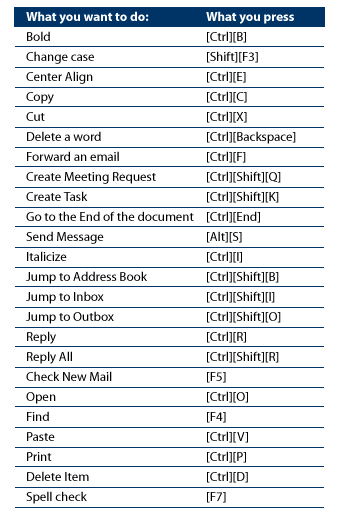
shortcuts

— Outlook Shortcuts, 2005

“Humans communicate using speech, gesture, and body motion, yet today’s computers do not use this valuable information.  Instead, computers force users to sit at a typewriter keyboard, stare at a TV-like display, and learn an endless set of arcane commands, all of which often leads to frustration, inefficiencies and disuse.”

— Mark Lucente, Aug 1999

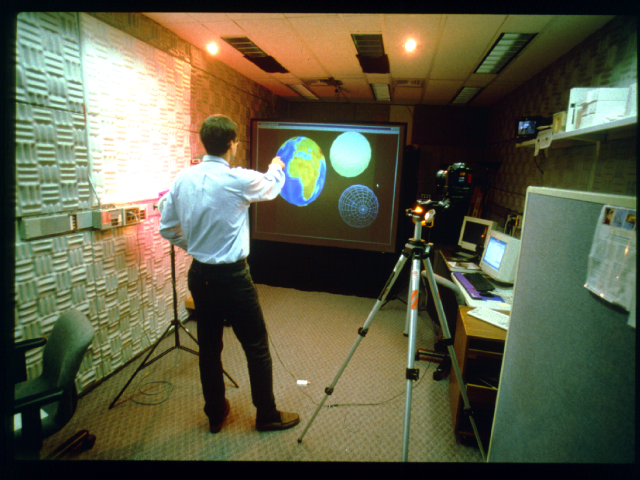
Mark Lucente wrote this for a panel organized in 1999 in Los Angeles that included Bill Buxton (then with Wavefront, Inc.) and others.  At the time, Mark was working on a project called Dreamspace, pictured below. 

dreamscape

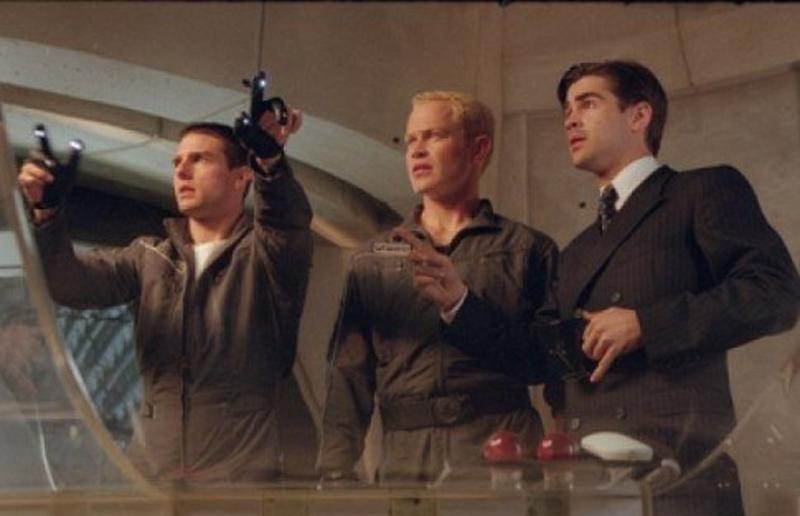
Does Dreamspace look familiar?  It uses a combination of gestures and voice commands, just like this fantasy UX from 2002 you may have seen:

minority-report-02-800-75

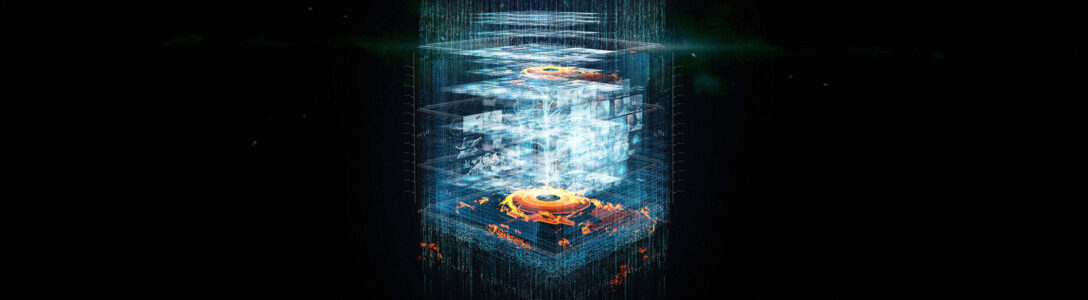
Instead of inspiring us to find new ways to do astronomy or police work, of course, in 2010 these sparks of inspiration gave rise to this instead:

kinect1

Which is alright.  First we hook the kids, then we conquer the future.

I found Mark’s synopsis of the UX issues of 1999 in the archives of the MIT Media Lab Tangible Media Group.  I’m currently working my way through these papers and am overwhelmed by how smart the authors are as well as how far behind I am in trying to understand UX and what can be accomplished with a bit of vision.