Quick Guide to moving from the Kinect SDK beta 2 to v1

If you had been working with the beta 2 of the Kinect SDK prior to February 1st, you may have felt dismay at the number of API changes that were introduced in v1.

After porting several Kinect applications from the beta 2 to v1, however, I finally started to see a pattern to the changes.  For the most part, it is simply a matter of replacing one set of boilerplate code for another set of boilerplate code.  Any unique portions of the code can for the most part be left alone.

In this post, I want to demonstrate five simple code transformations that will ease your way from the beta 2 to the Kinect SDK v1.  I’ll do it boilerplate fragment by boilerplate fragment.

1. Namespaces have been shifted around.  Microsoft.Research.Kinect.Nui is now just Microsoft.Kinect.  Fortunately Visual Studio makes resolving namespaces relatively easy, so we can just move on.

2. The Runtime type, the controller object for working with data streams from the Kinect, is now called a KinectSensor type.  Grabbing an instance of it has also changed.  You used to just new up an instance like this:

Runtime nui = new Runtime();

Now you instead grab an instance of the KinectSensor from a static array containing all the KinectSensors attached to your PC. 

KinectSensor sensor = KinectSensor.KinectSensors[0];

3. Initializing a KinectSensor object to start reading the color stream, depth stream or skeleton stream has also changed.  In the beta 2, the initialization procedure just didn’t look very .NET-y.  In v1, this has been cleaned up dramatically.  The beta 2 code for initializing a depth and skeleton stream looked like this:

_nui.SkeletonFrameReady += 
    new EventHandler<SkeletonFrameReadyEventArgs>(
        _nui_SkeletonFrameReady
        );
_nui.DepthFrameReady += 
    new EventHandler<ImageFrameReadyEventArgs>(
        _nui_DepthFrameReady
        );
_nui.Initialize(RuntimeOptions.UseDepth, RuntimeOptions.UseSkeletalTracking);
_nui.DepthStream.Open(ImageStreamType.Depth
    , 2
    , ImageResolution.Resolution320x240
    , ImageType.DepthAndPlayerIndex);


In v1, this boilerplate code has been altered so the Initialize method goes away, roughly replaced by a Start method.  The Open methods on the streams, in turn, have been replaced by Enable.  The DepthAndPlayerIndex data is made available simply by having the skeleton stream enabled.  Also note that the event argument types for the depth and color streams are now different.  Here is the same code in v1:

sensor.SkeletonFrameReady += 
    new EventHandler<SkeletonFrameReadyEventArgs>(
        sensor_SkeletonFrameReady
        );
sensor.DepthFrameReady += 
    new EventHandler<DepthImageFrameReadyEventArgs>(
        sensor_DepthFrameReady
        );
sensor.SkeletonStream.Enable();
sensor.DepthStream.Enable(
    DepthImageFormat.Resolution320x240Fps30
    );
sensor.Start();

4. Transform Smoothing: it used to be really easy to smooth out the skeleton stream in beta 2.  You simply turned it on.

nui.SkeletonStream.TransformSmooth = true;

In v1, you have to create a new TransformSmoothParameters object and pass it to the skeleton stream’s enable property.  Unlike the beta 2, you also have to initialize the values yourself since they all default to zero.

sensor.SkeletonStream.Enable(
    new TransformSmoothParameters() 
    {   Correction = 0.5f
    , JitterRadius = 0.05f
    , MaxDeviationRadius = 0.04f
    , Smoothing = 0.5f });

5. Stream event handling: handling the ready events from the depth stream, the video stream and the skeleton stream also used to be much easier.  Here’s how you handled the DepthFrameReady event in beta 2 (skeleton and video followed the same pattern):

void _nui_DepthFrameReady(object sender
    , ImageFrameReadyEventArgs e)
{
    var frame = e.ImageFrame;
    var planarImage = frame.Image;
    var bits = planarImage.Bits;
    // your code goes here
}

For performance reasons, the newer v1 code looks very different and the underlying C++ API leaks through a bit.  In v1, we are required to open the image frame and check to make sure something was returned.  Additionally, we create our own array of bytes (for the depth stream this has become an array of shorts) and populate it from the frame object.  The PlanarImage type which you may have gotten cozy with in beta 2 has disappeared altogether.  Also note the using keyword to dispose of the ImageFrame object. The transliteration of the code above now looks like this:

void sensor_DepthFrameReady(object sender
    , DepthImageFrameReadyEventArgs e)
{
    using (var depthFrame = e.OpenDepthImageFrame())
    {
        if (depthFrame != null)
        {
            var bits =
                new short[depthFrame.PixelDataLength];
            depthFrame.CopyPixelDataTo(bits);
            // your code goes here
        }
    }
}


I have noticed that many sites and libraries that were using the Kinect SDK beta 2 still have not been ported to Kinect SDK v1.  I certainly understand the hesitation given how much the API seems to have changed.

If you follow these five simple translation rules, however, you’ll be able to convert approximately 80% of your code very quickly.

The right way to do Background Subtraction with the Kinect SDK v1

greenscreen

MapDepthFrameToColorFrame is a beautiful method introduced rather late into the Kinect SDK v1.  As far as I know, it primarily has one purpose: to make background subtraction operations easier and more performant.

Background subtraction is a technique for removing any pixels in an image that are not the primary actors.  Green Screening – which if you are old enough to have seen the original Star wars when it came out is known to you as Blue Screening – is a particular implementation of background subtraction in the movies which has actors performing in front of a green background.  The green background is then subtracted from the final film and another background image is inserted in its place.

With the Kinect, background subtraction is accomplished by comparing the data streams rendered by the depth camera and the color camera.  The depth camera will actually tell us which pixels of the depth image belong to a human being (with the pre-condition that Skeleton Tracking must be enabled for this to work).  The pixels represented in the depth stream must then be compared to the pixels in the color stream in order to subtract out any pixels that do not belong to a player.  The big trick is each pixel in the depth stream must be mapped to an equivalent pixel in the color stream in order to make this comparison possible.

I’m going to first show you how this was traditionally done (and by “traditionally” I really mean in a three to four month period before the SDK v1 was released) as well as a better way to do it.  In both techniques, we are working with three images: the image encoded in the color stream, the image encoded in the depth stream, and the resultant “output” bitmap we are trying to reconstruct pixel by pixel.

The traditional technique goes through the depth stream pixel by pixel and tries to extrapolate that same pixel location in the color stream one at a time using the MapDepthToColorImagePoint method.

var pixelFormat = PixelFormats.Bgra32;
WriteableBitmap target = new WriteableBitmap(depthWidth
    , depthHeight
    , 96, 96
    , pixelFormat
    , null);
var targetRect = new System.Windows.Int32Rect(0, 0
    , depthWidth
    , depthHeight);
var outputBytesPerPixel = pixelFormat.BitsPerPixel / 8;
sensor.AllFramesReady += (s, e) =>
{
 
    using (var depthFrame = e.OpenDepthImageFrame())
    using (var colorFrame = e.OpenColorImageFrame())
    {
        if (depthFrame != null && colorFrame != null)
        {
            var depthBits = 
                new short[depthFrame.PixelDataLength];
            depthFrame.CopyPixelDataTo(depthBits);
 
            var colorBits = 
                new byte[colorFrame.PixelDataLength];
            colorFrame.CopyPixelDataTo(colorBits);
            int colorStride = 
                colorFrame.BytesPerPixel * colorFrame.Width;
 
            byte[] output =
                new byte[depthWidth * depthHeight
                    * outputBytesPerPixel];
 
            int outputIndex = 0;
 
            for (int depthY = 0; depthY < depthFrame.Height
                ; depthY++)
            {
                for (int depthX = 0; depthX < depthFrame.Width
                    ; depthX++
                    , outputIndex += outputBytesPerPixel)
                {
                    var depthIndex = 
                        depthX + (depthY * depthFrame.Width);
 
                    var playerIndex = 
                        depthBits[depthIndex] &
                        DepthImageFrame.PlayerIndexBitmask;
 
                    var colorPoint = 
                        sensor.MapDepthToColorImagePoint(
                        depthFrame.Format
                        , depthX
                        , depthY
                        , depthBits[depthIndex]
                        , colorFrame.Format);
 
                    var colorPixelIndex = (colorPoint.X 
                        * colorFrame.BytesPerPixel) 
                        + (colorPoint.Y * colorStride);
 
                    output[outputIndex] = 
                        colorBits[colorPixelIndex + 0];
                    output[outputIndex + 1] = 
                        colorBits[colorPixelIndex + 1];
                    output[outputIndex + 2] = 
                        colorBits[colorPixelIndex + 2];
                    output[outputIndex + 3] = 
                        playerIndex > 0 ? (byte)255 : (byte)0;
 
                }
            }
            target.WritePixels(targetRect
                , output
                , depthFrame.Width * outputBytesPerPixel
                , 0);
 
 
        }
 
    }
 
};

You’ll notice that we are traversing the depth image by going across pixel by pixel (the inner loop) and then down pixel row by pixel row (the outer loop).  The pixel width of the bitmap, for reference, is known as its stride.  Then inside the inner loop, we are mapping each depth pixel to its equivalent color pixel in the color stream by using the MapDepthToColorImagePoint method.

It turns out that these calls to MapDepthToColorImagePoint are rather expensive.  It is much more efficient to simply create an array of ColorImagePoints and populate it in one go before doing any looping.  This is exactly what MapDepthFrameToColorFrame does.  The following example uses it in place of the iterative MapDepthToColorImagePoint method.  It has an added advantage in that, instead of having to iterate through the depth stream column by column and row by row, I can simply go through the depth stream pixel by pixel, removing the need for nested loops.

var pixelFormat = PixelFormats.Bgra32;
WriteableBitmap target = new WriteableBitmap(depthWidth
    , depthHeight
    , 96, 96
    , pixelFormat
    , null);
var targetRect = new System.Windows.Int32Rect(0, 0
    , depthWidth
    , depthHeight);
var outputBytesPerPixel = pixelFormat.BitsPerPixel / 8;
 
sensor.AllFramesReady += (s, e) =>
{
 
    using (var depthFrame = e.OpenDepthImageFrame())
    using (var colorFrame = e.OpenColorImageFrame())
    {
        if (depthFrame != null && colorFrame != null)
        {
            var depthBits = 
                new short[depthFrame.PixelDataLength];
            depthFrame.CopyPixelDataTo(depthBits);
 
            var colorBits = 
                new byte[colorFrame.PixelDataLength];
            colorFrame.CopyPixelDataTo(colorBits);
            int colorStride = 
                colorFrame.BytesPerPixel * colorFrame.Width;
 
            byte[] output =
                new byte[depthWidth * depthHeight
                    * outputBytesPerPixel];
 
            int outputIndex = 0;
 
            var colorCoordinates =
                new ColorImagePoint[depthFrame.PixelDataLength];
            sensor.MapDepthFrameToColorFrame(depthFrame.Format
                , depthBits
                , colorFrame.Format
                , colorCoordinates);
 
            for (int depthIndex = 0;
                depthIndex < depthBits.Length;
                depthIndex++, outputIndex += outputBytesPerPixel)
            {
                var playerIndex = depthBits[depthIndex] &
                    DepthImageFrame.PlayerIndexBitmask;
 
                var colorPoint = colorCoordinates[depthIndex];
 
                var colorPixelIndex = 
                    (colorPoint.X * colorFrame.BytesPerPixel) +
                                    (colorPoint.Y * colorStride);
 
                output[outputIndex] = 
                    colorBits[colorPixelIndex + 0];
                output[outputIndex + 1] = 
                    colorBits[colorPixelIndex + 1];
                output[outputIndex + 2] = 
                    colorBits[colorPixelIndex + 2];
                output[outputIndex + 3] = 
                    playerIndex > 0 ? (byte)255 : (byte)0;
 
            }
            target.WritePixels(targetRect
                , output
                , depthFrame.Width * outputBytesPerPixel
                , 0);
 
        }
 
    }
 
};

Why the Kinect for Windows Sensor Costs $249.99


This post is purely speculative.  I have no particular insight into Microsoft strategy.  Now that I’ve disqualified myself as any sort of authority on this matter, let me explain why the $249.99 price tag for the new Kinect for Windows sensor makes sense.

The new Kinect for Windows sensor went on the market earlier this month  for $249.99.  This has caused some consternation and confusion since the Kinect for Xbox sensor only costs $150 and sometimes less when bundled with other Xbox products.

Officially the Kinect for Windows sensor is the sensor you should use with the Kinect for Windows SDK – the libraries that Microsoft provides for writing programs that take advantage of the Kinect.  Prior to the release of the v1 of the SDK, there was the Kinect SDK beta and then the beta 2.  These could be used in non-commercial products and research projects with the original Xbox sensor.

By license, if you want to use the Kinect for Windows SDK publicly, however, you must use the Kinect for Windows hardware.  If you previously had a non-commercial product running with the Kinect for Xbox sensor and the beta SDK and want to upgrade to the v1 SDK, you will also need to upgrade your hardware to the more expensive model.  In other words, you will need to pay an additional $249.99 to get the correct hardware.  The one exception is for development.  You can still use the less expensive version of the sensor for development.  Your users must use the more expensive version of the sensor once the application is deployed.

I can make this even more complicated.  If you want to use one of the non-Microsoft frameworks + drivers for writing Kinect enabled applications such as OpenNI, you are not required to use the new Kinect for Windows hardware.  Shortly after the release of the original Kinect for Xbox sensor in 2010, Microsoft acknowledged that efforts to create drivers and APIs for the sensor were okay and they have not gone back on that.  You are only required to purchase the more expensive hardware if you are using the official Microsoft drivers and SDK.

So what is physically different between the new sensor and the old one?  Not much, actually.  The newer hardware has different firmware, for one thing.  The newer firmware allows depth detection as near as 40 cm. The older firmware only allowed depth detection from 80 cm.  However, the closer depth detection can only be used when the near mode flag is turned on.  Near mode is from 40 cm to 300 cm while the default mode is from 80 cm to 400 cm. In v1 of the SDK, near mode = true has the unfortunate side-effect of disabling skeleton tracking for the entire 40 cm to 300 cm range.

Additionally, the newer firmware identifies the hardware as Kinect for Windows hardware.  The Kinect for Windows SDK checks for this.  For now, the only real effect this has is that if the full SDK is not installed on a machine (i.e. a non-development machine) a Kinect for Windows application will not work with the old Xbox hardware.  If you do have the full SDK installed, then you can continue to develop using the Xbox sensor.  For completeness, if a Kinect for Windows application is running on a machine with the Kinect for Windows hardware and the full SDK is not installed on that machine, the application will still work.

The other difference between the Kinect for Windows sensor and the Kinect for Xbox sensor is that the usb/power cord is slightly different.  It is shorter and, more importantly, is designed for the peculiarities of a PC.  The Kinect for Xbox sensor usb/power cord was designed for the peculiarities of the Xbox usb ports.  Potentially, then, the Kinect for Windows sensor will just operate better with a PC than the Kinect for Xbox sensor will.

Oh.  And by the way, you can’t create Xbox games using the Kinect for Windows SDK and XNA.  That’s not what it is for.  It is for building PC applications running on Windows 7 and, eventually, Windows 8.

So, knowing all of this, why is Microsoft forcing people to dish out extra money for a new sensor when the old one seems to work fine?

Microsoft is pouring resources into developing the Kinect SDK.  The hacker community has asked them to do this for a while, actually, because they 1) understand the technologies behind the Kinect and 2) have experience building APIs.  This is completely in their wheelhouse.

The new team they have built up to develop the Kinect SDK is substantial and – according to rumor – is now even larger than the WPF and Silverlight teams put together.  They have now put out an SDK that provides pretty much all the features provided by projects like OpenNI but have also surpassed them with superior skeleton recognition and speech recognition.  Their plans for future deliverables, from what I’ve seen, will take all of this much further.  Over the next year, OpenNI will be left in the dust.

How should Microsoft pay for all of this?  A case can be made that they ought to do this for free.  The Kinect came along at a time when people no longer considered Microsoft to be a technology innovator anymore.  Their profits come from Windows and then Office while their internal politics revolve around protecting these two cash cows.  The Kinect proved to the public at large (and investors) not only that all that R&D money over the years had been well spent but also that Microsoft could still surprise us.  It could still do cool stuff and hadn’t completely abdicated technology and experience leadership to the likes of Apple and Google.  Why not pour money into the Kinect simply for the sake of goodwill?  How do you put a price on a Microsoft product that actually makes people smile?

Yeah, well.  Being a technology innovator doesn’t mean much to investors if those innovations don’t also make money.  The prestige of a product internally at Microsoft also depends on how much money your team wields.  To the extent that money is power, the success of the Kinect for non-gaming purposes depends on the ability of the new SDK to generate revenue.  Do you remember the inversion from the musical Camelot when King Arthur says that Might makes Right should be turned around in Camelot into Right makes Might?  The same sort of inversion occurs hear.  We’ve grown used to the notion that Money can make anything Cool.  The Kinect will test out the notion, within Microsoft, that Cool can also make Money.

So how should Microsoft make that money?  They could have opted to charge developers for a license to build on their SDK.  I’m grateful they didn’t, though.  This would have ended up being a tax on community innovation.  Instead, developers are allowed to develop on the Kinects they already have if they want to (the $150 Kinect).

Microsoft opted to invest in innovation.  They are giving the SDK away for free.  And now we all wait for someone to build a killer Kinect for Windows app.  Whoever does that will make a killing.  This isn’t anything like building phone apps or even Metro apps for the Windows 8 tablet.  We’re talking serious money.  And Microsoft is betting on someone coming along and building that killer app in order to recoup its investment since Microsoft won’t start making money until there is an overriding reason for people to start buying the Kinect for Windows hardware (e.g. that killer app).

This may not happen, of course.  There may never be a killer app to use with the Kinect for Windows sensor.  But in this case Microsoft can’t be blamed for hampering developers in any way.  They aren’t even charging us a developer fee the way the Windows Phone marketplace or IOS developer program does.  Instead, with the Kinect for Windows pricing, they’ve put their full faith in the developer community.  And by doing this, Microsoft shows me that they can, in fact, occasionally be pretty cool.

2011: The Year in Review

cover-001

2011 was an extremely busy and exciting year.  I had the chance to go to more conferences than I ever have before: MIX11, An Event Apart and BUILD were highlights for me.

Blog: I wrote several blog posts I was rather proud of – much as a doting father would be.  The most popular was Windows Phone 7 at a Crossroads which received more comments than I typically get as well as extremely flattering outside attention from codeproject.com and the Windows Phone Dev Podcast.  My two personal favorites, however, were one on Delight and another called The Kinect’s Past which received a comment from Bill Buxton.

Speaking Engagements: I also had a busy year speaking at the Greater Gwinnett Microsoft User Group, the Atlanta .NET User Group, CodeStock 2011, MADExpo 2011, Web Visions and SIEGE 2011 as well as a private presentation on UX for Microsoft and Bank of America.  I also did a podcast interview for IEEE Spectrum about Windows 8.

Keynote: I was invited to give one of the two keynotes at the Mid Atlantic Developer Expo conference.  It was a distinct honor and an extremely fun event.

User Group: I spent another year running the Silverlight Atlanta User Group.  Corey Schuman and I have been organizing and maintaining the Silverlight User Group for two years, now, and only recently changed the name to the Atlanta XAML group after what was frankly a very tough year for Silverlight.

Conference: It was the second year I led the organizing of the ReMIX conference in Atlanta.  Our attendance was up to 450 this year.  More importantly, we were able to get just about every speaker we wanted including Rick Barraza, August de los Reyes, Josh Blake, Arturo Toledo and Albert Shum.  We also had a single track devoted just to the Kinect.  I want to thank the other organizers of ReMIX for indulging me in this: Cliff Jacobson, Sean Gerety, Wells Caughey, Dennis Estanislao and Farhan Rabbi.

Book: I spent the last quarter of this year working on a Kinect SDK book for APress with my colleague Jarrett Webb.  This was a good outcome since I spent the first part of the year writing several chapters of a Windows Phone book that didn’t get to see the light of day.  Expect to see the Kinect book towards the beginning of February.

My most impressive achievement, however, was catching up on five seasons of The Wire.  There are lots of blog posts going up around the web right now purporting to give advice about what you should and should not do in 2012.  My advice is short and sweet: you need to watch The Wire.  If you don’t, you are a horrible person, hate America, are aiding and abetting terrorists and are preventing George R. R. Martin from completing his next novel.

Metro Slide Deck

Thanks to everyone who came out to the Windows Phone Garage / Mobile Hackathon for Social Good at the WebVisions conference in Atlanta and showing your solidarity with the Occupy Wall Street movement.  And thanks to Macquarium for hosting the Thursday sessions.

I’ve uploaded the slide deck for my talk on the Metro Aesthetic. 

I also wanted to mention, for those who missed it, that I was interviewed last month by Steven Cherry about the Windows 8 Tablet Story in a podcast  for IEEE Spectrum (which he titled “Microsoft’s Polygamous Windows 8”): http://spectrum.ieee.org/podcast/geek-life/tools-toys/microsofts-polygamous-windows-8  It was a lot of fun to do and I was impressed with how adroitly Steven was able to edit out my long pauses and “ums” and “uhs” when I didn’t know what to say. 

No Phone App Left Behind on Win8: A Proposal

winrt

As the Windows 8 tablet comes closer to reality, its success will depend on the amount of content it can provide out of the gate.  The Windows Phone Marketplace has tens of thousands of apps that should be leveraged to provide this content.  The main barrier to this is that the development stacks for Windows Phone and Windows 8 are significantly different.  A simple solution to bridge this gap is to enable Metro Tiles for Silverlight apps running in “classic” mode – something not currently easy to do on the Windows 8 platform.  Here is the background.

There has recently been a revival of chatter about the death of Silverlight revolving around the notion that Silverlight 5 will be the last version of the platform we are likely to see: http://www.zdnet.com/blog/microsoft/will-there-be-a-silverlight-6-and-does-it-matter/11180?tag=search-results-rivers;item2

At the same time, Hal Berenson has lain out an argument for moving the WinNT kernel (MinWin?) into Windows Phone 8, a suggestion backed up by Mary Jo Foley’s reporting that there is a Project Apollo to do something like this. 

The main argument against the claims that Silverlight is dead concern the fact that it is currently still at the heart of Windows Phone development.  If MinWin from the Windows 8 OS for tablets replaces the WinCE kernel on Windows Phones, however, what will be the fate of Silverlight then?

The 40,000 App Bulwark

The most important piece in this complex chess game Microsoft is playing with its various technology platforms — old, new and newer (remember when Silverlight was still bleeding edge just a few months ago?) – is neither at the kernel level nor at the API level nor even at the framework level.  The most important piece is the the app marketplace Microsoft successfully built around the Windows Phone.  In a game in which almost any move seems possible, those apps must be protected at all cost.  30,000 apps, most of them built using Silverlight, cannot be thrown away.

At the same time, Windows Phone is a side-game for Microsoft.  In order to succeed in the smart phone market, Microsoft merely has to place.  The number three spot allows Microsoft to keep playing.

The main event, of course, is the tablet market.  Windows Phone can even be considered just a practice run for the arena where Microsoft really sees its future at stake.  The tablet market is make or break for Microsoft and its flagship product – its cash cow – Windows.

Fragmenting the app market into Silverlight on Windows Phone and WinRT’s three development platforms on Windows 8 seems nothing short of disastrous.  Microsoft needs those 40,000 apps as they launch their new tablet platform.  Without apps, all the innovations that are going into Windows 8 are practically meaningless.

My colleague at Razorfish, Wells Caughey, has recently written about his efforts to create live tiles for “classic” apps on the Windows 8 Developer Preview: http://emergingexperiences.com/2011/11/leveraging-the-windows-8-start-screen/ .  It’s hacky but works and allows several dozen of our apps written in WPF, Silverlight and even Flash to run inside the Metro environment on Win8.

What we learned from the exercise is that Microsoft has the ability to allow live tiles for classic apps if it wants to.  It currently does this for the classic windows desktop which runs as an app from the Metro desktop. 

Were Microsoft to do this, they could easily gain 40,000 apps at the Windows 8 launch.  Silverlight for Phone apps are relatively easy to turn into regular Silverlight apps.  It could be made even easier. 

On top of that, developers already know how to write Metro style apps using WPF, Silverlight and other tools.  Even since the introduction of true multitouch capability in WPF 4 and multitouch controls for Silverlight WP7 development, this is what we have all been working on.

For the moment, however, Microsoft is still apparently pushing for people to learn their new development tools in order to program for Windows 8 Metro and Windows Phone developers are being advised to learn WinJS and the currently somewhat anemic WinRT Xaml platform in order to port their apps.

This is all well and good but why does Microsoft want to leave its greatest asset in the tablet market – its 40K phone apps – on the sideline when enabling live tiles for these apps immediately puts them back in the game?

[note: Microsoft just broke the 40K milestone, so references to “the 30K app bulwark” have been edited to reflect this.]


Changes in Kinect SDK Beta 2

blamed_rachel

To celebrate the one year anniversary of the Kinect, Microsoft has launched a new Kinect website and released the Beta 2 version of the Kinect for Windows SDK: http://www.kinectforwindows.org/ .

This is not the commercial license we have been waiting for (it is reported to be coming in early 2012) but truly the next best thing.  The Beta 2 SDK introduces many performance improvements over the Beta 1 that was released in June. 

With the improvements also come some alterations to the basic syntax for instantiating the core objects of both the Nui and Audio namespaces, though these changes also have side-effects that will likely affect your code.  In particular, I want to cover one substantial change in the Nui namespace and one substantial change in the Audio namespace.

In the Beta 1, it was standard to instantiate a Nui.Runtime object in order to configure applications to read the depth, color and skeleton streams.  In a WPF application, the code looked like this:

        Microsoft.Research.Kinect.Nui.Runtime _nui;

        public MainWindow()
        {
            InitializeComponent();

            this.Unloaded += (s,e) => _nui.Uninitialize();
            _nui = new Runtime();

            _nui.Initialize(RuntimeOptions.UseColor 
                | RuntimeOptions.UseDepth);
            _nui.VideoFrameReady += _nui_VideoFrameReady;
            _nui.DepthFrameReady += _nui_DepthFrameReady;

            _nui.VideoStream.Open(ImageStreamType.Video, 2
                , ImageResolution.Resolution640x480
                , ImageType.Color);
            _nui.DepthStream.Open(ImageStreamType.Depth, 2
                , ImageResolution.Resolution320x240
                , ImageType.Depth);

        }

In the Beta 2, the Nui.Runtime has been obsoleted.  Instead, the Runtime type provides a static collection called Kinects that returns a Runtime object for each Kinect connected to the PC.    Additionally, in the new Beta, Runtime objects cannot be configured and used in the Initialize method as was possible with the Beta 1.  Instead, this must be done in the Loaded event handler.  This has ended up breaking a lot of my Beta 1 code.  Fortunately the refactor is fairly easy.  The following code assumes there is only one Kinect sensor plugged into the PC. 

        Microsoft.Research.Kinect.Nui.Runtime _nui;

        public MainWindow()
        {
            InitializeComponent();
            this.Loaded += (s, e) =>
                {
                _nui = Runtime.Kinects[0];
                _nui.Initialize(RuntimeOptions.UseColor);
                _nui.VideoFrameReady += _nui_VideoFrameReady;
                _nui.VideoStream.Open(ImageStreamType.Video
                , 2
                , ImageResolution.Resolution1280x1024
                , ImageType.Color);
                };
        }

A central difficulty in working with the audio namespace is that the DMO named the KinectAudioSource, which is as fundamental to audio processing for the Kinect as the Nui.Runtime is for video and skeletal processing, must be instantiated on a thread running in a multithreaded apartment model.  WPF applications, unfortunately, run in an STA thread.  This required a bit of additional wiring up in the Beta 1 to create the KinectAudioSource object on a separate thread.

With the Kinect for Windows SDK Beta 2, this is implicitly taken care of for us.  If you have already been working with the Beta 1 audio namespace, you will finally be able to take out the workarounds you created to program against the audio stream along with all the additional care required for dealing with a multithreaded application.

[Thanks to Clint Rutkas of Coding4Fun for correcting me on the difference between obsolescence and breaking changes. The new Runtime instantiation process is not technically a breaking change.]

Book Announcement

My colleague Jarrett Webb and I have reached the halfway point on our book for APress this week, so it finally seems safe to announce that we are working on Beginning Kinect Programming with the Kinect SDK to be released towards the end of the year.  My original plan for September and October was to blog feverishly on the Kinect SDK, but given the tyranny of the book schedule, I’m finding it hard not to put everything related to the Kinect into the book instead.  Towards the end of the process, however, we’ll likely have odds and ends that do not make sense in a Beginner book that will, nevertheless, want to be said.  Those odds and ends will eventually make their way here.

In the meantime, the big news is WinRT.  Besides the fact that everyone and their neighbor is already writing their reflections on BUILD, obviating any need for me to contribute, I’ve actually already written a BUILD summary for Razorfish, which should appear on www.emergingexperiences.com shortly.

I can’t resist commenting, all the same, that while I have javascript and C# under my belt, C++ is in my near future.  No love or time for F#, sadly.

The Build up to BUILD

giantcrabs

I recently found out in a Louis Menand New Yorker review of The Yale Book of Quotations edited by Fred Shapiro (republished in The Best American Essays of 2008 edited by Adam Gopnik, another New Yorker contributor – was the fix in? – which I happened to come across while browsing at a going-out-of-business sale in the local Borders) that the phrase “Shit happens” first appeared in print in 1983 in a publication called UNC-CH Slang. For some reason, I thought the phrase antedated the year the Apple IIe was launched.

An argument can be made that the start of the build up to the BUILD conference is intimately tied to the rise of Apple, the on-again off-again relationship between Steve Jobs and Apple, the strange periods when Microsoft helped keep Apple afloat in order to maintain a legitimate competitor in the face of government investigations, and of course the release of a largish iPod Touch device known as the iPad which inaugurated the post-PC period.

Alternatively, we can say that the build up began during Bob Muglia’s interview with Mary Jo Foley at PDC 2010 (to which BUILD is the successor conference) and his fateful comment concerning Silverlight:

“… our strategy has shifted …”

The quite vociferous Silverlight community loudly denounced Bob Muglia, questioning his authority to declaim on the matter (he was in fact the President of the Microsoft Server and Tools Division at the time), as well as Mary Jo Foley for reporting it.  The genie was only put back in the bottle when John Papa, a Microsoft Silverlight evangelist, quickly threw together the Silverlight 4 Firestarter to explain the Silverlight roadmap and Pete Brown, another Silverlight and WPF evangelist, started a more even-keeled and civil dialog about the matter on his blog.

Approximately a year later we find ourselves in the same position.  As Bob Muglia indicated in last year’s interview, Silverlight continues to be an important platform for Windows Phone development and will have niches in video streaming and line-of-business applications.  Silverlight 5 is still slated for release sometime in 2011.  Overall, however, announcements from the Windows Team indicate that a greater emphasis will be placed on HTML5, JQuery and CSS 3 as tools for developing on the new Windows 8 OS while the role of .NET going forward has been more muted.  All eyes are on the upcoming BUILD conference on September 13th to find out not only what the Windows 8 \ Tablet strategy from Microsoft will be, but tangentially what the future of Silverlight and .NET in general will be.

(A question can profitably be raised here concerning why the uproar from the Silverlight community was so loud when the WPF community, arguably much larger, effectively rolled over at rumors and signs that the vision for WPF was being curtailed and amid proclamations that WPF was dead.  Certainly part of the reason was that WPF developers could generally also see themselves as Silverlight developers and at the time, due to the superior branding of the Silverlight platform, many were in fact trying to do that on their resumes.  But where does one go from Silverlight?  As interesting as Silverlight for Windows Phone is, it still doesn’t carry the technical gravitas that being a Silverlight developer did.  Jupiter/DirectUI might be that next technology, but it would have been reassuring had Steven Sinofsky and his team said a bit more about it.   At the same time, many developers who stuck with WPF looked upon the Silverlight developers with a distinct lack of pity and a certain amount of schadenfreude as their world appeared to be crumbling around them.)

Instead of revealing the developer story on the official Windows 8 blog, Microsoft has mostly been mum about the contents of the BUILD conference.  The official agenda has been left blank since it was first posted, while unofficial information about Windows 8 has mostly come from sites like WinRumors and Mary Jo Foley’s articles on ZDNet , information like Windows 8 is being built for ARM chips allowing it to be deployed on a greater variety of devices (though apparently not on phones since Windows Phone continues to be developed on its own branch),  that it may not support CD Rom drives (really?), that it has a new optional Metro-themed shell for navigation, and that it supports native development in HTML as well as some future XAML-based platform called either Jupiter or DirectUI.

The official blog, in the meantime, has mostly dribbled out pieces on an Office-like interface for Windows Explorer and a new look for copy/paste.  They are apparently taking a page out of Steve Jobs’ book and attempting to create mounting excitement by saving all the good stuff up for one big reveal.  One can envision a reception similar to the original introduction of the iPhone, though skeptics might also call to mind the mayhem and setting of theater seats on fire that accompanied the premier of Jean Renoir’s The Rules of the Game (privately I hope for this sort of response to an announcement so innovative that it simultaneously creates both fawning fans as well as fulminating foes seething with rage).  In either case, the fact that Microsoft is taking this theatrical approach seems to indicate that they have something they believe is going to turn heads.

The challenge and expectations for Windows 8 resembles a sea of giant crabs: prickly and coming from all sides.  The new operating system needs to present a broad new vision.  It must at the same time be familiar enough that it doesn’t alienate either our grandmothers or the heads of our IT departments.  It must work on a tablet (oh yes, it must!) as well as a desktop, while at the same time it must not sacrifice performance.  It must sport a new consumer facing look and live up to expanded consumer expectations while at the same time support the slew of legacy applications we have individually and corporately invested in.

In my small corner of the development world, it should also attract the broad range of web developers and designers that have for years avoided anything having to do with Microsoft while also placating the many Microsoft-based developers that have been so loyal to Microsoft over the past decade (though, admittedly, they had their reasons and did quite well for themselves by playing in Microsoft’s stack).

This last point is often overlooked in the debates about how unfortunate Windows 8 might be for Silverlight developers.  Attracting the sets of skills and non-Microsoft thinking available in the traditionally non-Microsoft community would be the most revolutionary thing Microsoft has done in a long time.  In general, these are people who not only know how to work well with designers but, in smaller shops, are expected to be developer-designer hybrids.  It’s a way of looking at the world that the Microsoft community greatly needs in order to reinvigorate the way we do development as we are increasingly expected to build not only secure and stable applications, but also experiences that look as good as the ones people are seeing on their consumer devices – even as the clean separation we’ve always understood to exist between UIs for games and UIs for apps continues to evaporate.  Bringing these developers into the Microsoft fold would be a huge treasure drop for Microsoft and certainly worth upsetting a few developers to accomplish.  It is also oh … so … difficult, as we found out with the Expression tools over the past few years.

So what will the new Windows 8 be?  Here are three possibilities going from the least revolutionary to the most, all of which will undoubtedly be wrong.

1. A New Shell: Son of Gadget

There is an official video available showing off a new look for Windows that ZDNet reports is called the MoSH or Modern Shell that people can opt out of if they prefer a “classic” look.  It may also be called “Mosaic” – another code name floating around.  It is Metro based and supports multi-touch, resembling the Metro look of Windows Phone in many ways including the tile based design.  This was actually an idea publicly proposed around the time Windows Phone was first revealed.  Why not simply build a Metro shell on top of Windows 7 and release it as a tablet solution? 

Underneath the shell will be a typical next generation Windows supporting Silverlight, WPF, a ribbon bar, and all the legacy technologies and apps we have grown comfortable with.  This would be a distinctly old wine into new skins strategy.  This is easily doable and Microsoft has experience with it from the “gadgets” concept introduced with Vista and extended in Windows 7.  Like gadgets, MoSH components can be developed in a variety of technologies – which would explain some of the discussion around HTML5 vs Jupiter as rival development platforms for Win 8.

2. Web Based Apps: Everything 365

Microsoft has been building the technology around web-based solutions with their Office 365 cloud services, allowing users to employ either web-based versions of office or native apps.  Extending this more generally to consumers would allow light weight software on tablets while making full versions of the apps available to desktop users.  It would also explain the emphasis on HTML5 as lots of legacy apps would have to be ported to the web in order to make them work on lower-end hardware.  On the other hand, we know that even sophisticated applications like Photoshop, for instance, can work over the web. 

Why not everything else?

3. Virtual OS: Legacy Mode

This is my fantasy scenario.  With Windows 7, Microsoft introduced something called XP Mode, which would allow users to run legacy apps on a virtual machine behind the scenes but have it look like you were running apps in the host OS.  Could this concept be extended?  One of the things we currently know officially about Windows 8 is it has hyper-V 3 integration of some sort.  What if the Jupiter/HTML5 piece really is the biggest part of the new OS (a truly new game changing and light-weight OS) while XP Mode type functionality will be used to support legacy apps transparently for our grandmothers and IT managers. 

This would be a remarkable sleight-of-hand, reminding me of a Penn & Teller routine where they go through several layers of misdirection to create the illusion of a man standing by a light pole smoking a cigarette when neither the cigarette or the light pole or the man are real. 

What if this could be combined with the Microsoft cloud computing strategy to host VHD’s in the cloud so a person could access their cloud-based OS from any device – a truly Web OS?  VMWare, after all, just recently introduced in a similar concept for something they are calling Project AppBlast.  It wouldn’t be a huge stretch to believe that Microsoft is thinking along the same lines – especially if it provides an automagical solution for the backwards compatibility conundrum.

That would certainly be something to see as well as something that solves the problem of having a modern consumer look while preserving the power and functionality of traditional and legacy applications.  In a scenario like this, all of our current development skills would still be relevant, from Silverlight and WPF to Visual Basic 6 and FoxPro.  They would only be second class citizens on the OS to the extent that they are now virtual, rather than native, skills.

But I’m sure the reality will manage to be both more as well as less exciting than any of these suggestions … and the big reveal is only a few weeks away at this point.  If I had to give a summary judgment of whether Microsoft’s wait-and-see strategy around Windows 8 has worked, I would have to say yes, absolutely. 

As frustrating as the wait has been, the feints, misdirections and long silences have only wetted my appetite to find out what Windows 8 is hiding under the hood.


remix, thanks and glass beads

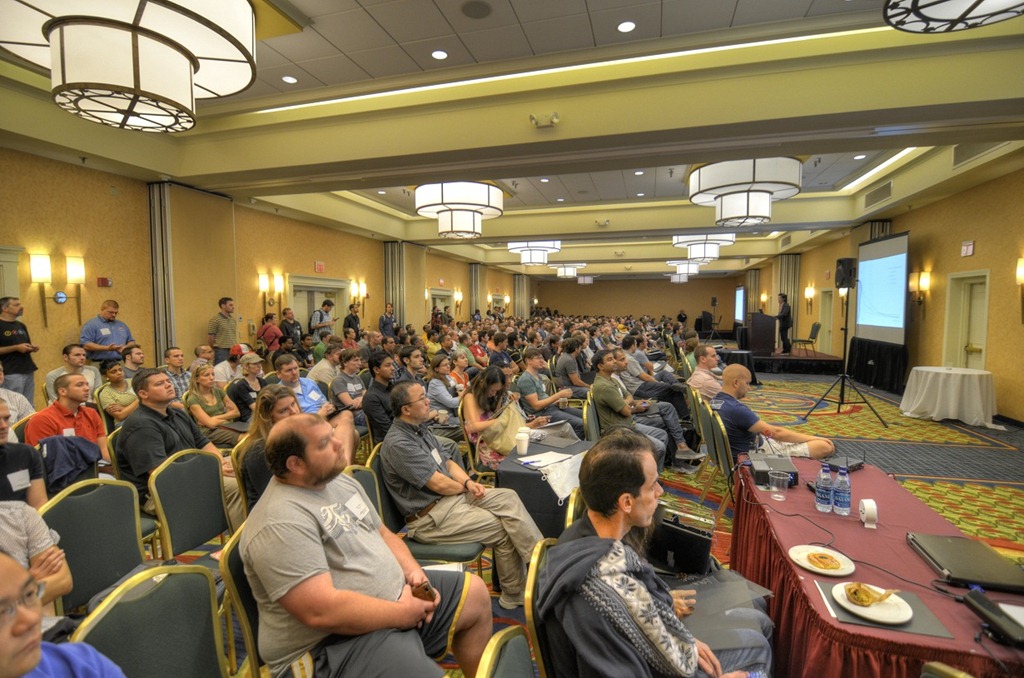
20110806-DSC_2896_7_8_tonemapped

On the 6th of August, the Atlanta community put on a conference called ReMIX South based loosely on the aspirations of the MIX conference held each year in Las Vegas to highlight new technology, web design and other stuff.

Here are some quick statistics – we had roughly 438 attendees at ReMIX this year.  We also had 23 speakers and lots of sponsors onsite.

ReMIX garnered an estimated 2000 tweets – estimated because our archive programs capped out at 1500.  ReMIX apparently managed to trend nationally on August 6th on Twitter.

We tried our best to make the conference primarily about the attendees, the speakers and the sponsors.

Now that the event is over, however, I would like to take a moment to thank the people who put the conference together in roughly six weeks.

The main organizers were Cliff Jacobson, Sean Gerety, Dennis Estanislao, Farhan Rabbi, and Wells Caughey.

In addition, we had great logistical help from Corey Schuman, Linda Gerety, Ted Jacobson and Glen Gordon as the event unfolded and in the post-event period.

Additional help was provided by Joel Johnson, Ginny Caughey, Jonathan Marbutt and Shawn Wildermuth during the phone garage and also by Erin Gerety, Sophia Ashley, Paul Ashley, and Sharesh Vadali who put the registration packets together the night before ReMIX.

I want to highlight some of the skills and labor the organizers put towards the event.  They all did more than I can possibly recall, but certain things stand out.

Cliff Jacobson took care of our finances, as well as all the negotiating with the hotel, logistical planning with the hotel and A/V.  It was a lot and we basically just piled more responsibilities on him as the event approached since he never seemed to say no.  In short, the event never would have happened without his organizational skills.  In the post-event period, Cliff has also taken on the editing of our video footage and – as far as we can tell – has only had 3 hours of sleep a night for several weeks.

Sean Gerety used his persuasive powers to bring together an amazing UX track, organize the speaker dinner, and smooth over the bumps.  Sean is one of the best connected people in the Microsoft UX community and we used his connections for all they were worth.

Dennis Estanislao designed and maintained our website, which was the anchor for the event and, until the day of the event itself, perhaps the only proof that ReMIX South was actually happening.  As many people have learned in the past, a good website is the backbone of a good conference and keeping it up to date and accurate is a fulltime job.

Farhan Rabbi was essential to making this a true cross-discipline and bi-partisan event.  Throwing a conference that is attractive to both microsoft as well as non-microsoft people, attractive to both CRUX and developers, is no easy task.  Putting the lie to Kipling’s statement that never the twain shall meet, Farhan made sure that ReMIX was both ecumenical and catholic while at the same time gathering all the local talent for the amazing HTML5 track.

Wells Caughey threw himself into doing whatever was needed to get us over the finish line.  In addition to pulling together the mobile track (admittedly the most difficult of the tracks to plan and find speakers for) he also managed our commons area.

Linda Gerety handled the registration for us, staying up late the night before to prepare and manning the tables the whole day.  Corey Schuman manned the registration tables, took photos of the event, and is helping to get the recordings we managed to capture of the talks up for streaming.  Both Linda and Corey did airport runs for us to pick up speakers. Also thanks to Zach Pousman for the after party at Eclipse di Luna and the celebration of the world wide web’s 20th anniversary.  Thanks also to Kristina McInerny who just started helping us out spontaneously as well as Dave Ward and Ben Von Handorf for building phone apps for reMIX.

The thanks they receive for all this work is pretty much just some glass beads and a pat on the back.  If you see them around and happen to have enjoyed the remix experience, please let them know.

Glass beads also play a peripheral role in the organization of ReMIX.  The Glass Bead Game is the title of Nobel Laureate Hermann Hesse’s 1943 book about an intellectual game of the future based on montage and pastiche – basically putting dissimilar things side-by-side and seeing what connections players can make between them. 

This is what we attempted to do at ReMIX.  We combined top local and national speakers presenting on a variety of technologies from both the Microsoft and non-Microsoft worlds, covering UX, design and development.  It was curated, of course – we tried to be careful to put things together we thought would work well, but still … We put all these different communities together, crossed our fingers, and waited to see what would happen.

Our thanks go out to the attendees, the speakers and the sponsors for making our version of the Glass Bead Game a great success.

We’ll be updating the www.remixsouth.com website with links to slide decks, photos and video recordings over the next weeks.  Check in frequently to get the latest changes.