This is my recurrent anxiety dream about the future of HTML5.
Ex nihilo nihil fit. — from a saying by Parmenides
Das Nichts selbst nichtet. — Heidegger
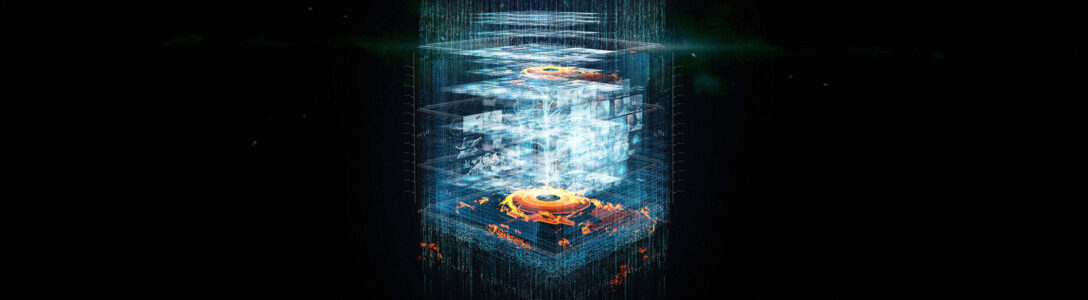
This is my recurrent anxiety dream about the future of HTML5.
Ex nihilo nihil fit. — from a saying by Parmenides
Das Nichts selbst nichtet. — Heidegger
Every year requests for speakers at the regional conferences start earlier and earlier. Today is already the final day for submitting talks to Codestock. Devlink has also already started accepting abstracts, though their deadline isn’t until sometime in May.
2011 is a wonderful year for talks about the intersection of development and design. The MUx counter-movement at MIX11 is all about restoring balance to the force developer-designer story and I certainly hope the message that Josh Blake, Rick Barraza and Sean Gerety have been promulgating gets out.
At the same time, surely it’s possible to simply have more designer talks in the “closed” sessions – or simply invite those open talks that got turned down directly into the MIX11 schedule. The basement of the Excalibur is a crowded and smelly place to be holding a counter-conference.
Here are some of the talks I’m planning to shop around this year. I’m particularly stoked about talking on Kinect Hacks, but will have to see if anyone is actually interested in hearing what I have to say on it. The 100% slides talk about The Minority Report and Fantasy UX is also very close to my heart:
It’s been a year since developers began to play with the Windows Phone platform. The marketplace has opened, apps are being sold, and we are getting our first glimpse of what is working and what is not. What did we get wrong at the beginning as WP7 developers? Is the Metro language better observed or ignored? Native apps or web apps? Silverlight or XNA? Paid apps or free apps with advertising? Where should we be concentrating your time when developing a WP7 application – design or architecture? This session will address our lessons-learned from the past year as well as the future of WP7 and rumors about the Mango release.
The Kinect has been the surprise hit of the year for Microsoft. The moment developers found out you can plug the Kinect into a PC, everyone started trying to replicate scenes from The Minority Report. At Razorfish, the first thing we built was a mash-up of a WPF physics engine and the Kinect in order to port our DaVinci surface app into a gesture-based experience. Since those first efforts we’ve continued to build app after app for the Kinect as the APIs have evolved. In this session, I will show you what we have learned and how you can get started building your own Minority Report experience in your living room.
The mouse died and no one even noticed. Coupled with the keyboard it has been the primary means of interacting with personal computers for the past 25 years. 2010 and 2011 saw the end of this dominance with the arrival of many new touch devices running various forms of the Windows OS: WP7, Win7 tablets, MS Surface 2 and the Kinect. Learning to program for touch is more complex than simply replacing every MouseLeftButtonDown event handler with a TouchDown handler. Touch involves learning a proliferation of interaction idioms new to both developers and consumers. Additionally, there are variations in how APIs capture these interactions on different platforms: WP7, Surface, Win 7. This session will cover the ins and outs of working with NUI interfaces on Microsoft platforms so you can make NUI work for you.
Sometimes movies that try to predict future technology end up creating it. "The Minority Report" is such a movie. Released in 2002, TMR has inspired technology companies to push their hardware and create new interfaces. In 2011, we may finally be seeing the fruits of that decade long endeavor with NUI-based smart phones and tablets, the new MS Surface 2 and, most surprising of all, the gesture-based Kinect. In this time, we have also seen vast improvements in speech recognition technology and even natural language analysis. This session will provide an overview of the past influences of science fiction works such as William Gibson’s Neuromancer and Star Trek, the present influence of The Minority Report, and new works by writers like Charles Stross that are shaping our future.
Last Thursday, Microsoft Evangelists Glen Gordon and Joe Healy held an all-day Silverlight firestarter in Atlanta. It was a great event and will be travelling to Tampa, FL on 2/22 and Miami, FL on 2/24.
The real fun for me was what occurred afterwards. Glen organized an Ask the Silverlight Experts panel in the backroom of a nearby sports bar. After the ‘Bob Muglia Imbroglio’ – I wonder if that will ever catch on - it was refreshing to hear people whose careers are deeply tied to the future of Silverlight actually speak candidly about it. MVPs are typically cautious creatures, anxious not to speak out of turn, contrary to Microsoft strategy, or in violation of their NDAs with MS. Following the Bob Muglia story, everyone is additionally anxious to not be the next person to torpedo Silverlight.
The panel was made up of Sergey Barskiy (Data MVP), Shawn Wildermuth (Data MVP, Silverlight Trainer), Jeremy Likness (Silverlight MVP, author of Sterling), Joel Ivory Johnson (WP7 Dev MVP) and Rob Schiefer (co-author of an upcoming WP7 book). I was there representing the local Silverlight User Group which I run with Corey Schuman. Jim Wooley (VB MVP) and Steve Porter (CAD MVP) were in the audience.
The first question asked, and the one that dominated the rest of the night, was to the effect of “What’s up with Silverlight and HTML5?”
I had originally planned to give a recap of all the arguments and theories but realized after attempting to do this for about an hour that I mostly just remember my own arguments and have, in my memory, distorted everyone else’s.
Then I came across this beautiful photo by Philip-Lorca diCorcia — who currently has an exhibit at the David Swirner gallery in New York City if you get a chance to visit – which summarizes everything that was said that night much better than I can.
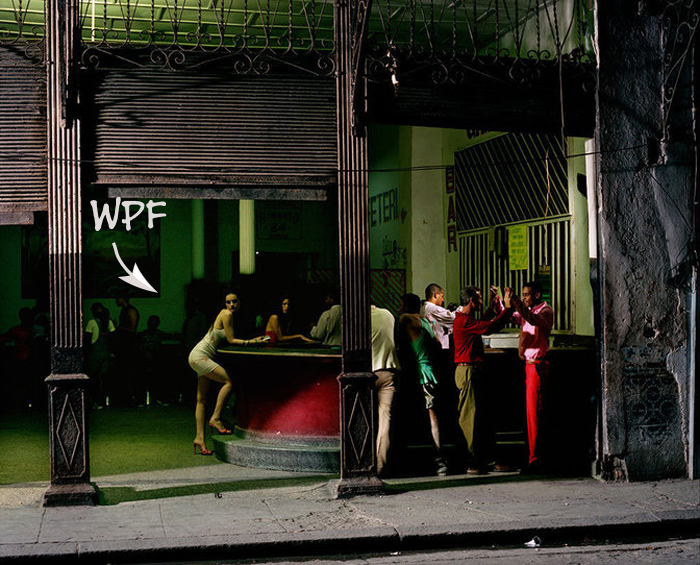
In case it isn’t clear, the two dudes high-fiving each other on the right are Silverlight 5 and HTML5.
The latest Atlantic contains an article by Brian Christian on the annual Turing Test held in Brighton, England. In order to pass the Turing Test (also known as the Loebner Prize) a computer program must be able to fool 30 percent of the people it interacts with that it is human. In 2008, one program missed this goal by only one vote.
In the article, Christian quotes Douglas Hofstadter, the author of Godel, Escher, Bach, on the problem of ‘The Sentence.’ The Sentence is the perennial attempt to frame the all-important definition “The human being is the only animal that …” We once thought this sentence could be completed with uses language, uses tools, does mathematics, or plays chess, only to be confounded each time by further discoveries about the natural and mechanical world.
‘Sometimes it seems,’ says Douglas Hofstadter […] ‘as though each new step towards AI, rather than producing something which everyone agrees is real intelligence, merely reveals what real intelligence is not.’ While at first this seems a consoling position – one that keeps our unique claim to thought intact – it does bear the uncomfortable appearance of a gradual retreat, like a medieval army withdrawing from the castle to the keep. But the retreat can’t continue indefinitely. Consider: if everything that we thought hinged on thinking turns out to not involve it, then … what is thinking? It would seem to reduce to either an epiphenomenon – a kind of exhaust thrown off by the brain – or, worse, an illusion. Where is the keep of our selfhood? [emphasis mine]
I have always been a fan of footnotes. In complex academic works, it is usually the footnotes that contain the most fascinating insights. They are, in a sense, the epiphenomena of the academic world.
Stephen H. Voss has a fine translation of Descartes’s The Passions of the Soul, a work Descartes wrote for Princess Elizabeth of Bohemia years after separating the mind and the body in his Meditations on First Philosophy. What comes out in this later work – and to which attention is drawn in Voss’s footnotes — is that the line between mind and body is not a geographical division like that between countries, but rather a kinesthetic separation between the inside and the outside. In The Passions, Descartes even begins talking about the inner soul and the interior of the soul, further subdividing the line between self and world.
Concerning this, Voss writes in footnote 78:
Since the soul has no parts […], it is hard to see how to distinguish theoretically the interieur, let alone le plus interieur, of the soul from the rest of it. As we intimated in note 27* in Part I, it is perhaps more reasonable to see such passages as signs of Descartes’s genuinely neo-Stoic attitude toward the world. We have seen his focus successively narrow in this work: the body, the pineal gland, the soul, and now its ‘interior.’ A similar itinerary can be traced in the First Meditation: objects that are very small or far away, familiar nearby objects, the body and its senses, the soul and its reason. And so can one more: examining ‘the great book of the world’ on military travels through several countries; Amsterdam, Leyden, and the isolated village of Egmond; and finally the palace in Stockholm. What walled fastness can ever provide security? [emphasis mine]
I’ve always wondered if this kinesthetic problem of interiors and exteriors is related to the solution of using metalanguages to avoid problems of self-referentiality in logic. In particular, I’m thinking of Douglas Hofstadter’s chapter in Godel, Escher, Bach describing Russell and Whitehead’s Principia Matematica, called “Banishing Strange Loops”:
Russell and Whitehead did subscribe to this view [that self-reference is the root of all evil in logic], and accordingly, Principia Mathematica was a mammoth exercise in exorcising Strange Loops from logic, set theory, and number theory. The idea of their system was basically this. A set of the lowest ‘type’ could contain only ‘objects’ as members – not sets. A set of the next type up could only contain objects, or sets of the lowest type. In general, a set of a given type could only contain sets of lower type, or objects. Every set would belong to a specific type. Clearly, no set could contain itself because it would have to belong to a type higher than its own type […] To all appearances, then, this theory of types, which we might also call the ‘theory of the abolition of Strange Loops’, successfully rids set theory of its paradoxes, but only at the cost of introducing an artificial-seeming hierarchy, and of disallowing the formation of certain kinds of sets…
This connection I am (less-than-tentatively) proposing, of course, only works if interior and exterior can be mapped to the notions of higher and lower level languages. This is, however, how we typically think of the emergent self in evolutionary biology. The highest part of the mind — the most selfish bit – is also the last to have developed in time, while the lizard brain, which the higher functions always seek to constrain, is also considered the part that is least ourselves – it is a mechanical, biological process, and when that lizard brain is in control, we are out of control.
*footnote 27: A pervasive Cartesian conviction is that what is far away can deceive, while what is close at hand can give security. That is true not only of epistemic security (in addition to the present passage, see Meditations 1 and 3: AT VII, 18 and 37: CSM II, 12-13 and 27; and a. 1 above), but also of emotional security (see Discourse, Part 3: AT VI, 25-27: CSM I, 123-124; and aa 147-148 below).
From a New Yorker portrait of horror maestro Guillermo Del Toro:
We drove east to Burbank. Del Toro is devoted to the Valley—he calls it “that blessed no man’s land that posh people avoid in L.A.” We pulled into Ribs U.S.A., a frayed establishment on Olive Avenue. Del Toro ordered ribs and a lemonade, along with a redundant appetizer of “riblets.”
Read more http://www.newyorker.com/reporting/2011/02/07/110207fa_fact_zalewski#ixzz1Ds2RpTzs
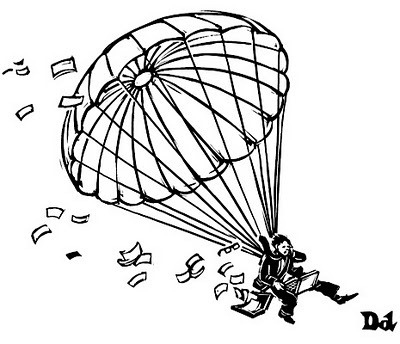
Ben Hahn provided the winning caption for this week’s New Yorker Caption Contest. Does this mean the cloud is now mainstreamed?
My project manager was out last night and forgot to recharge her WP7 phone. With the particular model she has, once the battery completely loses its charge, you can no longer recharge it simply by plugging in the phone charger.
The problem seems to be that the phone always needs to boot up just a little when it is plugged in. If there is no charge left, then that minimal necessary change is simply missing.
Since we have the same model, the first thing we did was to verify that the problem was with the battery by switching out her battery for mine. It was definitely the battery.
The next thing we did was scour the Internet to find out if others were having this issue. Indeed they were. And not only people with Windows Phone but also some people with Android phones. In the process, we also found a seemingly crazy solution that involves stripping up a USB cable and recharging the battery directly. Of course, we couldn’t resist trying to hotwire a phone and it worked perfectly. Here’s what you do.
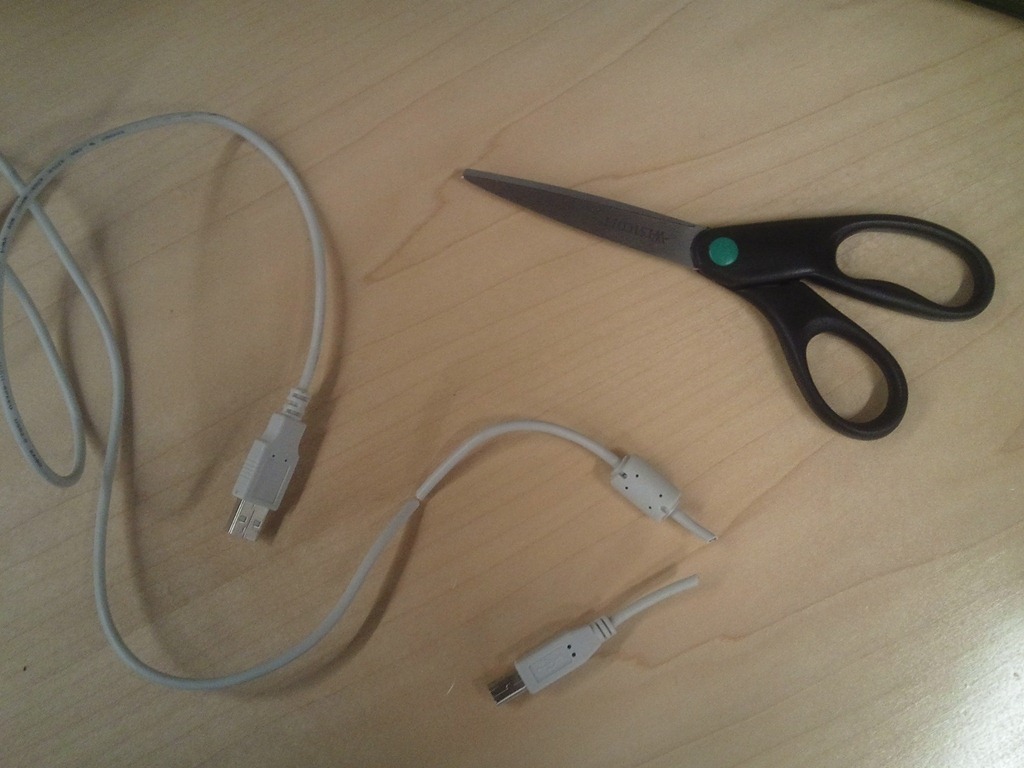
First, find an old USB cable you don’t need anymore. It doesn’t matter what’s on the other end of the wire as long as one end is USB. Cut The Wire!
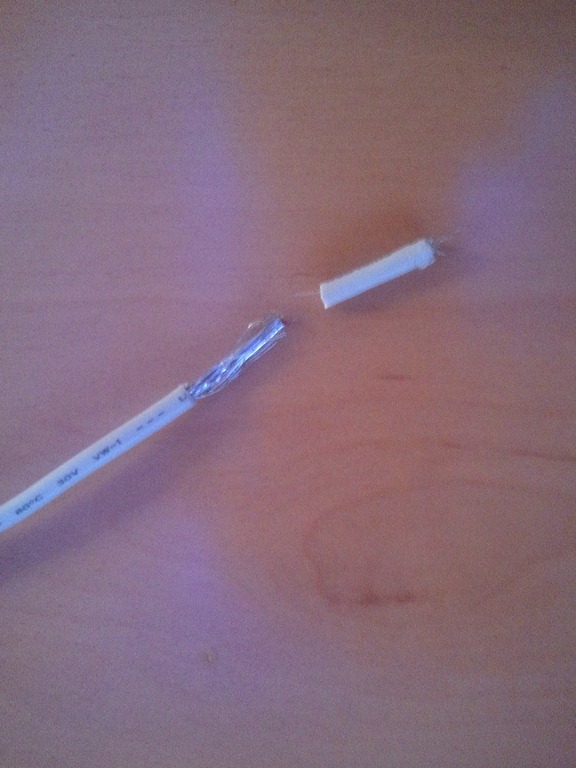
Next, strip the cut end to remove the plastic from the wire. You’ll want to strip about 3/4 of an inch off. This will expose a thin foil wrapper around the internal wires and filament. Remove the foil.
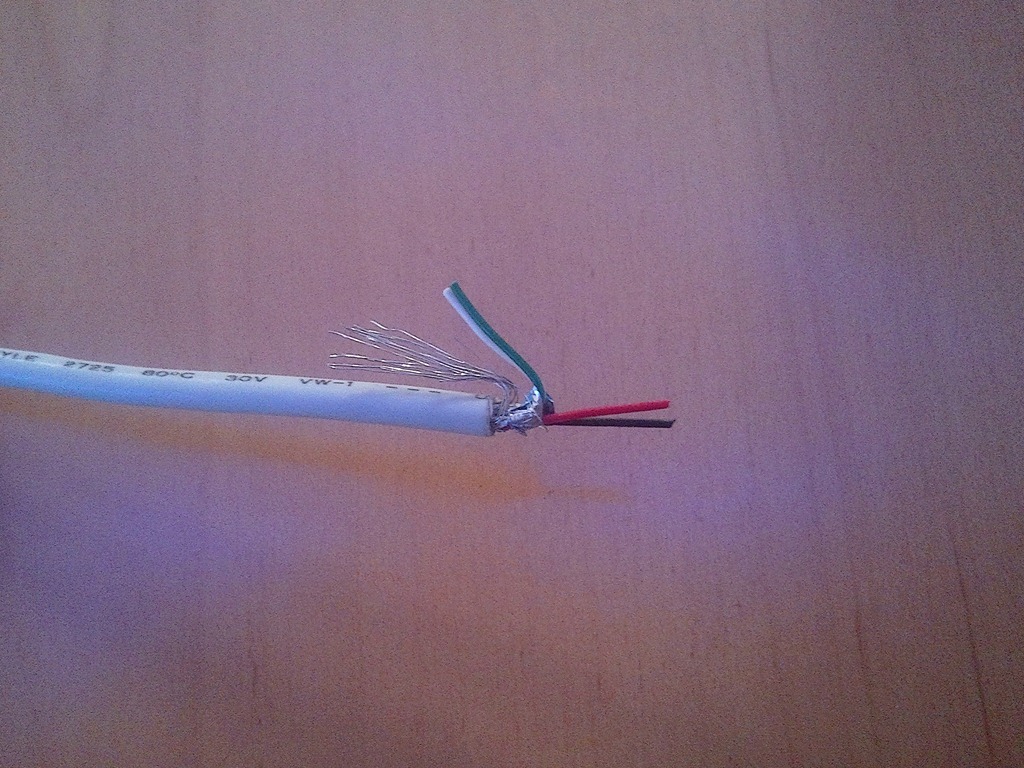
Bend back the filament as well as the extra interior wires to expose just the red and the black wires. These are the wires that actually carry the charge in a USB cable.
The interior wires are too thin to actually strip. What you can do, however, is cut the red and the black wires at an angle. This will expose enough of the copper to work with.
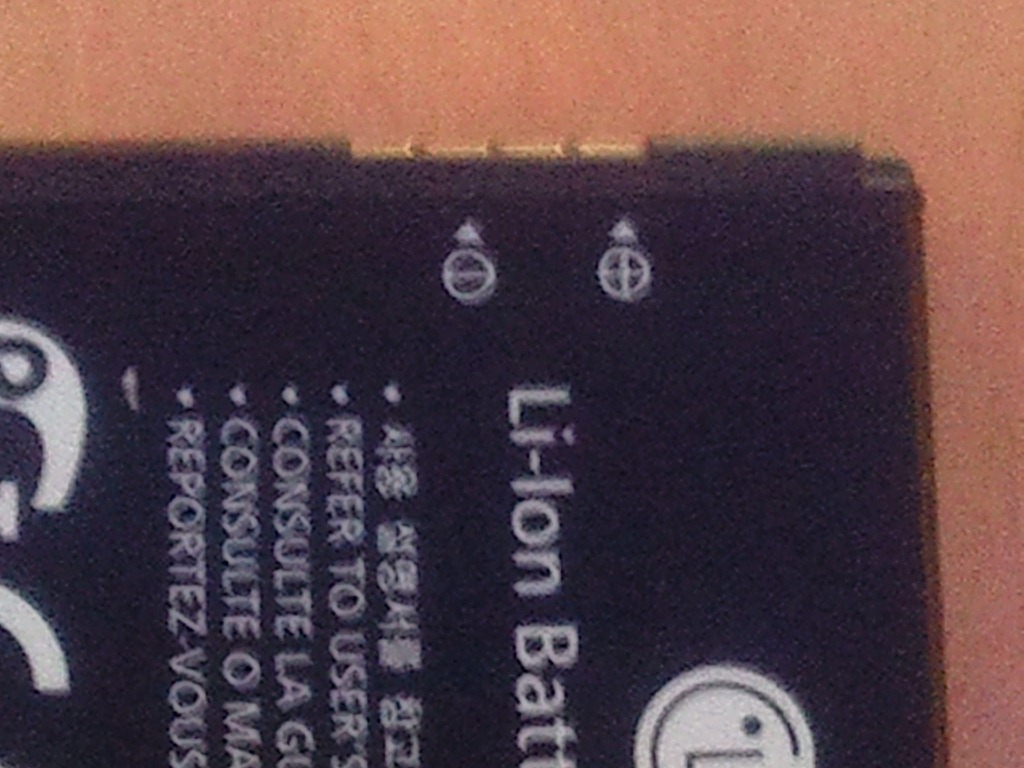
Pull your battery out of your Windows Phone device. Your phone battery will indicate where the positive and the negative touch points are. Plug your USB connector to your laptop. Take the other cut end and touch the red wire to the positive and the black wire to the negative.
RED => Positive
BLACK => Negative
Hold the wire to the battery for about two minutes. People will ask what you are doing if, like me, you do this in the office. Try to be creative with your response.
After two minutes, put the battery back in your phone and plug your phone in to recharge it. The battery is still at 0 per cent, but now has just enough charge so the phone is able to start up and begin charging normally.
It’s a bit MacGuyveresque, but makes for a great story.
Friend Colin Whitlatch just sent me the following C# code snippet to mess with my Saturday morning. Note the underscore:
Action<object> strangeLambda = _ =>
    Console.WriteLine("F# Rules");
strangeLambda(null);
Console.ReadLine();
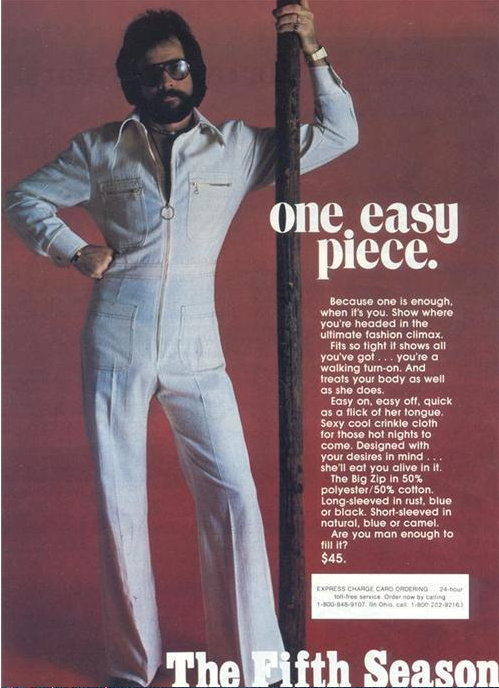
My good friend Corey Schuman and I were talking about modern life this afternoon. Modern life is basically pretty good – if your concern is culture.
Chinese manufacturing has kept clothes prices basically level for the past twenty years – America probably has one of the best dressed populations in the world. If you like fashion, you are covered.
Electronic books have not only made access to classics ridiculously easy but also practically free. With a Kindle you can download the complete works of Shakespeare, Dickens, Proust, Joyce, Plato and Aristotle for under ten dollars. Life is good for the reader.
If you like music, a subscription to a standard music service like Zune or Rhapsody for about fifteen dollars a month (or a la carte with iTunes) will grant you access to all the great performances of the Western musical tradition, from Bach to Beethoven to Mozart to John Williams. For very little money, anyone can hole up for a few months and become an expert on the greatest music known to man.
Fans of fine art, likewise, have free and remarkable access to high-rez images of – well — anything. What more need be said.
And if you like movies, there is always Netflix. According to a recent report, a third of all Internet traffic after dinner is dedicated to streaming movies from Netflix … and it isn’t all crap. The classics are well represented. I promised my friend a list of movies worth streaming and currently available for streaming — here they are. The Italian masters are well-represented on Netflix, as is the French Nouvelle Vague. German cinema from the 70’s (as well as lots of Hitchcock) was recently removed, but hopefully they will come back soon.
The only caveat is that my cinematic tastes are heavily influenced by the Marxist film criticism I read in college, so my apologies in advance for that:
Kurosawa:
Yojimbo
Seven Samurai
Ran
Rashomon
Ikiru
Yasujiro Ozu:
Tokyo Story
De Sica:
The Bicycle Thief
Umberto D.
Pasolini:
Gospel According to St. Matthew
Hitchcock:
The 39 Steps
Truffaut:
Jules and Jim
the 400 Blows
Shoot the Piano Player
Goddard:
Breathless
Jean Renoir:
the Rules of the Game
Grand Illusion
Jean Cocteau:
Beauty and the Beast
Bunuel:
Un Chien Andalou
Fritz Lang:
M
Testament of Dr. Mabuse
Fellini:
La Strada
La Dolce Vita
8 1/2
Marcel Carne:
Children of Paradise
Bergman:
Smiles of a Summer Night
Virgin Spring
Wild Strawberries
Persona
Fanny and Alexander
Eisenstein:
The Battleship Potemkin
American Cinema:
His Girl Friday
All About Eve
The Lady Eve
The Palm Beach Story
My Man Godfrey
The Third Man
The Grapes of Wrath
The Bells of St Mary’s
On the Waterfront
Bonnie and Clyde
The Sting
Butch Cassidy and the Sundance Kid
Network
Doctor Zhivago
Mean Streets
Manhattan
A Clockwork Orange
Apocalypse Now
Blazing Saddles
Jaws
Side loading is a topic familiar to Windows Phone developers but not so familiar to those who might need to work with these developers and require an understanding of the functionality in order to be more effective.
Side loading refers to deploying applications directly to a device without going through the official Microsoft Marketplace. You may want to side load an application for prototyping, demos and reviews.
In an enterprise environment, you may additionally want to side load applications that are intended only for internal consumption. Unfortunately, an enterprise solution is not available for the first iteration of Windows Phone. It may be included in a future release.
The side loading capabilities of Windows Phone 7 are somewhat restrictive. You may side load applications either to a software emulator running on a PC or to a physical device. Side loading to the WP7 software emulator requires the installation of the Windows Phone Developer Tools. In addition to various products (Visual Studio Express, Blend for WP7), the Windows Phone Developer Tools includes the Application Deployment utility which you will use for side loading. You must be running Windows Vista or Windows 7 in order to install the Developer Tools.
The Windows Phone Developer Tools may be downloaded here.
Side loading to a Windows Phone device additionally requires installation of the latest Zune software.
The Zune software may be downloaded here.
Deploying to a WP7 device is similar to deploying to the WP7 emulator. Besides the requirement that Zune software be running in order to deploy to a device, there is an additional restriction that you can only deploy to an “unlocked” developer device. A Marketplace account is required to unlock a WP7 device, and only five three developer devices can be unlocked for each marketplace account. A Marketplace account requires an annual membership fee of $99. A full membership, allowing for the publication of applications to the marketplace, can be purchased here and generally requires a two to three week verification period. Finally, only ten applications may be side loaded onto any device.
Once the Windows Phone Developer Tools have been successfully installed, you may side load to the emulator by using the Application Deployment utility. You can find the Application Deployment utility by going to your Start Menu on the taskbar.

Select “All Programs” from the Start Menu. Find and open the menu folder named Windows Phone Developer Tools.
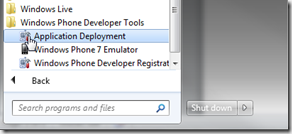
This will open the Application Deployment utility.
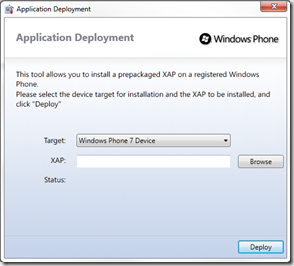
The Target dropdown has two entries. From the Application Deployment utility, apps can be deployed either to the emulator or to a device. To deploy to the emulator, select “Windows Phone 7 Emulator” as the target.
You will be deploying a XAP file, which is a file with a “.xap” extension. A XAP file is the basic unit for a phone application, much as an executable is the basic unit for a typical windows application. It includes the code as well as all the images and other assets required to run a specific phone application. Use the browse button to find the XAP file you want to deploy to the emulator.
Once a XAP file has been selected, press the “Deploy” button. If the emulator is not already running, deployment will start the emulator for you.
The emulator is a bare-bones version of the Windows Phone OS. It has most of the functionality found on a Windows Phone device but is lacking many of the applications you will typically find on a standard WP7 device. In fact, the Start screen on the emulator only contains Internet Explorer.
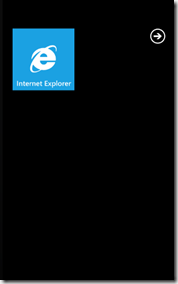
Select the right facing arrow at the top right corner to bring up all applications. You will find your newly loaded app on the applications screen.
Once the WP7 Dev Tools and the Zune software have been successfully installed, you must run the Zune software before attempting to side load. You do not need to be logged into your Zune account in order to side load an app.
While the Zune software is running, open the Application Deployment utility by following the steps enumerated above for side loading to the software emulator.
As pointed out above, the device must be “unlocked” as a developer device in order for deployment to occur. The device does not have to be unlocked by you. Hypothetically, you can simply ask someone with an annual Marketplace subscription to unlock the device for you.
Connect your device to your PC using a micro-USB cable (typically included with the device). The lock screen must be slid out of the way for deployment to occur.
In order to deploy to your device, you will select “Windows Phone 7 Device” as the deployment target in the Application Deployment utility rather than “Windows Phone 7 Emulator”.
To finish deploying to an unlocked device, follow the steps outlined above for deploying to the emulator.
* Special thanks to WP7 MVP Joel Johnson for reviewing this document and making necessary corrections to my understanding of how side loading works.