
Daydreaming about Kinect Fun Labs

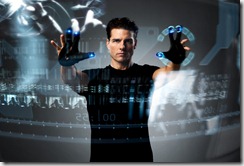
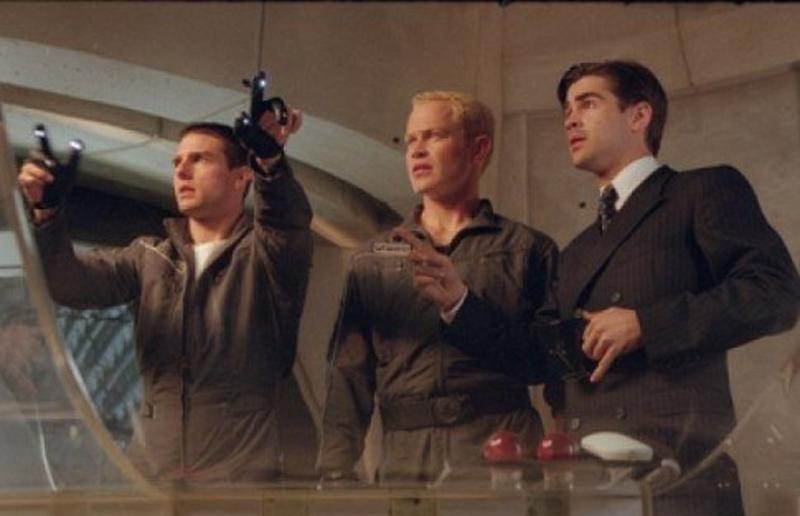
cruise-minority-report

While at the CodeStock conference in Knoxville, I had the pleasure of talking with several indie XNA developers about the potential of the Kinect.  They were discouraged, though, at the lack of opportunities for indie developers to create games for the Kinect.  All I knew how to do was create XNA games and put them on a PC with a Kinect hooked up to it – which wasn’t quite what they were looking for.

Then last week at E3 Microsoft announced Kinect Fun Labs.  Currently Fun Labs is a free download for the XBOX with what are basically a few concept apps.  It includes Kinect Me, which scans the player and turns her image into a 3D model (though not, as has been reported, an XBOX avatar that can be used in the rest of the system).  The Kinect then tracks the player and manipulates the model to follow the player’s movements.

Kinect Googly Eyes does basically the same thing with any rectangular object.

And then there are a few additional one-offs that can be downloaded from within the Kinect Fun Labs app.

What is interesting in all this are hints on the official website that we can upload our own apps at some point.  This may be rumor only, of course, and it probably won’t fully satisfy indie developers who would like to make some money off of their games, but once we get past all the ifs and buts …

It would be very cool to have a way to share our Kinect apps – watching demos on Youtube only get us so far.  If the XBOX also supports Silverlight at some point, we will have additionally have a development platform on which to quickly develop Kinect apps.  It’s the stuff dreams are made of.

Telerik ToDoLists reference application

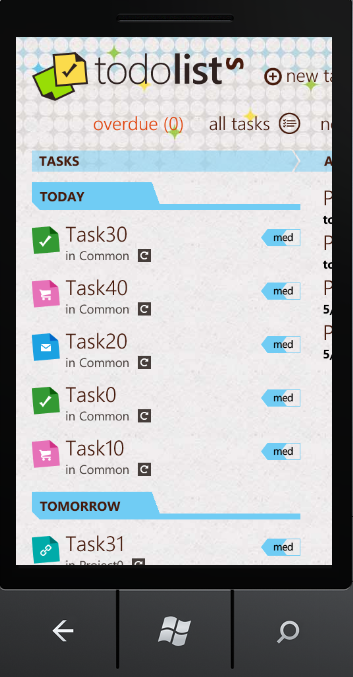
todolists

Telerik has published a ToDoLists reference application on their site to demonstrate how to use their Windows Phone Rad controls as well as to walk developers through their process for designing a WP7 application.  Telerik asked me to write a few words about it.

If you have already been through Microsoft’s default templates, this reference app is a good next stop.  You can read about it and download the sample code here: http://www.telerik.com/products/windows-phone/getting-started/todolists.aspx

For all we learn from blog posts and books, there’s nothing quite like walking through a sample app to learn how to do something.  There are several non-standard but – I think – extremely interesting things about this app that developers will find useful.

1. Telerik discusses their design process and includes a wireframe document for download.  Many of us have no idea about how to go about designing a Windows Phone application.  This little bit of guidance on the design process (definitely UI design first) is probably one of the most valuable things available to WP7 developers currently on the internet.

2.  The ToDoLists app does not try to inherit the user defined accent colors or background theme.  There is one look and it is the one the designer came up with.  This may seem unorthodox at best and heretical at worst.  To me, however, it seems like a brilliant move.  The whole point of the limited customization of themes is to give the end-user a sense of control and personal connection with their apps.  The cost of trying to incorporate the user selected theme, however, is a compromise of the design vision.  If the design is good, I think it is worthwhile to simply ignore the user theme and maintain the integrity of the design as is done in this reference app. 

3. The ToDoLists app also demonstrates how to organize the design vision in code and how to organize resources.  This is a topic that usually gets short-shrift.

4. The ToDoLists app uses my friend Jeremy Likness’s Sterling NoSql database.  This is extremely handy code to be able to walk through.  The app even provides an example of generating initial data for Sterling.

5. It doesn’t use any of the standard MVVM frameworks.  Instead, it’s a roll-your-own implementation of MVVM.  This is a nice reminder that MVVM doesn’t have to be complex.  We’ve almost reached the point when we no longer have to explain why MVVM should be used in XAML-based applications.  It’s simply what we do, right?

6. This is an attractive design.  It is recognizably Metro without slavishly following what most developers interpret as the Metro guidelines – that is, black, white and blocky.

So is this a paid ad for Telerik?  Sort of – except to turn things on their heads, you get paid instead of me.  If you are one of the first ten commenters on this post, and include a valid email, and are not a bot (so many conditions), Telerik will send you a free license to their RadControls for Windows Phone

Just be one of the first ten commenters to say something like “I’d like a free license” in the comments by EOD next Monday (the 16th) and Telerik will hook you up.

The WPF Renaissance

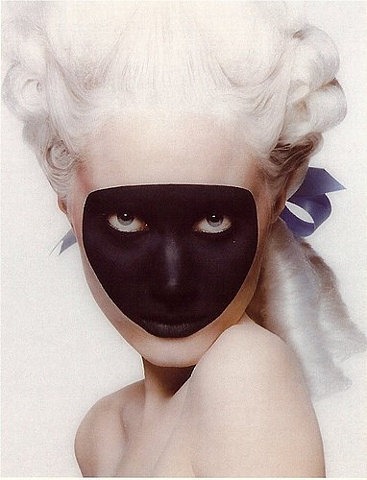
mask

The ‘Mysterious Stranger’ is a stock device in literature.  Poe’s main character in The Masque of the Red Death is one instance of the theme.  Mark Twain left us an unfinished novel built around another.  An unexpected guest is central to one of the earliest works in English literature, Sir Gawain and the Green Knight.  In Plato’s late dialogues, Socrates is replaced by the more enigmatic Xenon or Stranger. The old testament is populated by mysterious guests who turn out to be angels.  The Venetian Carnival always potentially allowed commoners to mix with royalty since everyone was in disguise.  Middle Eastern literature is filled with Tufaylîs or ‘unexpected guests’ who would provide additional entertainment to any party should they be allowed over the threshold.  Medieval troubadours appear to have filled the same function in the West.

At the recent MIX 2011 keynotes in Las Vegas, amidst announcements about HTML5, IE9, ASP.NET MVC 3.x, Silverlight 5, Windows Phone Mango and the Kinect SDK, WPF made such an appearance.  It was never called out, as such, but as each Kinect demo was presented on stage, WPF aficionados were beaming because they recognized their old friend behind the Kinect mask.

Why WPF?  Because WPF is the natural workhorse for NUI development.  From Kinect hacks to multi-touch displays to Surface technology, it is again and again the technology of choice providing both native integration with low level touch messages on the host OS as well as a powerful programming idiom.  For many of us, it was the technology we learned to do MVVM on.  We get to use the full resources of the .NET Framework with it as well as the ease of development provided by Visual Studio and Blend.

And if we are at the beginning of a NUI renaissance, as my friend Corey Schuman suggests in his MIX presentation, it follows that we are also in the midst of a WPF Renaissance as, for now, NUI and WPF are closely bound together.

To add sauce to the goose, over the weekend Rob Relyea from the WPF team tweeted the following elliptical comment:

“Yesterday wpf team had champagne/sparkling cider at our all hands meeting. Reached significant milestone.”

As pleased as I was with the Kinect demos at MIX, this piece of messaging took me completely by surprise.  There are still WPF milestones?  The Microsoft Tufaylîs are indeed gifted at entertaining and delighting.

Delight

When the Windows Phone 7 ad campaign started airing, I unfortunately  misunderstood the message.  I thought the point of the campaign was that Microsoft was coming out with a new device that would captivate consumers so thoroughly they would abandon their quotidian activities to use it.  I was also moved by Microsoft’s apparently willingness to make fun of themselves about how good their product would be – a product so wonderful it would stop traffic and so sexy it would pull men away from their lovers.

The final voice over, however, thoroughly confused me.  “A phone to save us from our phones.” 

It actually took me a few weeks before I realized that Microsoft was making a completely different kind of play.  They were claiming to understand smartphones while their competitors, Google and Apple, did not.  Smartphones, it turns out, aren’t supposed to enchant, bind and compel.  They are, according to Microsoft marketing, primarily functional devices intended as content delivery systems.  They are, in effect, the hardware equivalent of Sharepoint.

For me this is a problem with Microsoft messaging and not with Windows Phone itself.  These are delightful commercials that spread an insidious and misguided philosophy emphasizing functionality over experience. 

But isn’t that the Microsoft philosophy that was supposed to have died when Windows Mobile was replaced with Windows Phone? Windows Mobile was an expensive tool.  Windows Phone is an expensive toy.  And the most successful smartphone toy is the one that a room full of children want to pick up and play with because it enchants them, it binds them, it delights them.

I don’t claim to fully understand the experience of delight but I have a strong instinct that Microsoft marketing does not appreciate it despite the lengths to which they go to talk about it. 

Delight, for me, is not about utility but rather concerns itself with superfluity.  And while there is a current trend against “distraction” in the UX world, something delightful should at least make us tarry.  Even better it should make us wonder.  It should have a minimum of functionality but a vast degree of intricacy.  It should emphasize this with depth rather than magnitude – that is, it should be small and rich rather than provide a long feature list of things it can do.

Most of all, something delightful shouldn’t have to be explained.  This is, nevertheless, what I will attempt to do in this post – to explain what delight is. 

I will do this, however inadequately, by culling examples from various arts: food, film, poetry, and tactile art.  I won’t try to tie any of this directly to the design of smartphone devices or the development of smartphone apps, but all the same expect that these analogies will be apparent to the reader.

My main thesis is that there are four important elements to delight: superfluity, delicateness, enchantment and intricacy.  These are all, moreover, elements completely within the grasp of the Windows Phone developer and which the Windows Phone Metro style will support, if used correctly.

It might be more straightforward to say, however, that these are some of the things that delight me and I’d like to share them with you.


Superfluity

Something which delights is received as a gift.  It is given freely and nothing is expected in return for it.  It also has no purpose other than itself.  The scent of a flower does not delight because the smell is useful to us or because it enables us to smell.  The delightful thing does not enable anything.  It is purposeless. 

Even Aristotle, as practical as any philosopher can be, said of the origins of the useless arts,

“… as more arts were invented, and some were directed to the necessities of life, others to recreation, the inventors of the latter were naturally always regarded as wiser than the inventors of the former, because their branches of knowledge did not aim at utility.”

Useful things always serve another purpose.  Useless things are an end in themselves and are just for us.  This sense of our own specialness is essential to the experience of delight.


Delicacy

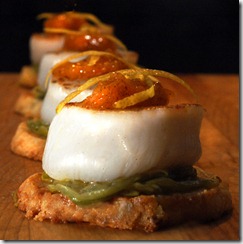
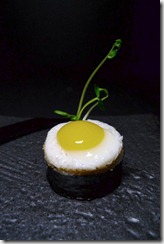
In finer restaurants around the world, there is a course known as the amuse bouche.  It is typically a one-mouthful dish selected by the chef and delivered to his guests.  It also will typically not ever appear on the bill.  It is a gift intended simply to “delight-the-mouth” as well as the mind.

amusebouche1

Presentation is always impeccable.  The game for the chef is to pack as much visual and flavorful complexity as he can into a small package.

Salmon-Amuse-Bouche_6

One of the finest I’ve ever had was a fresh oyster in a half-shell with a tiny square of green, absinthe jello placed on top.

amuse2

The miniature size is essential to the effect not only because it establishes a rule within which the chef must operate (only a single mouthful of food) but also because of the inherent delight we experience when we encounter the small.  Large meals make us full.  Large pieces of art evoke a sense of the sublime.  Large works of poetry stay with us and cannot be shaken.  The amuse bouche, on the other hand, simply leaves behind a sense of happiness and gratitude.


Enchantment

Enchantment has become an overused word, as have all the synonyms we might use in its place: magic, uncanny-ness, wonderment.  The purpose of enchantment is to lift us out of our own sense of being.  For just a moment time stops, goals are put aside, and we are allowed to simply be.  The delightful object puts the real world aside and provides a space for us to rest from it.

This notion of enchantment was at the heart of the 19th century Romantic movement in poetry.  In his preface to the Lyrical Ballads, Wordsworth wrote of the new poetry he and Coleridge were devising,

“The principal object, then, proposed in these Poems was to choose incidents and situations from common life, and to relate or describe them, throughout, as far as was possible in a selection of language really used by men, and, at the same time, to throw over them a certain colouring of imagination, whereby ordinary things should be presented to the mind in an unusual aspect.”

One of my favorite film-makers, Jean Cocteau, was himself a poet and novelist who – almost uniquely – brought this unique sensibility to his movies.  The techniques of visual poetry he improvised have over time become part of the common idiom of filmmaking.  No one, however, has ever quite been able to replicate the sense of the uncanny he created in films such as La belle et la bête or Orphée.

Watch, for instance, the arrival of Belle to the Beast’s castle. 

The techniques are simple – people with their arms poked through a wall, slow motion filming, and a rolling palette upon which Josette Day is pulled forward.  By pulling all these effects together, however, Cocteau was able to create something light and otherworldly.

Here is another effect Cocteau originally attempted in his film from the 30’s Le Sang d’un Poete but didn’t get right until Orphée.  It is an adult play on Lewis Carroll’s Through the Looking Glass.  My favorite line: “It is not about understanding.  It’s about believing.”


Intricacy

A key notion in UX is discoverability.  Something should always be left to the end-user to discover on their own.  Discovery is a way for users of an experience to make the experience their own.  They form an emotional connection with devices and experiences that are discoverable and achieve a sense that the object of delight is for them because they are the ones who figured it out.

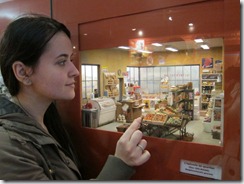
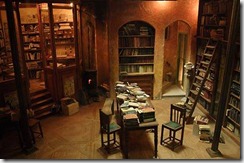
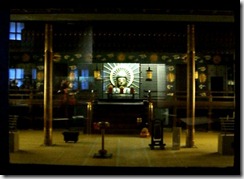
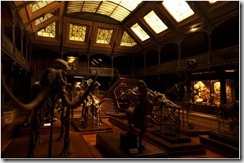
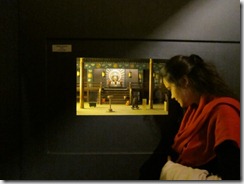
Dan Ohlmann is an artist whose works are exhibited at the Musée des miniatures et des décors de cinéma in Lyons. 

IMG_32321

His talent is not just in mastering the art of the small, but in perfecting the attention to detail needed to enchant his audience and keep them riveted to one spot.

lyon-miniatures-library

1242746618

I feel like I could step into one of these dioramas at any time and will find a full world in miniature simply by stepping through the door at the back of the piece.

Post_0138_07

Dan Ohlmann’s art always hints at there being more just around the corner – a whole new world yet to be discovered.

IMG_3397

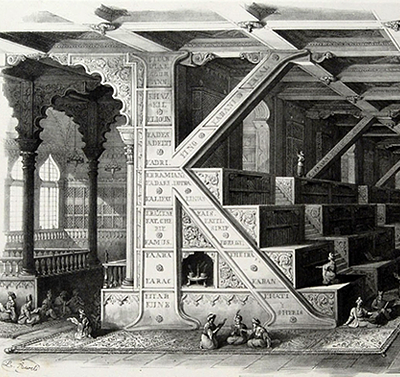
“K” is for Hacking

K

At the Atlanta .NET User Group presentation on hacking the Kinect last night, I promised to provide instructions on installing the necessary components for hacking the Kinect with the OpenNI stack.  I already feel some trepidation about doing this as figuring out these minimal first steps has always been a bit of an initiation rite for the various members of the OpenNI forums.  Strangely enough, there are few straight-forward walkthroughs on installing basic components.

The few that can be found on the web typically leave out key steps or provide the steps out of order — almost as if there is a general conspiracy to keep the details of these essential steps secret.

You are going to install three pieces: 1. SensorKinect which is the drivers that allow communication between the Kinect device and your PC 2. OpenNI which is an API that sits on top of the drivers and 3. NITE which is a higher level API that sits on top of OpenNI.  4. Additionally, you are going to copy some necessary config files onto your machine.

1. First, download the OpenNI component.  It can be found here.  You can choose to download from either the stable or the unstable branch.  The latter will provide more functionality while the former will be … well … more stable.

It may seem strange that you will be installing the higher level API before you install the drivers they sit on, but that’s the way it has to be done.  To do this in any other order risks opening a rift in space-time and ending the world as we know it.

Install OPENNI-Win32-1.0.0.25.exe (or whatever version happens to be current at the time of this reading).

2. Next you want SensorKinect.  You will need to create a github account to download it from here

Install SensorKinect-Win32-5.0.0.exe (or whatever version happens to be current at the time of this reading).

3. Download the NITE middleware which, like OpenNI, comes in both stable and unstable flavors. 

Install NITE-Bin-Win32-v1.3.0.18.exe (or whatever version happens to be current at the time of this reading).  Use the following key: 0KOIk2JeIBYClPWVnMoRKn5cdY4= when prompted.

4. Download and extract the KinectXMLs.zip file: http://box5921.temp.domains/~imagipi2/codesamples/kinectxmls.zip

Copy KinectXMLs\OpenNI\SamplesConfig.xml to C:\Program Files (x86)\OpenNI\Data\

Copy NITE\Sample-Scene.xml, NITE\Sample-Tracking.xml and NITE\Sample-User.xml to C:\Program Files (x86)\Prime Sense\NITE\Data\

These instructions were passed on to me by my colleague Alex Nichols who keeps them in a safe deposit box.  He, in turn, copied these instructions by candlelight from Steven Dawson, a shadowy and rarely seen uber-developer known for writing kinect hacks like this: http://www.engadget.com/2010/12/05/razorfish-ports-davinci-interface-to-kinect-makes-physics-cool/

You know you have installed everything correctly if a portal to another dimension does not open up above your Kinect.  Just to make sure, though, browse to C:\Program Files (x86)\OpenNI\Samples\Bin\Release (“Program Files” if you are on a 32-bit OS).  Plug your Kinect into a USB port and run NiViewer.exe.  If you can see yourself in the screen that pops up, then the OpenNI layer is working correctly.

Next, browse to C:\Program Files (x86)\Prime Sense\NITE\Samples\Bin\Release.  Try running Sample-PointViewer.exe.  You should quickly know if your NITE middleware is installed correctly.

In my experience, depending on which code branch you install, various samples may not work.  That’s okay.  As long as some of them work everything is fine.

Now you’ll want to try programming something.  Kinect hacker Vangos Pterneas provides several excellent examples you can peruse:

http://www.studentguru.gr/blogs/vangos/archive/2011/01/28/kinect-and-wpf-getting-the-raw-and-depth-image-using-openni.aspx

http://www.studentguru.gr/blogs/vangos/archive/2011/02/12/kinect-and-wpf-painting-with-kinect-using-openni.aspx

http://www.studentguru.gr/blogs/vangos/archive/2011/03/15/kinect-and-wpf-complete-body-tracking.aspx

Again, sometimes these work and sometimes they don’t.  If they aren’t working for you don’t worry too much about it.  Just move on.

Next, you’ll want to play with this Visual Studio 2010 C++ project on github: https://github.com/OpenNI/SampleAppSinbad  It is a 3D model of a piratical ogre that will track your movements.  You have to do some configuration if you want to run it from VS2010.  You can, however, just run the executable in the bin directory.  Reach behind your head with both hands to play with the swords.

I also showed several videos last night providing a visual history of gestural interfaces from laboratories, to the movies, to the mass-market, and finally to the hacking community.  If you are a fan of fantasy-UX, then all of these should already be familiar to you:

Star Trek Voyage Home (1986): http://www.youtube.com/watch?v=v9kTVZiJ3Uc&feature=related

Put That There (1979): http://www.youtube.com/watch?v=RyBEUyEtxQo

DreamSpace (1998): http://www.research.ibm.com/natural/dreamspace/#example

Minority Report (2002): http://www.youtube.com/watch?v=NwVBzx0LMNQ

Iron Man (2008): http://www.youtube.com/watch?v=PYjlMflhysc

Project Natal: http://www.youtube.com/watch?v=Mf44bWQr3jc

12 Best Kinect Hacks: http://www.youtube.com/watch?v=ho8KVOe_y08

Again, to everyone who came out for last night’s presentation — you were extremely patient and I can’t thank you enough for your time and your enthusiasm.

Windows Phone 7 at a Crossroads

dragons

This week sees the Windows Phone Marketplace hitting a new milestone: 11,000 apps published.  While this is an important moment for developers of Windows Phone apps, it is also perhaps a good time to ask a question that affects the future roadmap of the marketplace and, in turn, its prospects for driving revenue for independent developers over the next few years: what sort of WP7 apps are being written?

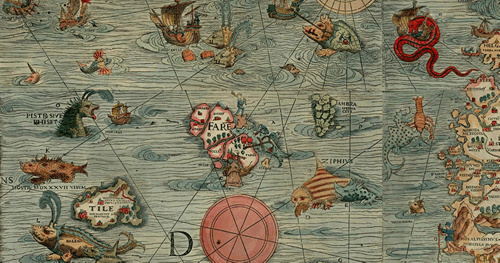
The picture above is a section of the 16th century Lenox Globe, famous among other things for the lexical note hic sunt drancones, “here there be dragons.”  Windows Phone, being neither fish nor fowl, has the potential to be either a device for high-end apps with, ultimately, limited reach like the iPhone, or alternatively a wild-west platform loaded with free but ultimately ungainly apps, like the Droid platform.

Moreover, the quality of the current applications in the WP marketplace will affect which way WP7 goes.  The direction WP7 heads in, in turn, will affect whether the user-base for WP7 grows, attracting more developers to the WP7 platform, growing the user-base, etc. … and bringing in more revenue for the early adopters of WP7 as a development platform.

Ideally, we would all like Windows Phone to have the reach of the Droid platform but the quality of the iPhone app store. 

As things currently stand, however, WP7 developers may be headed in another more dangerous direction – toward having poor quality apps as well as limited reach.  There are two major hurdles that must be overcome in order to avoid such a sad outcome, and the initiative has to come from developers rather than from Microsoft.  First, WP7 must become a platform for designers as well as developers.  Second, WP7 developers must be willing to defer immediate gratification and avoid ad-funded apps.

The Problem with Metro

Metro is in many ways a beautiful design language.  It is also, sadly, a horribly misunderstood design language.  From the original inspiration in train station iconography and sci-fi movies like The Minority Report , the Metro language has become embodied and calcified in the default controls and styles: black and white and blocky.  This is obviously a boon to developers who do not have to think too hard about what their apps are going to look like, and fulfills Microsoft’s promise that WP7 will be the most developer friendly phone platform.

Apps using the default style look nice enough.  The problem here is that black, white and blocky apps don’t look like they are worth paying 99 cents for – and people in fact aren’t paying the 99 cents or even more that developers are trying to charge for these apps. 

What kind of apps do make money?  First, games built on XNA (and which consequently don’t use the Metro style at all) make money.  The biggest excitement in the marketplace at the moment is the news that Angry Birds and Plants vs Zombies are coming to the platform.

What other kind of apps do well?  One of the most popular talks at the upcoming MIX conference is by Andras Velvart and his designer Balint Orosz on how they created Cocktail Flow ($2.99) which, in their words, is “one of the most beautiful apps out there.”  You don’t have to see the session to know what they did right, though.  It’s the simple fact that there was actually a designer involved.  Most apps in the marketplace are written without any sort of designer input and it shows.

It is time to come to terms with the fact that Metro is more than black, white, blocky and Segoe WP.  The UX for the Zune is also Metro – and in fact the original Metro in many ways.  Bing, in its own way, is also Metro.  The Picture Gallery, Office, and other built-in WP7 apps are also Metro.  Those are the things developers need to start taking inspiration from. 

Once that clicks, then hopefully developers will begin to realize that they need to be working with designers – and if they aren’t they shouldn’t expect to have successful apps.

In my opinion, getting UX is going to have to be the responsibility of us, the developers.  This entails understanding our own limitations as well as the limitations of Microsoft. 

Microsoft as a software company will never get UX.  Whenever they look at an app, they just want to add more features.  This is an engineering frame of mind – more features is always better for an engineer.   The heart of “getting UX” – an overused phrase, sadly – is that less features presented beautifully is the true key to success.

This is not to say Microsoft doesn’t have good UX people.  It’s just to say that those people don’t steer the ship.  If you have any doubt about this, compare a web search of Brandon Watson – director over the WP7 developer platform – and one of Albert Shum — the lead designer for WP7 and of the Metro style.  Who has more influence?  Who would you like to hear more from?

[One of the current community leaders in defining what the Metro style is, in practice, is Scott Barnes.  I highly recommend this article in particular if you want to learn more: 5 things you ought to know about Metro.]

The Problem with Ads

Not everyone sees things this way, of course.  When developers notice that no one is buying their apps, they go for the easiest solution.  Rather than improve their apps, developers are instead trying to give them away for free with ads.

Microsoft’s original pitch to developers was “Your apps are worth more than 99 cents”.  As things turn out, however, we are quickly racing to the bottom with ad-funded apps.  Is this the way to go?

Ads are currently the way most successful Droid developers are making money.  Paid apps, on the other hand, are the norm for successful iPhone apps. 

For the long term health of the WP7 marketplace, we ought to follow the iPhone model.  The problem is that the current reach of the Windows Phone isn’t big enough for WP7 developers to make a lot of money off of paid apps.  The only people doing so are those who are being funded by Microsoft to port their apps to WP7 (i.e., like, I assume, the above mentioned Angry Birds and Plants vs Zombies).

So what are we to do while we wait for the marketplace to grow?  Many people are proposing ads as the right way to get ads into the marketplace.  Current rough estimates are that an ad-based app (one in which the developer is paid for impressions rather than clicks) can bring in about a thousand dollars a month for the first few months.  There are caveats, however.  This will only be true for the first few months, as a free app will quickly reach its saturation point.  Additionally, this will also only be true if you are one of the top 100 or so apps.

This is good enough that some WP7 developers can actually quit their day jobs.  Assuming they can get ten apps into the marketplace and that they can get a new app out every two months or so, an enterprising developer can make a good, if not a great, living building WP7 apps fulltime.  See Elbert Perez’s story: http://www.occasionalgamer.com/

A million dollars isn’t cool. You know what’s cool?  A billion dollars.

For the sake of argument, let’s say the top 100 apps in the WP7 marketplace make an average of a thousand dollars a month (these numbers are purely speculative, of course, and shouldn’t be taken for anything more than a thought experiment). That’s roughly a hundred thousand dollars a month or, approximately, a million dollars a year.  Is that the sort of marketplace we ultimately want?

Elbert Perez is without a doubt living the dream – he’s got a plan to make a modestly good living doing something he loves.

Most WP7 developers, however, are simply moonlighting and hoping to bring in, say, $5000 extra a year.  Their best shot at doing this is to push out ad-based apps.  Like domain squatting, it’s a strategy that will definitely make them some modest scratch.  In the process, however, we end up with the equivalent of a lot of misleading sites on the web that, on occasion, can be rather annoying.

An alternative strategy is proposed by Alan Mendelevich, another prominent Windows Phone developer.  For Alan (or at least the way I understand his post) this is not the time to start cashing in on Windows Phone development.  This is the time to build good apps, give them away for free (free as in beer, not free as in ad-funded) in order to build a solid brand and a good reputation. 

The gain in this, for all of us, is that the marketplace will grow in a healthy way.  Those who have been building WP7 apps for a long time and have strong reputations for good apps will be in a position to take advantage of a strong marketplace.  Those who have made a quick profit on tricking you into clicking on ads accidentally will (in a perfect world) suffer from poor reputations.

If the majority of developers follow this strategy, we can avoid the danger of having a crappy marketplace in a year’s time.  Instead, we can spend the time between, say, now and the Mango release attracting designers into the Windows Phone ecosystem and, in the end, all be much better off than if we all cashed in now.

The Kinect’s Past

shortcuts

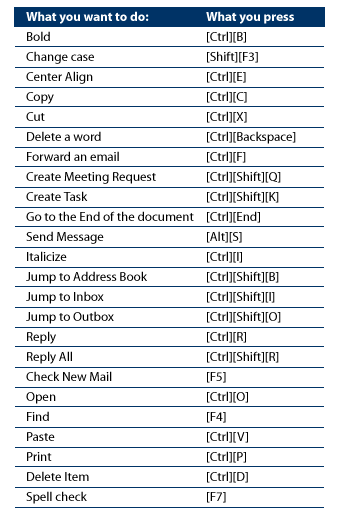
Outlook Shortcuts, 2005

“Humans communicate using speech, gesture, and body motion, yet today’s computers do not use this valuable information.  Instead, computers force users to sit at a typewriter keyboard, stare at a TV-like display, and learn an endless set of arcane commands, all of which often leads to frustration, inefficiencies and disuse.”

Mark Lucente, Aug 1999

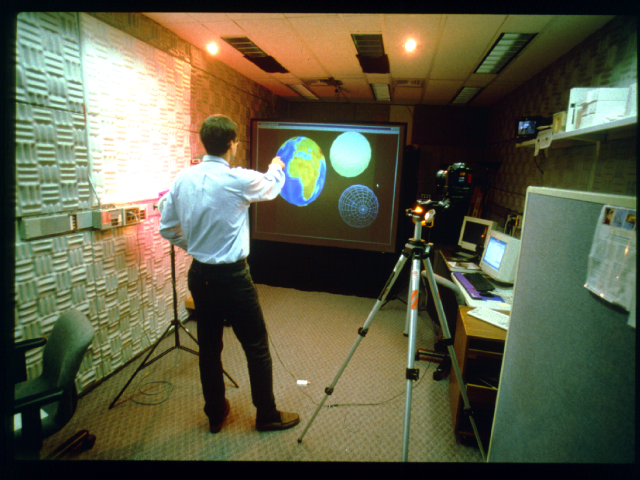
Mark Lucente wrote this for a panel organized in 1999 in Los Angeles that included Bill Buxton (then with Wavefront, Inc.) and others.  At the time, Mark was working on a project called Dreamspace, pictured below. 

dreamscape

Does Dreamspace look familiar?  It uses a combination of gestures and voice commands, just like this fantasy UX from 2002 you may have seen:

minority-report-02-800-75

Instead of inspiring us to find new ways to do astronomy or police work, of course, in 2010 these sparks of inspiration gave rise to this instead:

kinect1

Which is alright.  First we hook the kids, then we conquer the future.

I found Mark’s synopsis of the UX issues of 1999 in the archives of the MIT Media Lab Tangible Media Group.  I’m currently working my way through these papers and am overwhelmed by how smart the authors are as well as how far behind I am in trying to understand UX and what can be accomplished with a bit of vision.

Some Talk Abstracts

Every year requests for speakers at the regional conferences start earlier and earlier.  Today is already the final day for submitting talks to CodestockDevlink has also already started accepting abstracts, though their deadline isn’t until sometime in May.

2011 is a wonderful year for talks about the intersection of development and design.  The MUx counter-movement at MIX11 is all about restoring balance to the force developer-designer story and I certainly hope the message that Josh Blake, Rick Barraza and Sean Gerety have been promulgating gets out. 

At the same time, surely it’s possible to simply have more designer talks in the “closed” sessions – or simply invite those open talks that got turned down directly into the MIX11 schedule.  The basement of the Excalibur is a crowded and smelly place to be holding a counter-conference.

Here are some of the talks I’m planning to shop around this year.  I’m particularly stoked about talking on Kinect Hacks, but will have to see if anyone is actually interested in hearing what I have to say on it.  The 100% slides talk about The Minority Report and Fantasy UX is also very close to my heart:

Windows Phone 7: What’s working and what’s not

It’s been a year since developers began to play with the Windows Phone platform. The marketplace has opened, apps are being sold, and we are getting our first glimpse of what is working and what is not. What did we get wrong at the beginning as WP7 developers? Is the Metro language better observed or ignored? Native apps or web apps? Silverlight or XNA? Paid apps or free apps with advertising? Where should we be concentrating your time when developing a WP7 application – design or architecture? This session will address our lessons-learned from the past year as well as the future of WP7 and rumors about the Mango release.


Kinect Hacks 101

The Kinect has been the surprise hit of the year for Microsoft. The moment developers found out you can plug the Kinect into a PC, everyone started trying to replicate scenes from The Minority Report. At Razorfish, the first thing we built was a mash-up of a WPF physics engine and the Kinect in order to port our DaVinci surface app into a gesture-based experience. Since those first efforts we’ve continued to build app after app for the Kinect as the APIs have evolved. In this session, I will show you what we have learned and how you can get started building your own Minority Report experience in your living room.


The Mouse is Dead

The mouse died and no one even noticed. Coupled with the keyboard it has been the primary means of interacting with personal computers for the past 25 years. 2010 and 2011 saw the end of this dominance with the arrival of many new touch devices running various forms of the Windows OS: WP7, Win7 tablets, MS Surface 2 and the Kinect. Learning to program for touch is more complex than simply replacing every MouseLeftButtonDown event handler with a TouchDown handler. Touch involves learning a proliferation of interaction idioms new to both developers and consumers. Additionally, there are variations in how APIs capture these interactions on different platforms: WP7, Surface, Win 7. This session will cover the ins and outs of working with NUI interfaces on Microsoft platforms so you can make NUI work for you.


Welcome to The Minority Report

Sometimes movies that try to predict future technology end up creating it.  "The Minority Report" is such a movie.  Released in 2002, TMR has inspired technology companies to push their hardware and create new interfaces.  In 2011, we may finally be seeing the fruits of that decade long endeavor with NUI-based smart phones and tablets, the new MS Surface 2 and, most surprising of all, the gesture-based Kinect.  In this time, we have also seen vast improvements in speech recognition technology and even natural language analysis.  This session will provide an overview of the past influences of science fiction works such as William Gibson’s Neuromancer and Star Trek, the present influence of The Minority Report, and new works by writers like Charles Stross that are shaping our future.

Silverlight 5, HTML5 and WPF

Last Thursday, Microsoft Evangelists Glen Gordon and Joe Healy held an all-day Silverlight firestarter in Atlanta.  It was a great event and will be travelling to Tampa, FL on 2/22 and Miami, FL on 2/24.

The real fun for me was what occurred afterwards.  Glen organized an Ask the Silverlight Experts panel in the backroom of a nearby sports bar.  After the ‘Bob Muglia Imbroglio’ – I wonder if that will ever catch on -  it was refreshing to hear people whose careers are deeply tied to the future of Silverlight actually speak candidly about it.  MVPs are typically cautious creatures, anxious not to speak out of turn, contrary to Microsoft strategy, or in violation of their NDAs with MS.  Following the Bob Muglia story, everyone is additionally anxious to not be the next person to torpedo Silverlight.

The panel was made up of Sergey Barskiy (Data MVP), Shawn Wildermuth (Data MVP, Silverlight Trainer), Jeremy Likness (Silverlight MVP, author of Sterling), Joel Ivory Johnson (WP7 Dev MVP) and Rob Schiefer (co-author of an upcoming WP7 book).  I was there representing the local Silverlight User Group which I run with Corey Schuman.   Jim Wooley (VB MVP) and Steve Porter (CAD MVP) were in the audience.

The first question asked, and the one that dominated the rest of the night, was to the effect of “What’s up with Silverlight and HTML5?”

I had originally planned to give a recap of all the arguments and theories but realized after attempting to do this for about an hour that I mostly just remember my own arguments and have, in my memory, distorted everyone else’s.

Then I came across this beautiful photo by Philip-Lorca diCorcia — who currently has an exhibit at the David Swirner gallery in New York City if you get a chance to visit – which summarizes everything that was said that night much better than I can.

lorca-dicorcia-wpf

In case it isn’t clear, the two dudes high-fiving each other on the right are Silverlight 5 and HTML5.