Playing with Toasters

WP_20140811_001

Every parent at some point faces the dilemma of what to tell her children.  There’s a general and possibly mistaken notion that if you provide education about S-E-X in schools, you will encourage young ‘uns to turn words into deeds.  Along the same lines, we can’t resist telling our children not to put forks in the toaster, even though we know that a child told not to do something will likely do it within five minutes.  No more dangerous words were ever spoken than “don’t touch that!”

On a recent conference call I was on, someone asked if it would be dangerous to take an Xbox One Kinect and plug it into your computer.  Although I waited more than five minutes, I eventually had to give into my impulse to find out.

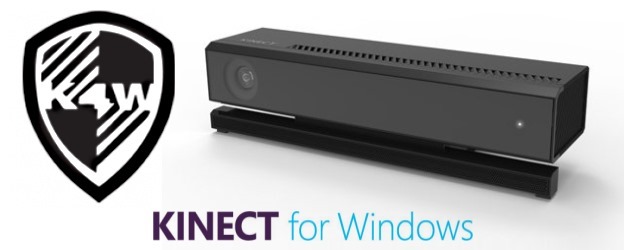
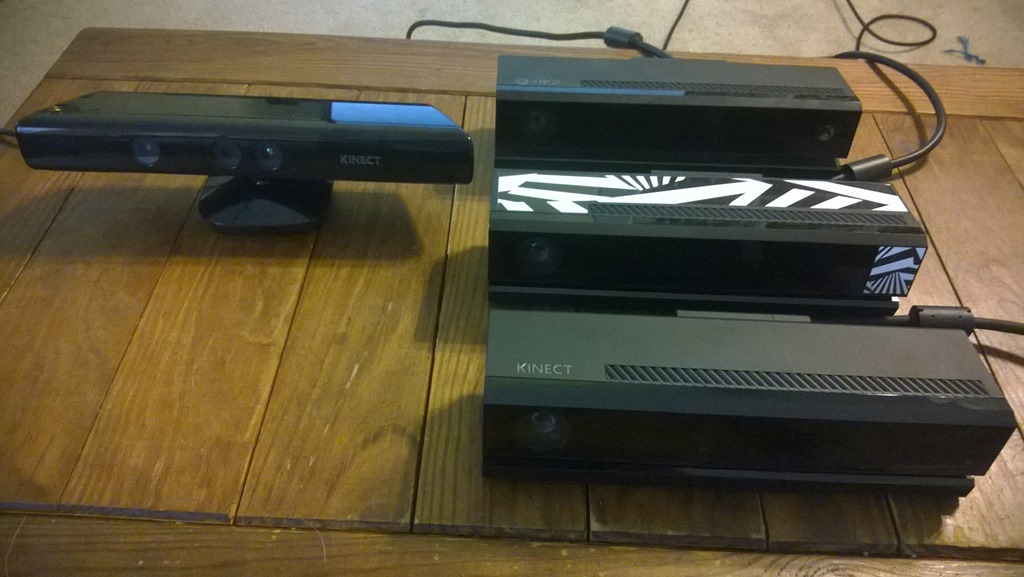
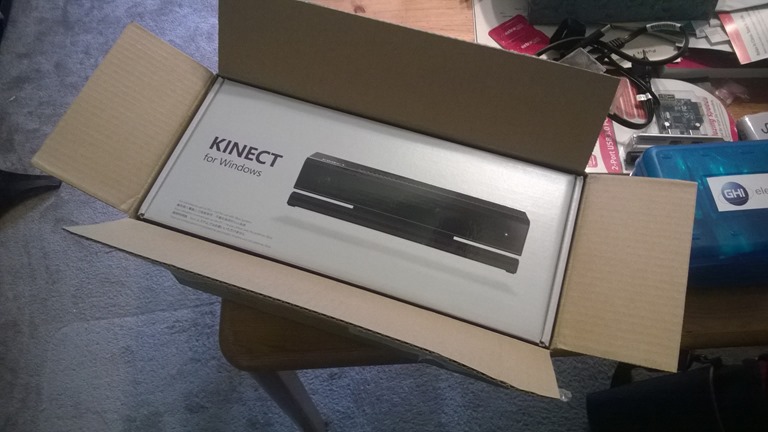
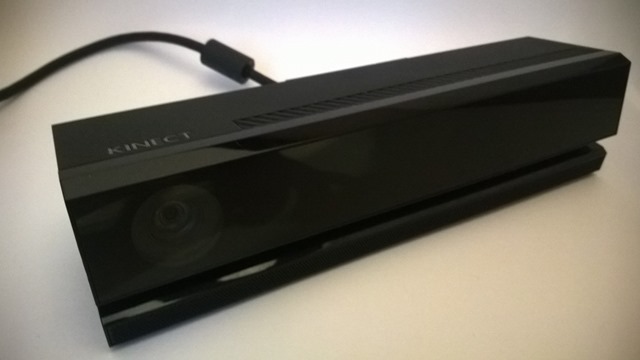
I have several versions of the Kinect.  I have both of the older model Kinect for Xbox 360 and Kinect for Windows v1.  I also have a Kinect for Xbox One, Kinect for Windows v2 developer preview and Kinect for Windows v2 consumer (shown above).

The common opinion is that most of the differences between versions of the Kinect v2 are purely cosmetic.  Kinect for Windows has a “Kinect” logo where the Kinect for Xbox One has a metallic “XBOX” logo.  The preview K4Wv2 hardware is generally assumed to be a Kinect for Xbox One with razzmatazz stickers all over it.   There is a chance, however, that the Kinect for Windows hardware lacks the IR blaster included with the Xbox One’s Kinect.  The blaster is used to change channels on your TV from the Kinect, which “blasts” an IR signal over your room which the TV’s IR receiver picks up the reflection of.

  Kinect for Xbox One K4Wv2 Preview Kinect for Windows v2
SDK Color Sample yes yes yes
SDK Audio Sample yes yes yes
SDK Coord Map yes yes yes
Xbox Fitness yes yes no
Xbox Commands yes yes no
Xbox IR Blaster yes yes no
       

This was slightly scary, of course.  I didn’t want to brick a $150 device.  Then again, I reasoned it was being done for science – or at least for a blog post – so needs must.

I began by running the preview hardware against the latest SDK 2.0 preview.  I plugged the preview hardware into the new power/usb adapter that comes with the final hardware.  I then ran the color camera sample WPF project that comes with the SDK 2.0 preview.  It took about 30 to 60 seconds for the Kinect to be recognized as the firmware was automatically updated.  The sample then ran correctly.  I did the same with the Audio sample and the Coordinate Mapper, both of which ran correctly.

Next, I tried the same thing with the Kinect for Xbox One.  I plugged it into the Kinect for Windows v2 adapter and waited for it to be recognized.  I was, of course, concerned that even if I succeeded in getting the device to run, I might hose the Kinect for use back on my Xbox.  As things turned out, though, after a brief wait, the Kinect for Xbox One ran fine on a PC and with applications build on the SDK 2.0.

I think plugged my Kinect for Xbox One back into my Xbox One.  The only application I have that responds to the player’s body is the fitness app.  I fired that up and it recognized depth just fine.  I also tried speech commands such as “Xbox Go Home” and “Xbox Watch TV”.  I tested the IR blaster by shouting out “Xbox Watch PBS”.  Apparently my Kinect for Xbox was not damaged.

I then performed the same actions using the Kinect for Windows preview hardware and, I think, confirmed the notion that it is simply a Kinect for Xbox.  Everything I could do with the Xbox device could also be done using the Kinect for Windows preview hardware.

Finally I plugged in the Kinect for Windows final hardware and nothing happened.  The IR emitters never lighted up.  Either the hardware is just different enough or there is no Xbox compatible firmware installed on it.

There was no smoke and no one was harmed in the making of this blog post.

Kinect v2 Final Hardware

WP_20140725_001

The final Kinect hardware arrived at my front door this morning.  I’ve been playing with preview hardware for the past half year – and working on a book on programming it as various versions of the SDK were dropped on a private list – but this did not dampen my excitement over seeing the final product.

WP_20140725_002

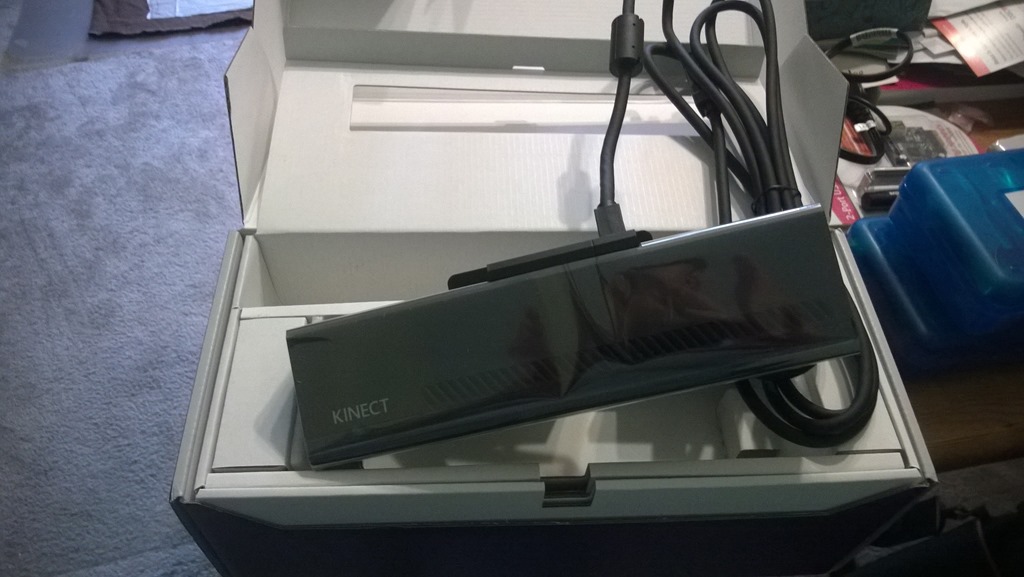
The sensor itself looks pretty much the same as the the preview hardware – and as far as I know the internal components are identical.  The cosmetic differences include an embossed metal “Kinect” on the top of the sensor and the absence of the razzmatazz stickers – which I believe were simply meant to cover up Xbox One branding.

WP_20140725_003

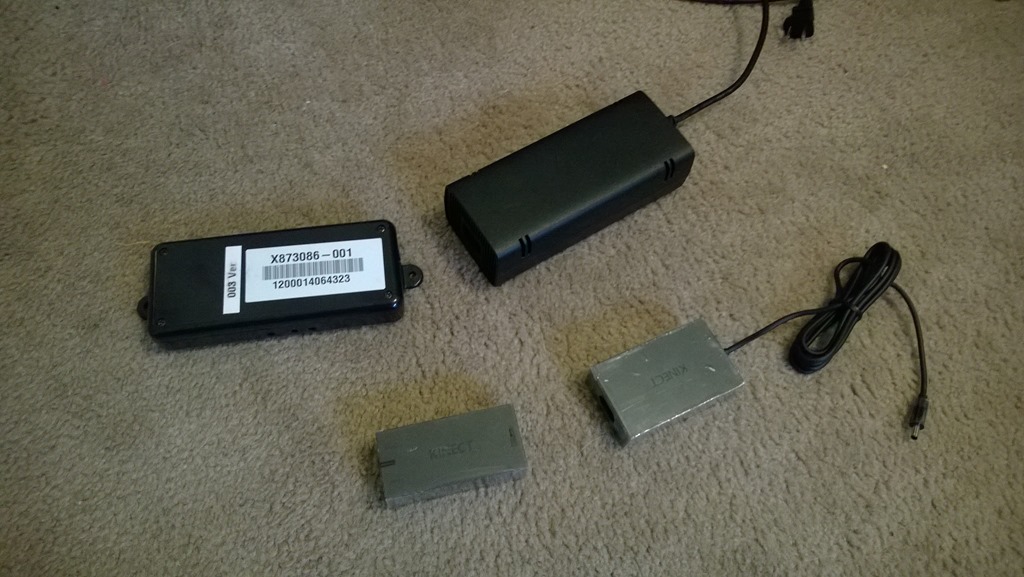
Besides allowing you to admire my beige shag carpet, the photo above illustrates the major difference between the preview hardware and the final hardware.  It’s all about the adapters.  At the top of the picture are the older USB and power adapters, while below them are the new, sleek, lightweight versions of the same.  I’ve been carrying around that heavy Xbox power adapter for months, from hotel room to hotel room, in order to spend my evenings away from home working on Kinect code.  Naturally, I was often stopped by TSA and am happy that will not be happening any more.

The Javascript Cafeteria

cafeteria, 1950

The Nobel laureate and author Isaac Bashevis Singer tells an anecdote about his early days in America and his first encounter with an American style cafeteria.  He saw lots of people walking around with trays of food but none of them paid him any attention.  He thought that this must be the world’s most devilish restaurant, full of waiters but none willing to seat him.

The current world of javascript libraries seems like that sometimes.  New libraries pop up all the time and the ones you might have used a few months ago have become obsolete while you had your back turned.  Additionally you have to find a way to pick through the dim sum cart of libraries to find the complete set you want to consume. 

But maybe dim sum cart is also a poor metaphor since you can get in trouble that way, trying to combine things that do the same thing like knockout and backbone, or angular and asp.net mvc (<—that was a joke! but not really).  It’s actually more like a prix fixe menu where you pick one item from the list of appetizers, one from the main courses and finally one from deserts.

This may seem a lot like the problem of the firehose of technology but there is a difference and a silver lining.  It used to be that if you didn’t jump on a technology when it first came out (and there was a bit of a gamble to this, as witnessed by the devs who jumped on Silverlight – mea culpa) you would just fall behind and have a very hard time ever becoming an expert.  In the contemporary web dev climate, you can actually wait a little longer and that library you never got around to learning will just disappear. 

Even better, if a library has already been out for a few months, you can simply strategically ignore it and pick the one that came out last week.  The impostor syndrome epidemic (seriously, it’s like a nightmare version of Spartacus with everyone coming forward and insisting they feel like a phony – man up, dawg) goes away since anyone, even the retiring Visual Cobol developer, can become an expert living on the bleeding edge with just a little bit of Adderall assisted concentration.  True, it also means each of us is now competing with precocious 16 year olds for salaries, but such is the way of things.

Obviously we can take for granted that we are using JSON rather than XML for transport, and REST rather than SOAP for calls.  XML and SOAP are like going to a restaurant and finding that the chef is still adding fried eggs or kale to his dishes – or even foam of asparagus. 

moto, chicago

Just choose one item from column A, then another from column B, and so on.  I can’t give you any advice – who has time to actually evaluate these libraries before they become obsolete.  You’ll have to just do a google search like everyone else and see what Jim-Bob or cyberdev2000 thinks about it – kindof like relying on Yelp to plck a restaurant.  Arrows below indicate provenance.

Appetizers (javscript libraries):
jquery
prototype

Corso Secundo (visual effects):
jquery ui – – -> jquery
bootstrap – – -> jquery
script.aculo.us – -> prototype

Soups and Salads (utility libraries):
underscore
lazy.js
Lo-Dash – -> underscore

Breeze

Amuse Bouche (templating):
{{mustache}}
handlebars.js -> {{mustache}}

Main Courses (model binding frameworks):
angularjs
backbone.js -> underscore
knockout.js
ember.js -> handlebars.js
marionette.js -> backbone.js
CanJs

Wine Pairings (network libraries):
node.js
edge.js -> node.js
Go

Sides:
CoffeeScript
bower -> node.js

Desserts (polyfills):
modernizr
Mozilla Brick
polymer

Actually, I can help a little.  If you ask today’s waiter to surprise you (and we’re talking July of 2014 here), he’d probably bring you Jquery, Lo-Dash, Angularjs, Go, bower, modernizr.  YMMV.

Dawn Shines on Manhattan 24-Hour Hackathon

WP_20140621_008

This past weekend, it has been my privilege to attend a 24 hour Kinect Hackathon in Manhattan sponsored by the NUI Central meetup and the Kinect team.  It’s been great seeing Ben, Carmine and Lori from the Kinect team once again as well as meeting lots of new people.  My fellow MVP Adras Valvert from Hungary was also here.  Deb and Ken from the meetup group did an amazing job organizing the event and keeping the coffee flowing.

Judging is happening now.  I was supposed to walk around and help people throughout the night with their code but for the most part I’ve simply been in a constant state of amazement over what these developers and designers have been able to come up with.  In many cases, these are java and web developers working with WPF and Windows Store Apps for the first time.

Here are some cool things I’ve seen.  Several teams are working with experimental near field technology to do up close gesture detection along the lines of Leap Motion and Intel’s Perceptual Computing.  One old friend is here working on improving his algorithms for doing contactless heart rate detection.  There are several finger detection apps doing anything from making a mechanical arduino controlled hand open and close in response to the user’s hand opening and closing to a contactless touch typing application.  There’s an awesome Kinect-Occulus Rift mashup that allows the player to see his own virtual body – controlled by the Kinect – and even injects bystanders detected by the Kinect for Windows v2 into the virtual experience.  There’s a great app that brings awareness to the problem of abandoned explosives worldwide which uses Kinect to map out the plane of the floor and then track people as they step carefully over and invisible minefield.

Field research: I also gathered some good material about developers’ pain points in using the Kinect.  I simply went around and asked what devs encountering the Kinect for the first time would like to see in a programming book. 

There’s also apparently a picture going around showing me sprawled on the floor and drooling down the side of my face.  Please delete this immediately if you encounter it.

It’s been a long sleepless night for many people but also a testament to the ingenuity and stamina of these brilliant developers.

3D Movies with Kinect for Windows v2

3d

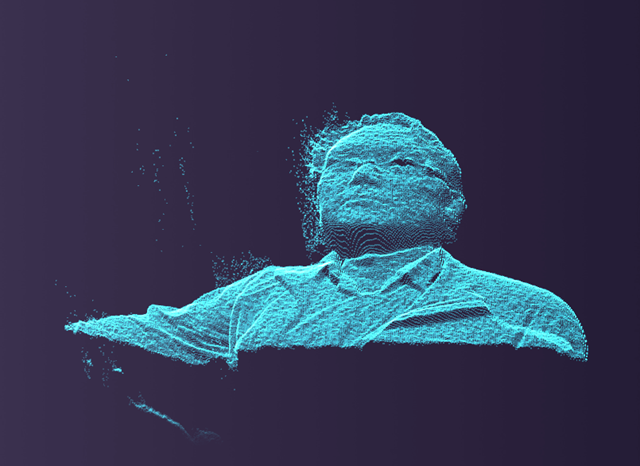
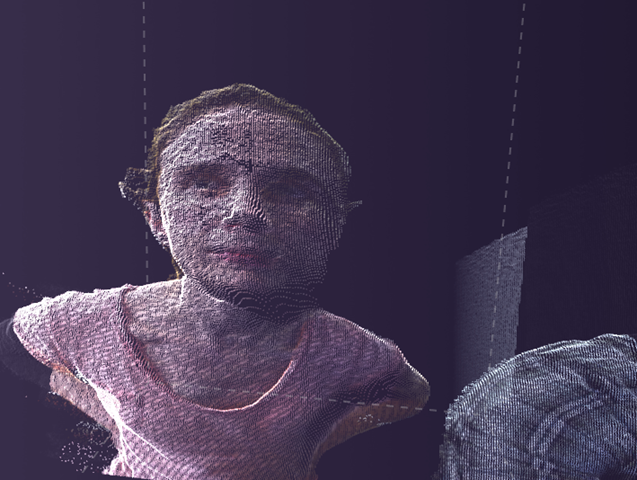
To build 3D movies with Kinect, you first have to import all of your depth data into a point cloud.  A point cloud is basically what it sounds like: a cloud of points in 3D space.  Because the Kinect v2 has roughly 3 times the depth data provided by the Kinect v1, the cloud density is much richer using it.

pc

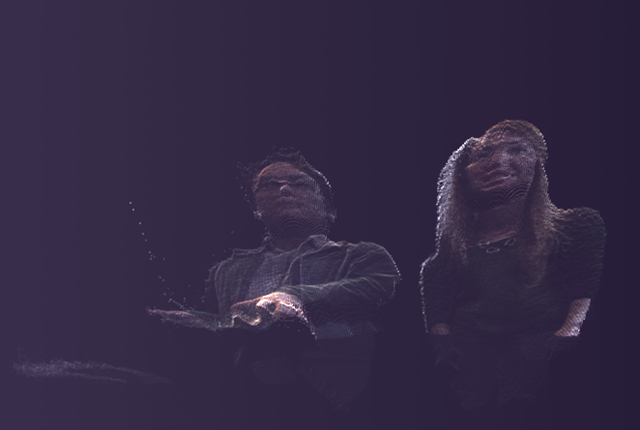
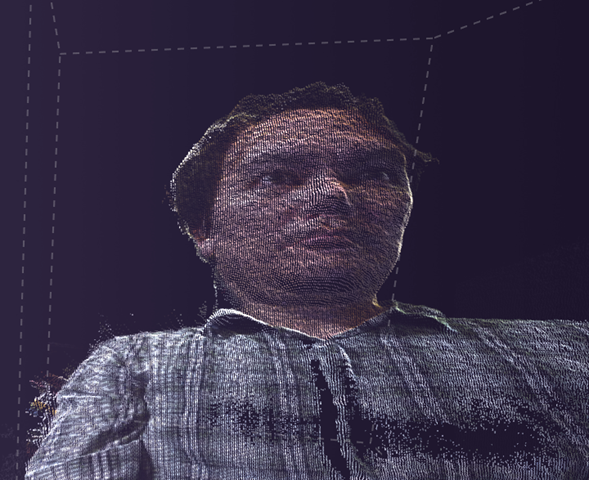
The next step in building up a 3D movie is to color in the pixels of the point cloud.  Kinect v1 used an SD camera for color images.  For many people, this resolution was too low, so they came up with various ways to sync the data from an DSLR camera with the depth data.  This required precision alignment to make sure the color images lined up with and then scaled to the depth pixels.  This alignment also tended to be done in post-production rather than in realtime.  One of the most impressive tools created for this purpose is called the RGBD Toolkit, which was used to make the movie Clouds by James George and Jonathan Minard.  The images in this post, however, come from an application I wrote over Memorial Day weekend.

3dcolor3cropped

Unlike its predecessor, Kinect for Windows v2 is equipped with an HD video camera.  The Kinect for Windows v2 SDK also has facilities to map this color data to the depth positions in realtime, allowing me to record in 3D and view that recording at the same time.  I can even rotate and scale the 3D video live.

trinity-matrix-opening

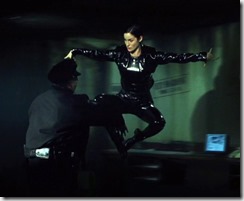
You’ll also notice some distortion in these images.  I actually ran this 3D video capture on a standard laptop computer.  One of the nicest features of the Kinect v2 is that it takes advantage of the GPU for calculations.  If I don’t like the quality of the images I’m getting, I can always switch to a more powerful machine.

3dcolor1cropped

The next step, of course, is to use multiple Kinects to record 3D video.  While I can rotate the current images, there are shadows and distortions which become more evident when the image is rotated to orientations not covered by a single camera.  Two cameras, on the other hand, might allow me to do a live “bullet time” effect. 

I don’t really know what this would be used for – for now it’s just a toy I’m fiddling with–, but I think it would at least be an interesting way to tape my daughter’s next high school musical.  On the farther end of the spectrum, it might be an amazing way to do a video chat or to take the corporate video presentation to the next level.

Metaphysical Knapsacks

europe knapsack

In my early twenties I travelled through Europe after graduating from college.  The economy in the U.S. was not very good at the time and it seemed like a good thing to do before applying to grad schools.  I learned quickly that it was a good idea to sew a small Canadian flag on my knapsack as it headed off potentially unpleasant experiences – for instance, getting overbilled for a meal.  Apparently people assumed that Canada was not a particularly wealthy country and consequently Canadians didn’t face these issues. 

The funny thing about the Canadians I ran into – besides the fact that they spoke exactly the way I did – was that once they sewed Canadian flags onto their knapsacks, they were surprised that they started feeling patriotic.  They found this odd since a part of the Canadian identity at the time was that you just didn’t do the patriotism thing.  That’s what countries further south did.

In turn, we Americans in Europe started to find ourselves not only missing mom and apple pie but also feeling these peculiar stirrings of the “P” word.  So at that point how did we feel about our allegiance to our false flags?

In fact it didn’t much matter since the fun thing about traveling in a foreign country is that it never feels completely real.  You feel as if you are always a spy spying on the native population and trying to act like you fit in when ifact you don’t really care.  Vladimir Nabokov, the eternal exile, had a facile turn of phrase for this: “spies from Terra.”  The only time I felt bad about this deep down sense of lightness and playfulness was when a Czech friend accused all Americans of being like children when it came to love.  I didn’t know how to reply at the time.  It only occurred to me later that this was true, but only when we were abroad flying false colors on our knapsacks.

I discovered later that when one returns to one’s home country, it is never fully your home country again.  To some extent, you continue to be a spy from Terra with a knapsack and flying false colors.  The knapsack is your soul and it is important to fill it with good things or you will lose yourself.

My metaphysical knapsack is invisible, of course, and I fill it up with books.  The books remind me of who I am and who I want to be.  Some I’ve carried around from over twenty years and some are newer.

The twenty year plus books include Doris Lessing’s Re: Colonised Planet 5, Shikaata which I found on a college bookshelf in Santa Fe, New Mexico.  It also includes Robert Graves’s The White Goddess: A Historical Grammar of Poetic Myth.  I’m not sure where I found that.  Nabokov’s Ada is of course also there.

My metaphysical knapsack includes books I’ve never read but that I enjoy just thinking about and imagining the contents of like Merleau-Ponty’s The Visible and the Invisible as well as Raymond Queneau’s Exercises In Style.  Brady Bowman’s Hegel and the Metaphysics of Absolute Negativity is also there.  It is a brilliant book but I don’t actually understand it.  It reminds me of a wonderful night I spent with my friend in Berlin in the 90’s.  There’s also a trashy book in my knapsack called Shadowrun: Never Deal with Dragons by Robert Charrette – I read it in a seacoast bed-and-breakfast in Northern Wales and it captures a mood.

Everyone should have a metaphysical knapsack.  It reminds you of who you are, who you were, and who you want to be.  It’s a terrible thing to lose track of who you once wanted to be.

What’s in your knapsack?

Who Killed Joffrey?

joffrey1

Who poisoned Joffrey Baratheon at the Purple Wedding in the latest episode of HBO’s Game of Thrones?

Tyrion gets blamed for it – which in the logic of television makes him the only person we can absolutely rule out.  The question, then, is who else has a motive for killing Joffrey?

varys

It could have been Varys, who has loyalties to the previous two regimes and who, in addition, seems sometimes like a fairly decent person – unlike Joffrey.

oberyn

Oberyn Martell is another possibility.  He holds a long standing hatred for the House Lannister going back to the murder of his sister Elia, wife of Rhaegar Targaryen, by Gregore Clagane on Tywin’s orders.

bronn_pod

Bronn and Pod, friends of Tyrion, might have done it to help out their BFF.  Joffrey, after all, tried to have Tyrion murdered at the Battle of the Blackwater.  The problem here is that Tyrion was implicated in the end, which would seem to rule out any of his friends being involved.

shae

Shae offered to take on all of the other Lannisters for Tyrion and would certainly have the nerve to do something like this.  Despite being spurned by Tyrion, however, it still seems unlikely that she would want to create a situation that would get him into further trouble, no matter how angry she is.

pycelle

Maester Pycelle is clearly a person who encourages others to underestimate him.  He has no love for Tyrion, who threw him in the dungeons of the Red Keep while acting as the Hand.  He also knows a lot about poisons and was the person who gave out poison to Queen Cersei during the Battle of the Blackwater.

melisandre

And of course there’s Melisandre who used the blood of kings – and some leeches — to perform a ceremony she promised Stannis Baratheon would eliminate his enemies: Rob Stark, Joffrey Baratheon and Balon Greyjoy (Balon, father of Theon/Reek, is the only one currently still alive on the show).

cup_last2

The truth is, however, that far too many people have motives for wanting Joffrey dead.  In CSI Westeros fashion, it may be time to check the forensics and find out who had opportunity as well as motive.  In order to poison Joffrey, the poison would have to get into his golden drinking cup somehow.   The poison couldn’t have been in the carafe of wine since no one else became ill.   So who had access to the cup?

acrobat2

Additionally, how do you smuggle the poison into a royal wedding?  There must be people checking for such things.  Where would you hide it?

dontos

To get the poison to the wedding and then into the cup, we’re going to work backwards.  As Joffrey is gasping his last, this weird fellow shows up next to Sansa “Stark” Lannister and tells her to come with him if she wants to live.  Who is he?

dontos_northremembers

Dontos Hollard first showed up at the start of season two in an episode called The North Remembers.  He is a drunk knight whom Joffrey is about to have killed when Sansa uses a ruse to save Dontos’ life.  Joffrey then has him made into the court fool.  (By the way, note the Captain America theme of Dontos’ armor.  There are references to comic book characters throughout Game of Thrones as George R. R. Martin is a big fan of the genre.)

 necklace

In the first episode of season four, he shows up in the Godswood where Sansa is spending some quiet time.  He says he wants to thank her for saving his life by giving her an old family heirloom.

necklace2

Sansa promises to always wear the necklace.  She in fact wears it to the royal wedding.  Unbeknown to Sansa, this is how the poison is smuggled into the wedding.

  sansa2

Now lets follow the golden wine cup which, in this scenario, is our smoking gun.  After making an infelicitous joke, Tyrion has wine poured on his head from it and is told that he should come be the king’s cupbearer.  He is, so far, the only person other than Joffrey who has had access to the cup.

 cup1

Not willing to let it go, Joffrey then ratchets up the tension by telling Tyrion to kneel.  Tyrion isn’t about to do that.
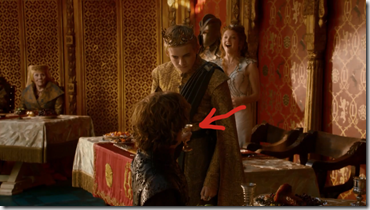
cup2

Fortunately Margaery Tyrell, Joffrey’s bride, distracts everyone by yelling “Pie!”
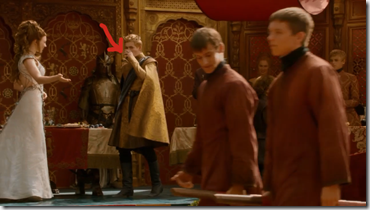
cup4

Joffrey drinks up a last sip of pre-poisoned wine.
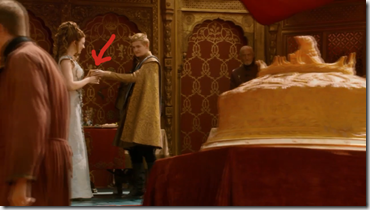
cup6

Joffrey hands the cup to Margaery.

cup7

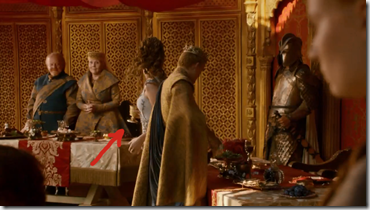
Margaery turns around and places it …
cup8

next …

 cup9

to the Tyrells – her father and her grandmother, the Queen of Thorns.

cup10

At this point, we know that Margaery can’t poison the wine because she is standing right behind Joffrey as he cuts the slightly undercooked pigeon pie.

cup11

Having chomped down on some of the pie, Joffrey complains that it is dry and once again goes back to his game of having Tyrion play at being his wine bearer.

cup12

Tyrion picks up the now poisoned cup …

cup13

with the Queen of Thorns, Lady Olenna, looking very interested …

cup14

while Tyrion looks very put out …

cup15

and hands it off …

cup16 

to the king …

fin2

and things don’t work out well for Joffrey.

sansa

So now that we know when the poison is put in the cup, how did it get there?  You’ll notice in this picture that Sansa, as promised, is wearing the necklace that Dontos gave her.

thorn_queent2

Lady Olenna comes by to express her condolences to Sansa.

thorn_queen3

If you watch her hands, she plays with Sansa’s hair and then her necklace.  The Queen of Thornes then seems to palm something in her right hand and bring it to the thick folds of her skirt.

thorn_queen4

She distracts Sansa from what’s really going on with some simple patter:  “I haven’t had the opportunity to tell you how sorry I was to hear about your brother.  War is war but … killing a man at a wedding — horrid — what sort of monster would do such a thing? As if men need more reasons to fear marriage.”

thorn_queen6

Now if you look closely at Sansa’s necklace, you may notice that something is missing.

enhance1

Enhance …

enhance2

Enhance …

enhance3

Enhance …

And just in case you still aren’t completely clear about who killed Joffrey, it was this lady:

DianaRigg

It is also noteworthy that this episode, written by George R. R. Martin himself, marks a turning point in the relationship between the books and the television series.  This is the first time that something only hinted at in the books and still a matter of debate among fans is spelled out explicitly, albeit subtly, in the HBO series.  From now on, readers of the books can no longer be certain of knowing more than tv viewers from week to week.

A Guide to Kinect related sessions at //build 2014

lauren

Build is over and there were some cool announcements as well as sessions related to Kinect for Windows v2.  I’ve added links below to the Kinect sessions as well as some additional sessions I found interesting. 

The second of these links concerns using Kinect v2 for Windows Store apps (they only run on Win8 Pro, not WinRT – but still pretty cool).

Kinect 101: Introduction to Kinect for Windows: http://channel9.msdn.com/Events/Build/2014/2-514

Bringing Kinect into Your Windows Store App:
http://channel9.msdn.com/Events/Build/2014/2-532


Since Kinect was initially designed for XBox, I found these XBox One sessions pretty enlightening:

Understanding the Xbox One Game Platform Built on Windows: http://channel9.msdn.com/Events/Build/2014/2-651

Leveraging Windows Features to Build Xbox One App Experiences: http://channel9.msdn.com/Events/Build/2014/3-648


Here’s a session on how to develop newly announced “universal apps” – which isn’t directly tied to Kinect development, but may be one day:

Building Windows, Windows Phone, and Xbox One Apps with HTML/JS/CSS & C++:  http://channel9.msdn.com/Events/Build/2014/2-649


Two C++ sessions, just kuz:

Modern C++: What You Need to Knowhttp://channel9.msdn.com/Events/Build/2014/2-661

Native Code Performance on Modern CPUs: A Changing Landscape: http://channel9.msdn.com/Events/Build/2014/4-587


Finally, here’s an all-too-short channel 9 panel discussion with friend Rick Barraza from Microsoft and some dudes from Obscura and Stimulant talking about design and dropping some great one-liners I plan to steal and so can you (note the excellent use of the $12K 46-inch massive multi-touch Perceptive Pixel device in the background):

build 

Experience at the Intersection of Design and Development: http://channel9.msdn.com/Events/Build/2014/9-003

Kinect v2 Community Projects

bogart

One of the great strengths of the original Kinect sensor was the community that gathered around it almost by happenstance.  The same thing is currently happening with the Kinect for Windows v2 – even though the non-XBox version of the hardware is still yet to be released.  Going into this v2 release, Microsoft took the prescient stance of reaching out to creative coders, researchers and digital agency types (that’s me) to give them pre-release versions of the hardware to start playing with.

Here are just a few of the things they’ve come up with:

wieden-kennedy/Cinder-Kinect2 – Stephen Schieberl’s Kinect v2 wrapper for Cinderlib

englandrp/Kinect2-Data-Transmitter – a Unity3D plugin for Kinect v2

rfilkov/kinect2-unity-example-with-ms-sdk – another Unity3D plugin for Kinect v2 (also, I believe, using the Data Transmitter strategy)

OpenKinect/libfreenect2 – Josh Blake, Theo Watson, et. al.’s open source drivers for Kinect v2 (in progress, but this will allow it to run on operating systems other than Windows 8 – for instance, on a Mac)

https://github.com/MarcusKohnert/Kinect.ReactiveV2 – a reactive library for Kinect v2

https://github.com/DevHwan/K4Wv2OpenCVModule – OpenCV bridge for Kinect v2

http://k4wv2heartrate.codeplex.com/ – Dwight Goins’ sample implementation of heart rate detection using Kinect v2

… and then there are twice as many in the works I’ve heard about through the grapevine.

The walled garden approach to software doesn’t work anymore and the Microsoft Kinect for Windows team seems to have embraced that in a big way.  Not only are people experimenting with the new hardware but they are even making their code publicly available – free as in beer type available – in order to foster the community. 

This is a philosophical stance that in some ways harkens back to one of Bill Gates’ early intuitions when he was building the Microsoft Corporation.  At some point, he realized that he couldn’t be the smartest person in the room forever.  What he could do, though, was to gather the best people he could find and drive them to be their best.  He would contribute by clearing the roadblocks and guiding these people toward his goals.  This, more or less, was also how Steve Jobs went about adding value to his company and to contemporary culture.

The community currently building up around Kinect v2 is like that but with a difference.  The goal isn’t to lead anyone in a particular direction.  Instead, the objective is to open up tools / toys to allow people to discover their own goals.  Each community member contributes to something bigger than herself by making it possible for other people to do something new and original – whether this turns out to be an app, an art installation, a better way of shopping, an improved layout for visualizing spreadsheets – whatever.

So what’s so bad about walled gardens?

Quite simply, they stifle innovation.  The Microsoft I’d grown used to in the double naughts was all about best practices and guidelines and “components” and sealed classes. 

Ultimately, Microsoft did everything it could to minimize support calls.  Developers were given a certain way to do things – whether this was a good way or not – and if they went off the reservation (sorry, left the walled garden) they were typically on their own: no callbacks from MS and a lot of abuse on support forums asking ‘wtf are you doing that for?’

And I can understand all that — support calls suck – but the end result of this approach was that innovation started occurring more and more outside of Microsoft platforms.  Microsoft, in turn, became a ‘use case’ culture.  Instead of opening up their APIs like everyone else was doing, their most common response to requests was ‘what’s your use case’ followed by ‘we’ll get back to you on that.’

The logic of this was very simple.  Microsoft in the 00’s was about standardization of programming practices.  If you’re the sort of person who wants to innovate, however, you don’t want to do the ‘standard’ – by definition you don’t want to do what everyone else is doing.  So you looked for platforms with open APIs and tried to find ways to do things with the APIs that no one else was doing, i.e., you hacked those APIs.

And Microsoft, traditionally, hasn’t liked people using their products in ways they are not intended to be used – they haven’t liked hacking.

The original Kinect sensor changed all that.  It took a moment, but as videos started showing up all over the place showing people using a hacked driver to read the Kinect sensor streams, the Grinch’s heart grew three sizes that day.  MS was getting instant street cred by simply letting people do what they were doing anyways and giving a thumbs up to it.  Overnight, Microsoft was once again recognized as an innovative company (they always have been, really, but that wasn’t the public perception).

Which is why v2 of libfreenect is so exciting.  It’s a project that will, ultimately, allow you to use the Kinect on a Mac.

To put things into context, PrimeSense (the provider of the depth technology behind Kinect v1) got bought out by Apple last year.  PrimeSense’s alternative, open source library + drivers for Kinect, OpenNI, was suddenly put in jeopardy and an announcement was circulated that the OpenNI site was coming down in April, 2014.  So…

The anti-Microsoft is currently bringing OpenNI inside its walled garden.  Meanwhile Microsoft is providing devices to the people writing libfreenect, which will allow people to use Kinect devices outside of Microsoft’s not-so-walled garden. 

How do you like them Apples?

Ten 2014 Tech Trend Haiku

blade-runner-billboard

2014 has seen a proliferation of articles about tech trends — this is, as it were, the trend in tech trends.  News outlets, consultancies, and the random web page all feel an urgency about putting their two cents in. 

Even as more voices are being heard about what to expect in the near future (or more accurately, the ‘intimate future’), what is actually said seems to be getting shorter and shorter.  Moreover, what is being said seems to be getting recycled year over year.

Where near future predictions used to be long and thoughtful, intimate future predictions have become terse and uniform. This process is known to economists as the process of commoditization. What was once crafted is now generic, easily digestible, and able to be mass produced: predictions in 140 characters or less.

This trend of writing about tech trends seems to be running out of steam, however.  Repetition and terseness are sure signs of an exhausted meme.  They are last year’s fashion.

This is a shame, as they clearly once had a purpose in informing, inspiring and entertaining us. In an attempt to revive the genre, I’ve taken the trend to its logical conclusion: the tech trend Haiku. 

Surveillance culture
Watches your clicks and your votes.
— Learn to embrace it.

The Quantified Self
Takes the means of surveillance
Back from government.

Technology and
Fashion allow me to find
My socks. Wherables.

The revolution
Will be tweeted on an app
You’ve never heard of.

"Drones on leashes shoot
Aerial photos" — creepy.
Drone on, drone, drone on …

All things great and small
Will have unique addresses:
Internet of things.

New studies show tech
Cripples attention span and


A 3-D printer
Printed itself from old parts.
The circle of life.

Reality augmented
Through tinted glasses. Only
Virtually real.

Self-driving cars are
A placeholder for our hearts’
desire: flying cars.