With Kind permission from the Product Group, I am reprinting this from an email that went out the Kinect developers mailing list.
Please also check out Mike Taulty’s blog for a walkthrough of what’s provided. The short version, though, is now you can access the perception API’s to work with Kinect v2 in a UWP app as well as use your Kinect v2 for face recognition as a replacement for your password. Please bear in mind that this is the public preview rather than a final release.
Snip >>
We are happy to announce our public preview of Kinect support for Windows 10.
Getting started is easy. First, make sure you already have a working Kinect for Windows V2 attached to your Windows 10 PC. The Kinect Configuration Verifier can make sure everything is functioning okay. Also, make sure your Kinect has a good view of your face – we recommend centering it as close to the top or bottom of your monitor as possible, and at least 0.5 meters from your face.
Then follow these steps to install the Kinect developer preview for Windows 10:
1. The first step is to opt-in to driver flighting. You can follow the instructions here to set up your registry by hand, or you can use the following text to create a .reg file to right-click and import the settings:
2. Next, you can use Device Manager to update to the preview version of the Kinect driver and runtime:
1. Open Device Manager (Windows key + x, then m).
2. Expand “Kinect sensor devices”.
3. Right-click on “WDF KinectSensor Interface 0”.
4. Click “Update Driver Software…”
5. Click “Search automatically for updated driver software”.
6. Allow it to download and install the new driver.
7. Reboot.
Once you have the preview version of the Kinect for Windows V2 driver (version 2.1.1511.11000 or higher), you can start developing sensor apps for Windows 10 using Visual Studio 2015 with Windows developer tools. You can also set up Windows Hello to log in using your Kinect.
1. Go to “Settings->Accounts->Sign-in options”.
2. Add a PIN if you haven’t already.
3. In the Windows Hello section, click “Set up” and follow the instructions to enable Windows Hello!
Coding is hard and learning to code is perhaps even harder.
The current software community is in a quandary these days about how to learn … much less why we must learn. It is now acknowledged that a software developer must constantly retool himself (as an actor must constantly rebrand herself) in order to remain relevant. There is a lingering threat of sorts as we look around and realize that developers are continually getting younger and younger while the gray hairs are ne’er to be seen.
Let me raise a few problems with why we must constantly learn and relearn how to code before addressing the best way to relearn to code. Let me be “that guy” for a moment. First, the old way of coding (from six months ago) was probably perfectly fine. Nothing is gained for the product by finding a new framework or new platform or, God forbid, new paradigm for your product. Worse, bad code is introduced while trying to implement code that is only half-understood and time is lost as developers spend their time learning it. Even worse worse, the platform you are switching to probably isn’t mature (oh, you’re going to break angularjs in the next major release because you found a better way to do things?) and you’ll be spending the next two years trying to fix those problems.
Second, you’re creating a maintenance nightmare because there are no best practices for the latest and greatest code you are implementing (code examples you find on the Internet written by marketing teams to show how easy their code is don’t count) and, worse and worser, no one wants to get stuck doing maintenance while you are off doing the next latest and greatest thing six months from now. Everybody wants to be doing the latest and greatest, it turns out.
Third, management is being left behind. The people in software management who are supposed to be monitoring the code and guiding the development practices are hanging on for dear life trying to give the impression that they understand what is going on but they do not. And the reason they do not is because they’ve been managers for the past six cycles while best practices and coding standards have been flipped on their heads multiple times. You, the developers, are able to steamroll right over them with shibboleths like “decoupling” and “agility”. Awesome, right? Wrong. Managers actually have experience and you don’t – but in the constantly changing world of software development, we are able to get away with “new models” for making software that no one has heard of, that sound like bs, and that everyone will subscribe to just because it is the latest thing.
Fourth, when everyone is a neophyte there are no longer any checks and balances. Everyone is constantly self-promoting and suffering from imposter syndrome. They become paranoid that they will get caught out – which has a destructive impact on the culture – and the only way out of it is to double down on even newer technologies, frameworks and practices that no one has ever heard of so they can’t contradict you when you start spouting it.
Fifth, this state of affairs is not sustainable. It is the equivalent of the housing and credit bubble of 2008 except instead of money or real estate it concerns knowledge. Let’s call it a knowledge bubble. The signs of a knowledge bubble are 1) the knowledge people possess is severely over-valued 2) there are no regulatory systems in place (independent experts who aren’t consultants or marketing shills) to distinguish properly valued knowledge from BS 3) the people with experience in these matters, having lived through past situations that are similar, are de-valued, depreciated and not listened to. This is why they always seem to hate everyone.
Sixth, the problem that the knowledge industry in coding is trying to solve has not changed for twenty plus years. We are still trying to gather data, entered using a keyboard, and storing it in a database. Most efficiencies that have been introduced over the past twenty years have come primarily from improved hardware speeds, improved storage and lower prices for these. The supposed improvements to moving data A to location B and storing it in database C over the past twenty years due to frameworks and languages has been minimal – in other words, these supposed improvements have simply inflated the knowledge bubble. Unless we as individuals are doing truly innovative work with machine learning or augmented reality or NUI input, we are probably just moving data from point A to point B and wasting everyone’s time searching for more difficult and obscure ways to do it.
So why do we do it? A lot of this is due to the race for higher salaries. In olden days – which we laugh at – coders were rewarded and admired for writing lines of code. The more you wrote, the more kung fu you obviously knew. Over time, it because apparent that this was foolish, but the problem of determining who had the best kung fu was still extant, so we came up with code mastery. Unfortunately, there’s only so much code you can master – unless we constantly create new code to master! Which is what we all collectively did. We blame the problems of the last project on faulty frameworks and faulty processes and go hunting for new ones and embrace the first ones we find uncritically because, well, it’s something new to master. This, in turn, provides us with more ammunition to come back to our gray haired and two years behind bosses (who are no longer coders but also not trained managers) with and ask for more titles and more money. (Viceroy of software developer sounds really good, doesn’t it? Whatever it means, it’s going to look great on my business card.)
On the other hand, constantly learning also keeps us fresh. All work and no play makes Jack a dull boy, after all. There have been studies that demonstrate that an active mental life will keep us younger, put off the symptoms of Alzheimer’s and dementia, and generally allow us to live longer, happier lives. Bubbles aren’t all bad.
So on to the other problem. What is the best way to learn? I personally prefer books. Online books, like safari books online, are alright but I really like the kind I can hold in my hands. I’m certainly a fan of videos like the ones Pluralsight provides but they don’t totally do it for me.
I actually did an audition video for Pluralsight a while back about virtual reality which didn’t quite get me the job. That’s alright since Giani Rosa Gallini ended up doing a much better job of it than I could have. What I noticed when I finished the audition video was that my voice didn’t sound the way I thought it did. It was much higher and more nasally than I expected. I’m not sure I would have enjoyed listening to me for three hours. I’ve actually noticed the same thing with most of the Pluralsight courses – people who know the material are not necessarily the best people to present the material. After all, in movies and theater we don’t require that actors write their own lines. We have a different role, called the writer, that performs that duty.
Not that the voice acting on Pluralsight videos are bad. I’m actually very fond of listening to Iris Classon’s voice – she has a lilting non-specific European accent that is extremely cool – as well as Andras Velvart’s charming Hungarian drawl. In general, though, meh to the Pluralsight voice actors. I think part of the problem is that the general roundness of American vowels gets further exaggerated when software engineers attempt to talk folksy in order to create a connection with the audience. It’s a strange false Americanism I find jarring. On the other hand, the common-man approach can work amazingly well when it is authentic, as Jamie King does in his Youtube videos on C++ pointers and references – it sounds like Seth Rogan is teaching you pointer arithmetic.
Wouldn’t it be fun, though, to introduce some heavy weight voice acting as a premium Pluralsight experience? The current videos wouldn’t have to change at all. Just leave them be. Instead, we would have someone write up a typescript of the course and then hand it over to a voice actor to dub over the audio track. Voila! Instantly improved learning experience.
Wouldn’t you like to learn AngularJS Unit Testing in-depth, Using ngMock with Sir Ian McKellan? Or how about C# Fundamentals with Patrick Stewart? MongoDB Administration with Hellen Mirren. Finally, what about Ethical Hacking voiced by Angelina Jolie?
It doesn’t even have to be big movie actors, either. You can learn from Application Building Patterns with Backbone.js narrated by Steve Downes, the voice behind Master Chief, or Scrum Master Skills narrated by H. Jon Benjamin, the voice of Archer.
Finally, the voice actors could even do their work in character for an additional platinum experience for diamond members – would you prefer being taught AngularJS Unit Testing by Sir Ian McKellan or by Magneto?
For a small additional charge, you could even be taught by Gandalf the Grey.
Think of the sweet promotion you’d get with that on your resume.
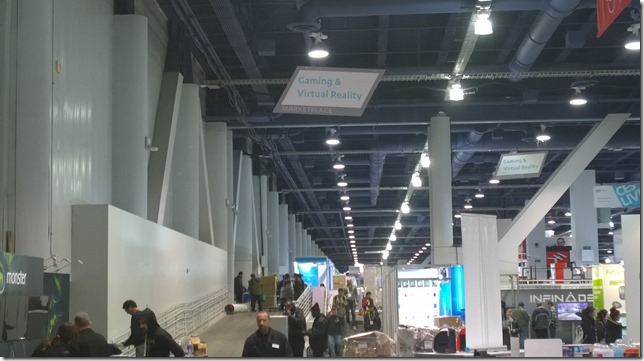
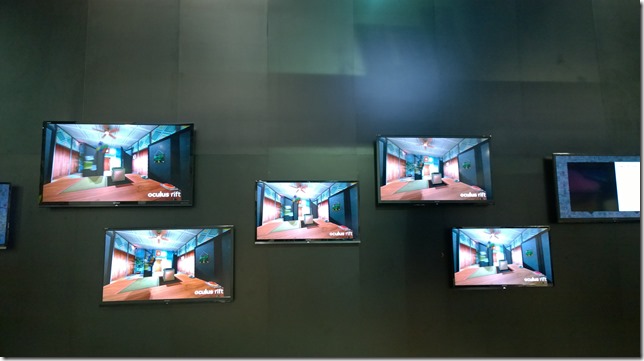
Virtual Reality had its own section at CES this year in the Las Vegas Convention Center South Hall. Oculus had a booth downstairs near my company’s booth while the OSVR (Open Source Virtual Reality) device was being demonstrated upstairs in the Razer booth. The Project Morpheus (now Playstation VR) was being demoed in the large Sony section of North Hall. The HTC Vive Pre didn’t have a booth but instead opted for an outdoor tent up the street from North Hall as well as a private ballroom in the Wynn Hotel to show off their device.
It would be convenient to be able to tell you which VR head mounted display is best, but the truth is that they all have their strengths. I’ll try to summarize these pros and cons first and then go into details about the demo experiences further down.
HTC Vive Pre and Oculus Rift have nearly identical specs
Pro: Vive currently has the best peripherals (Steam controllers + Lighthouse position tracking), though this can always change
Pro: Oculus is first out of the gate with price and availability of the three major players
Con: Oculus and Vive require expensive latest gen gaming computers to run in addition to the headsets ($900 US +)
Pro: PlayStation VR works with a reasonably priced PlayStation
Pro: PlayStation Move controllers work really well
Pro: PlayStation has excellent relationships with major gaming companies
Con: PlayStation VR has lower specs than Oculus Rift or HTC Vive Pre
Con: PlayStation VR has an Indeterminate release date (maybe summer?)
Pro: OSVR costs only $299 US, making it the least expensive VR device
Con: OSVR has the lowest specs and is a bit DIY
Pro: OSVR is a bit DIY
You’ll also probably want to look at the numbers:
Oculus Rift
HTC Vive Pre
PlayStation VR
OSVR
Oculus DK2
Resolution
2160 x 1200
2160 x 1200
1920 x 1080
1920 x 1080
1920 x 1080
Res per eye
1080 x 1200
1080 x 1200
960 x 1080
960 x 1080
960 x 1080
FPS
90 Hz
90 Hz
120 Hz
60 Hz
60 / 75 Hz
Horizontal FOV
110 degrees
110 degrees
100 degrees
100 degrees
100 degrees
Headline Game
Eve: Valkyrie
Elite: Dangerous
The London Heist
–
Titans of Space
Price
$600
?
?
$299
$350/sold out
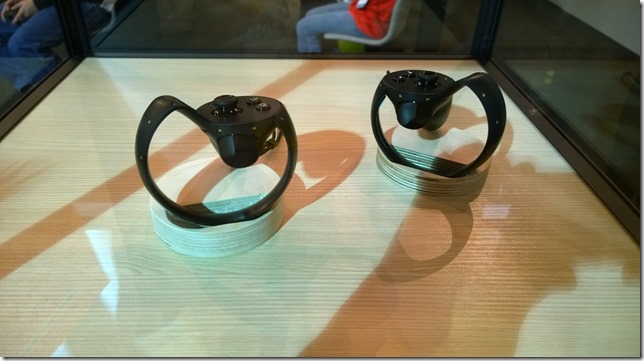
Let’s talk about Oculus first because they started the current VR movement and really deserve to be first. Everything follows from that amazing initial Kickstarter campaign. The Oculus installation was an imposing black fortress in the middle of the hall with lines winding around it full of people anxious to get a seven minute demo of the final Oculus Rift. This was the demo everyone at CES was trying to get into. I managed to get into line half an hour early one morning because I was working another booth. Like at most shows, all the Oculus helpers were exhausted and frazzled but very nice. After some hectic moments of being handed off from person to person, I was finally led into a comfortable room on the second floor of Fortress Oculus and got a chance to see the latest device. I’ve had the DK2 for months and was pleased to see all the improvements that have been made to the gear. It was comfortable on my head and easy to configure, especially compared to the developer kit model that I need a coin in order to adjust. I was placed into a fixed-back chair and an Xbox controller was put into my hand (which I think means Oculus Rift is exclusively a PC device until the Oculus Touch is released in the future) and I was given the choice of eight or so games including a hockey game in which I could block the puck and some pretty strange looking games. I was told to choose carefully as the game I chose would be the only game I would be allowed to play. I chose the space game, Eve Valkyrie, and until my ship exploded I flew 360 degrees through the void fighting off an alien armada while trying to protect the carriers in my space fleet.
What can one say? It was amazing. I felt fully immersed in the game and completely forgot about the rest of the world, the marketing people around me, the black fortress, the need to get back to my own booth, etc. If you are willing to pay $700 – $800 for your phone, then paying $600 for the Oculus Rift shouldn’t be such a big deal. And then you need to spend another $900 or more for a PC that will run the rift for you, but then at least you’ll have an awesome gaming machine.
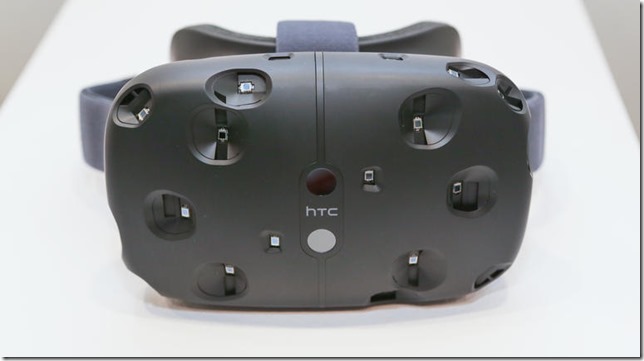
Or you could also just wait for the HTC Vive Pre which has identical specs and feels just as nice and even has its own space game at launch called Elite: Dangerous. While the Oculus booth was targeted at fans, in large part, the Vive was shown in two different places to different audiences. A traveling HTC Vive bus pulled out tents and set up on the corner opposite Convention Hall North. This was for fans to try out the system and involved an hour wait for outdoor demos while demos inside the bus required signing up. I went down the street the the Wynn Hotel where press demos run by the marketing team were being organized in one of the hotel ballrooms. No engineers to talk to, sadly.
Whereas Oculus’s major announcement was about pricing and availability as well as opening up pre-orders, HTC’s announcement was about a technology breakthrough that didn’t really seem like much of a breakthrough. A color camera was placed on the front of HMD that outlines real-world objects around the player in order, among other things, to help the player avoid bumping into things when using the Vive Pre with the Lighthouse peripherals in order to walk around a VR experience.
The Lighthouse experience is cool but the experience I most enjoyed was playing Elite: Dangerous with two mounted joysticks. This is a game I’ve played on the DK2 until it stopped working with the DK2 following my upgrade to Windows 10 (which as a Microsoft MVP I’m pretty much required to do) so I was pretty surprised to see the game in the HTC press room and even more surprised when I spent an hour chatting away happily to one of ED’s marketing people.
So this is a big tangent but here’s what I think happened and why the ED Oculus support became rocky a few months ago. Oculus appears to have started courting Eve: Valkyrie a while back, even though Elite: Dangerous was the more mature game. Someone must have decided that you don’t need two space games for one device launch, and so ED drifted over to the HTC Vive camp. And suddenly, support for the DK2 went on the backburner at ED while Oculus made breaking changes in their SDK release and many people who had gotten ED to play with the Rift or gotten the Rift to play with ED were sorely disappointed. At this point, you can make Elite: Horizons (the upgrade from ED) work in VR with Oculus but it is tricky and not documented. You have to download SteamVR, even if you didn’t buy Elite: Horizons from Stream, and jury rig your monitor settings to get everything running well in the Oculus direct mode. Needless to say, it’s clear that Elite’s games are going to run much more nicely if you buy Steam’s Vive and run it through Steam.
As for comparing Oculus Rift and HTC Vive Pre, it’s hard to say. They have the same specs. They both will need powerful computers to play on, so the cost of ownership goes beyond simply buying the HMD. Oculus has the touch controllers, but we don’t really know when they will be ready. HTC Vive has the Lighthouse peripherals that allow you to walk around and the specialized Steam controllers, but we don’t know how much they will cost.
For the moment, then, the best way to choose between the two VR devices comes down to which space flying game you think you would like more. Elite: Dangerous is mainly a community exploration game with combat elements. Eve: Valkyrie is a space combat game with exploration elements. Beyond that, Palmer Luckey did get the ball rolling on this whole VR thing, so all other things being equal, mutatis mutandis, you should probably reward him with your gold. Personally, though, I really love Elite: Horizons and being able to walk around in VR.
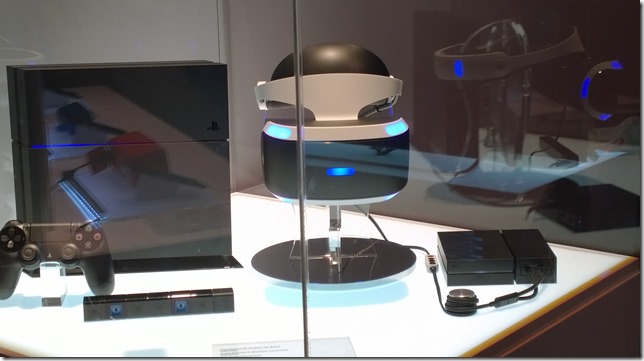
But then again, one could always wait for PlayStation VR (the head-mounted display formerly known as Project Morpheus). The PlayStation VR demo was hidden in the back of the PlayStation demos, which in turn was at the back of the Sony booth which was at the far corner of the Las Vegas Convention Center North Hall. In other words, it was hard to find and a hike to get to. Once you go to it, though, it became clear that this was, in the scheme of things, a small play for the extremely diversified Sony. There wasn’t really enough room for the four demos Sony was showing and the lines were extremely compressed.
Which is odd because, for me at least, the PlayStation VR was the only thing I wanted to see. It’s by far the prettiest of the four big VR systems. While the resolution is slightly lower than that of the Oculus Rift or HTC Vive Pre, the frame rate is higher. Additionally, you don’t need to purchase a $900 computer to play it. You just need a PlayStation 4. The PlayStation Move controllers, as a bonus, finally make sense as VR controllers.
Best of all, there’s a good chance that PlayStation will end up having the best VR games (including Eve: Valkyrie) because those relationships already exist. Oculus and HTC Vive will likely clean up on the indie-game market since their dev and deployment story is likely going to be much simpler than Sony’s.
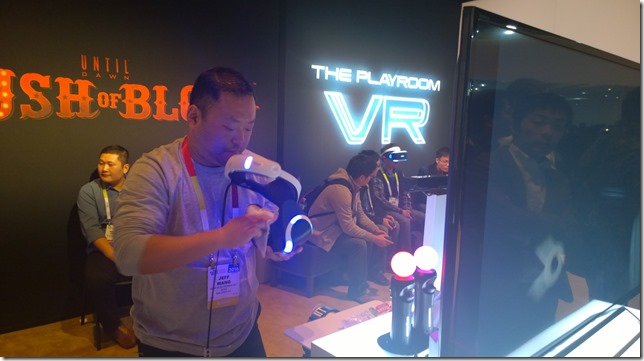
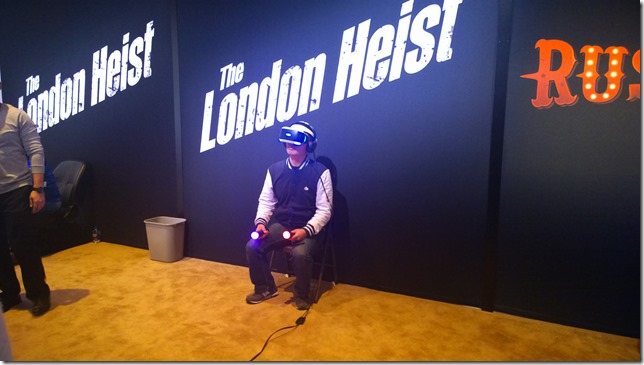
I waited forty minutes to play the newest The London Heist demo. In it, I rode shotgun in a truck next to a London thug as motorcycles and vans with machine gun wielding riders passed by and shot at me. I shot back, but strangely the most fascinating part for me was opening the glove compartment with the Move controllers and fiddling with the radio controls.
Prepare for another digression or just skip ahead if you like. While I was using Playstion Move controllers (those two lit up things in the picture above that look like neon ice-cream cones) in the Sony booth to change the radio station in my virtual van, BMW had a tent outside the convention center where they demoed a radio tuner in one of their cars that responded to hand gestures. One spun ones finger clockwise to scan through the radio channels. Two fingers pressed forward would pause a track. Wave would dismiss. Having worked with Kinect gestures for the past five years, I was extremely impressed with how good and intuitive these gestures were. They can even be re-programmed, by the way, to perform other functions. One night, I watched my boss close his eyes and perform these gestures from memory in order to lock them into his motor memory. They were that good, so if you have a lot of money, go buy all four VR sets as well as a BMW Series 7 so you can try out the radio.
But I digress. The London Heist is a fantastic game and the Playstation VR is pretty great. I only wish I had a better idea of when it is being released an how much it will cost.
Another great thing about the Sony PlayStation VR area was that it was out in the open unlike the VR demos from other companies. You could watch (for about 40 minutes, actually) as other people went through their moves. Eventually, we’ll start seeing a lot of these shots contrasting what people think they are doing in VR with what they are really doing. It starts off comically, but over time becomes very interesting as you realize the extent to which we are all constantly living out experiences in our imaginations and having imaginary conversations that no one around us is aware of – the rich interior life that a VR system is particularly suited to reveal to us.
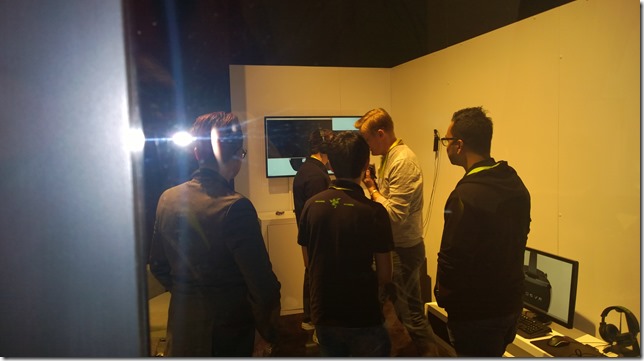
I found the OSVR demo almost by accident while walking around the outside of the Razer booth. There was a single small room with a glass window in the side where I could spy a demo going on. I had to wait for Tom’s Hardware to go though first, and also someone from Gizmodo, but after a while they finally invited me in and I got to talk to honest to goodness engineers instead of marketing people! OSVR demoed a 3D cut scene rather than an actual game and there was a little choppiness which may have been due to IR contamination from the overhead lights. I don’t really know. But for $299 it was pretty good and, if you aren’t already the proud owner of an Oculus DK2, which has the same specs, it may be the way to go. It also has upgradeable parts which is pretty interesting. If you are a hobbyist who wants to get a better understanding of how VR devices work – or if you simply want a relatively inexpensive way to get into VR – then this might be a great solution.
You could also go even cheaper, down to $99, and get a Samsung Gear VR (or one of a dozen or so similar devices) if you already have a $700 phone to fit into it. Definitely demo a full VR head-mounted display first, though, to make sure the more limited Gear VR-style experience is what you really want.
I also wanted to make quick mention of AntVR, which is an indie VR solution and Kickstarter that uses fiducial markers instead of IR emitters/receivers for position tracking. It’s a full walking VR system that looked pretty cool.
If walking around with VR goggles seems a bit risky to you, you could also try a harness rig like Omni’s. Ignoring the fact that it looks like a baby’s jumporee, the Omni now comes with custom shoes so running inside it is easier. With practice, it looks like you can go pretty fast in one of these things and maybe even burn some serious calories. There were lots of discussions about where you would put something like this. It should work with any sort of VR setup: the demo systems were using Oculus DK2. While watching the demo I kept wanting to eat baby carrots for some reason.
According to various forecasters, virtual reality is going to be as important a cultural touchstone for children growing up today as the Atari 2600 was for my generation.
To quickly summarize (or at least generalize) the benefits of each of the four main VR systems coming to market this year:
1. Oculus Rift – first developed and first to release a full package
2. HTC Vive Pre – best controllers and position tracking
I have updated this WordPress blog to version 4.4.1.
I also moved my database from cleardb, which typically hosts MySQL for Microsoft Azure, to a MySQL Docker Container running in Azure.
After wasting a lot of time trying to figure out how to do this, I found a brilliant post by Morten Lerudjordet that took me by the hand and led me through all the obscure but necessary steps.
You currently can sign up to be selected to receive a HoloLens dev kit sometime in the 1st quarter of 2016. The advertised price is $3000 and there’s been lots of kerfuffle over this online, both pro and con. On the one hand, a high price tag for the dev kit ensures that only those who are really serious about this amazing technology will be jumping in. On the other hand, there’s the justifiable concern that only well heeled consulting companies will be able to get their hands on the hardware with this entry price, keeping it out of the hands of indie developers who may (or may not) be able to do the most innovative and exciting things with it.
I feel that both perspectives have an element of truth behind it. Even with the release of the Kinect a few years ago (which had a much much lower barrier to entry) there were similar conversations concerning price and accessibility. All this comes down to a question of who will do the most with the HoloLens and have the most to offer. In the long run, after all, it isn’t the hardware that will be expensive but instead the amount of time garage hackers as well as industry engineers are going to invest into organizing, designing and building experiences. At the end of the day (again from my experience with the Kinect) 80 per cent of these would be bleeding edge technologists will end up throwing up their hands while the truly devoted, it will turn out, never even blinked at the initial price tag.
Concerning the price tag, however, I feel like we are underestimating. For anyone currently planning out AR experiences, is only one HoloLens really going to be enough? I can currently start building HoloLens apps using Unity 3D and have a pretty good idea of how it will work out when (if) I eventually get a device in my hands. There will be tweaking, obviously, and lots of experiential, UX, and performance revelations to take into account, but I can pretty much start now. What I can’t do right now — or even easily imagine – is how to collaborate and share experiences between two HoloLenses. And for me, this social aspect is the most fascinating and largely unexplored aspect of augmented reality.
Virtual reality will have its own forms of sociality that largely revolve around using avatars for interrelations. In essence, virtual reality is always a private experience that we shim social interactions into.
Augmented reality, on the other hand, is essentially a social technology that, for now, we are treating as a private one. Perhaps this is because we currently take VR experiences as the template for our AR experiences. But this is misguided. An inherently and essentially social technology like HoloLens should have social awareness as a key aspect of every application written for it.
Can you build a social experience with just one HoloLens? Which leaves me wondering if the price tag for the HoloLens Development Edition is just $3000 as advertised? Or is it really $6000?
Finally, what does it take to be the sort of person who doesn’t blink at coughing up 3K – 6K for an early HoloLens?
You might be a HoloLens developer if:
Your most prized possession is a notebook in which you are constantly jotting down your ideas for AR experiences.
You are spending all your free time trying to become better with Unity, Unreal and C++.
You are online until 3 in the morning comparing Microsoft and Magic Leap patents.
You’ve narrowed all your career choices down to what gives you skills useful for HoloLens and what takes away from that.
Given current augmented reality technologies like Magic Leap and HoloLens, it has become a reflexive habit to associate augmented reality with head-mounted displays.
This tendency has always been present and has to undergo constant correction as in this 1997 paper by the legendary Ron Azuma that provides a survey of AR:
“Some researchers define AR in a way that requires the use of Head-Mounted Displays (HMDs). To avoid limiting AR to specific technologies, this survey defines AR as systems that have the following three characteristics:
1) Combines real and virtual
2) Interactive in real time
3) Registered in 3-D
“This definition allows other technologies besides HMDs while retaining the essential components of AR.”
Azuma goes on to describe the juxtaposition of real and virtual content from Who Framed Roger Rabbit as an illustrative example of AR as he has defined it. Interestingly, he doesn’t cite the holodeck from Star Trek as an example of HMD-less AR – probably because it is tricky to use fantasy future technology to really prove anything.
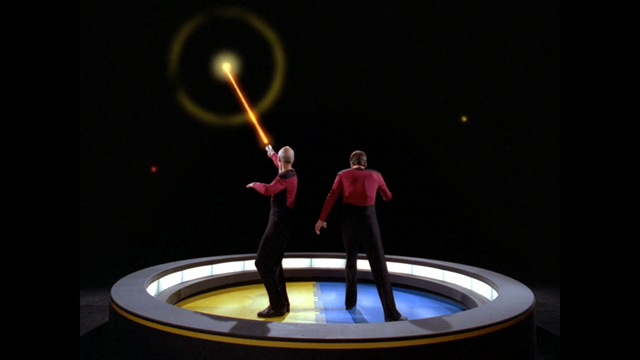
Nevertheless, the holodeck is one of the great examples of the sort of tetherless AR we all ultimate want. It often goes under the name “hard AR” and finds expression in Vernor Vinge’s Hugo winning Rainbow’s End.
The Star Trek TNG writers were always careful not to explain too much about how the holodeck actually worked. We get a hint of it, however, in the 1988 episode Elementary, Dear Data in which Geordi, Data and Dr. Pulaski enter the holodeck in order to create an original Sherlock Holmes adventure for Data to solve. This is apparently the first time Dr. Pulaski has seen a state-of-the-art holodeck implementation.
Pulaski: “How does it work? The real London was hundreds of square kilometers in size.”
Data: “This is no larger than the holodeck, of course, so the computer adjusts by placing images of more distant perspective on the holodeck walls.”
Geordi: “But with an image so perfect that you’d actually have to touch the wall to know it was there. And the computer fools you in other ways.”
What fascinates me about this particular explanation of holodeck technology is that it sounds an awful lot like the way Microsoft Research’s RoomAlive project works.
RoomAlive uses a series of coordinated projectors, typically calibrated using Kinects, to project realtime interactive content on the walls of the RoomAlive space using a technique called projection mapping.
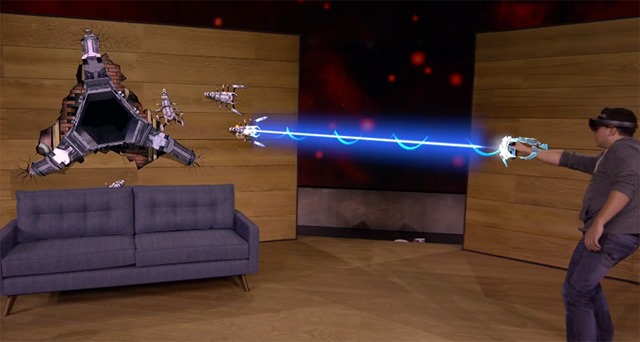
You might finally notice some similarities between the demos for RoomAlive and the latest gaming demos for HoloLens.
These experiences are cognates rather than derivations of one another. The reason so many AR experiences end up looking similar, despite the technology used to implement them (and more importantly regardless of the presence or absence of HMDs), is because AR applications all tend to solve the same sorts of problems that other technologies, like virtual reality, do not.
According to an alternative explanation, however, all AR experiences end up looking the same because all AR experiences ultimately borrow their ideas from the Star Trek holodeck.
By the way, if you would like to create your own holodeck-inspired experience, the researchers behind RoomAlive have open sourced their code under the MIT license. Might I suggest a Sherlock Holmes themed adventure?
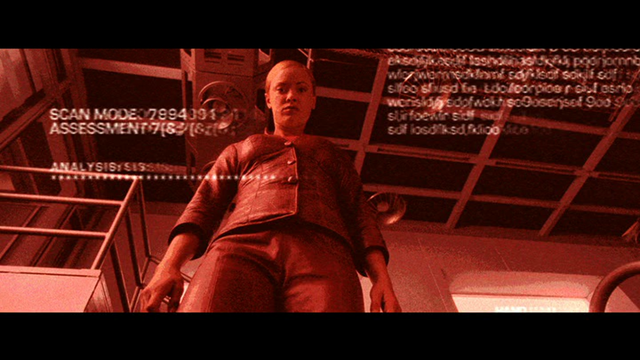
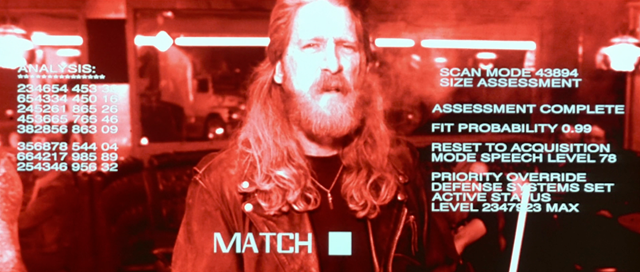
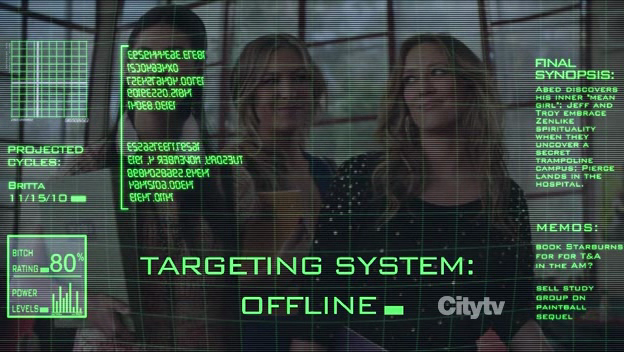
James Cameron’s film The Terminator introduced an interesting visual effect that allowed audiences to get inside the head and behind the eyes of the eponymous cyborg. What came to be called terminator visionis now a staple of science fiction movies from Robocop to Iron Man. Prior to The Terminator, however, the only similar robot-centric perspective shot seems to have been in the 1973 Yul Brynner thriller Westworld. Terminator vision is basically a scene filmed from the T-800’s point-of-view. What makes the terminator vision point-of-view style special is that the camera’s view is overlaid with informatics concerning background data, potential dialog choices, and threat assessments.
But does this tell us anything about how computers actually see the world? With the suspension of disbelief typically required to enjoy science fiction, we can accept that a cyborg from the future would need to identify threats and then have contingency plans in case the threat exceeds a certain threshold. In the same way, it makes sense that a cyborg would perform visual scans and analysis of the objects around him. What makes less sense is why a computer would need an internal display readout. Why does the computer that performs this analysis need to present the data back to itself to read on its own eyeballs?
Looked at from another way, we might wonder how the T-800 processes the images and informatics it is displaying to itself inside the theater of its own mind. Is there yet another terminator inside the head of the T-800 that takes in this image and processes it? Does the inner terminator then redisplay all of this information to yet another terminator inside its own head – an inner-inner terminator? Does this epiphenomenal reflection and redisplaying of information go on ad infinitum? Or does it make more sense to simply reject the whole notion of a machine examining and reflecting on its own visual processing?
I don’t mean to set up terminator vision as a straw man in this way just so I can knock it down. Where terminator vision falls somewhat short in showing us how computers see the world, it excels in teaching us about how we human beings see computers. Terminator vision is so effective as a story telling trope because it fills in for something that cannot exist. Computers take in data, follow their programming, perform operations and return results. They do not think, as such. They are on the far side of an uncanny valley, performing operations we might perform but more quickly and without hesitation. Because of this, we find it reassuring to imagine that computers deliberate in the same way we do. It gives us pleasure to project our own thinking processes onto them. Far from being jarring, seeing dialog options appear on Arnold Schwartzenegger’s inner vidscreen like a 1990’s text-based computer game is comforting because it paves over the uncanny valley between humans and machines.
It’s taken about a year but now everyone who’s interested can easily distinguish between augmented reality and virtual reality. Augmented reality experiences like the one provided by HoloLens combine digital and actual content. Virtual reality experiences like that provided by Oculus Rift are purely digital experiences. Both have commonalities such as stereoscopy, head tracking and object positioning to create the illusion that the digital objects introduced into a user’s field of view have a physical presence and can be walked around.
Sticklers may point out that there is a third kind of experience called a head-up display in which informatics are displayed at the top corner of a user’s field of view to provide digital content and text. Because head-up display devices like the now passe Google Glass do not overlay digital content on top of real world content, but instead displays them more or less side-by-side, it is not considered augmented reality.
Even with augmented reality, however, a distinction can be drawn between informational content and digital content made up of 3D models. The informational type of augmented reality, as in the picture of my dog Marcie above, is often called the Terminator view, after the first-person (first-cyborg?) camera perspective used as a story telling device in the eponymous movie. The other type of augmented reality content has variously been described inaccurately as holography by marketers or, more recently, mixed reality.
The distinction is being drawn largely to distinguish what might be called hard AR from the more typical 2D overlays on smart phones that help you find a pizza restaurant. Mixed reality is a term intended to emphasize the point that not all AR is created equal.
Abandoning the term “augmented reality” in favor of “mixed reality” to describe HoloLens and Magic Leap, however, seems a bit drastic and recalls Gresham’s Law, the observation that bad money drives out good money. When the principle is generalized, as Albert Jay Knock did in his brilliant autobiography Memoirs of a Superfluous Man, it simply means that counterfeit and derivative concepts will drive out the authentic ones.
This is what appears to be happening here. Before the advent of the iPhone, researchers were already working on augmented reality. The augmented reality experiences they were building, in turn, were not Terminator vision style. Early AR projects like KARMA from 1992 were like the type of experiences that are now being made possible in Redmond and Hollywood, Florida. Terminator vision apps only came later with the mass distribution of smart phones and the fact that flat AR experiences are the only type of AR those devices can support.
I prefer the term augmented reality because it contains within itself a longer perspective on these technologies. Ultimately, the combination of digital and real content is intended to uplift us and enhance our lives. If done right, it has the ability to re-enchant everyday life. Compared to those aspirations, the term “mixed reality” seems overly prosaic and fatally underwhelming.
I will personally continue to use the moniker “mixed reality” as a generic term when I want to talk about both virtual reality and augmented reality as a single concept. Unless the marketing juggernaut overtakes me, however, I will give preference to the more precise and aspirational term “augmented reality” when talking about HoloLens, Magic Leap and cool projects like RoomAlive.
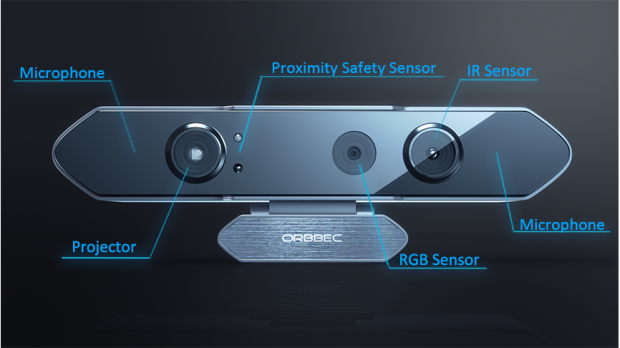
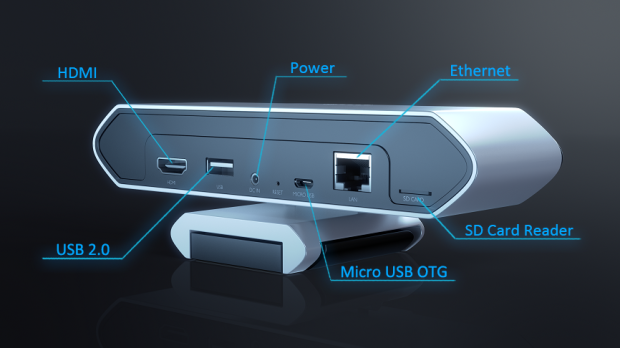
Today Orbbec3D, my employer, announced a new depth sensor called the Orbbec Persee. We are calling it a camera-computer because instead of attaching a sensor to a computer, we’ve taken the much more reasonable approach of putting the computer inside our sensor. It’s basically a 3D camera that doesn’t require a separate computer hooked up to it because it has its own onboard CPU while maintaining a small physical footprint. This is the same sort of move being made by products like the HoloLens.
Unlike the Oculus Rift which requires an additional computer or Google Glass which needs a CPU on a nearby smartphone, the Persee falls into a category of devices that perform their own computing and that you can program as well as load pre-built software on.
For retail scenarios like advanced proximity detection or face recognition, this means compact installations. One of the major difficulties with traditional “peripheral” cameras is placing computers in such a way that they stay hidden while also allowing for air circulation and appropriate heat dissipation. Having done this multiple times, I can confirm that this is a very tricky problem and typically introduces multiple points of failure. The Persee removes all those obstacles and allows for sleek fabricated installs at a great price.
What has me truly excited about the Persee is Orbbec’s efforts to cater to the creative coding community and the way that the creative community has taken to it. These people are my heroes and having them give our product the nod means the world to me. People like Golan Levin, Phoenix Perry, Kyle McDonald, James George, Greg Borenstein, and Elliot Woods.
The device is OpenNI compatible but also provides it’s own middleware to add new capabilities and fill both creative and commercial needs (<– this is the part I’m working on).
Is it a replacement for Kinect? In my opinion, not really because they do different things. The Kinect will always be my first love and is the full package, offering high-rez video, depth and a 3D mic. It is primarily a gaming peripheral. The Orbbec Persee fills a very different niche and competes with devices like the Asus Xtion and Intel RealSense as realtime collectors of volumetric data – in the way your thermometer collects thermal data. What distinguishes the Persee from its competitors is that it is an intelligent device and not just a mere peripheral. It is a first class citizen in the Internet of Things — to invoke magical marketing thinking – where each device in the web of intelligent objects not only reports its status but also reflects, processes and adjusts its status. It’s the extra kick that makes the Internet of Things not just a buzzword, but also a step along the path toward non-Skynet hard AI. It’s the next big thing.
The Imaginative Universal is the blog site of James Ashley.
James is a mild-manered software writer in Atlanta, Georgia and a consultant in emerging technologies like Kinect, Oculus Rift, Hololens, Unity3D and openFrameworks. For several years he was a Presentation Layer Architect at Razorfish. The views expressed on this blog are James’s alone, and do not reflect the public or private positions of his employer.
James used to run the SilverlightAtlanta User Group. He was also the lead organizer of ReMIX Atlanta, a code + art conference in Atlanta that ran from 2011 to 2013.
James is a current Microsoft Kinect MVP and a former Client App Dev MVP. He is the author of Beginning Kinect Programming published by Apress.